Skip to content
View in the app

A better way to browse. Learn more.

LCPDFR.com

A full-screen app on your home screen with push notifications, badges and more.

To install this app on iOS and iPadOS
  1. Tap the Share icon in Safari
  2. Scroll the menu and tap Add to Home Screen.
  3. Tap Add in the top-right corner.
To install this app on Android
  1. Tap the 3-dot menu (⋮) in the top-right corner of the browser.
  2. Tap Add to Home screen or Install app.
  3. Confirm by tapping Install.

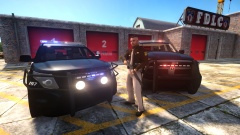
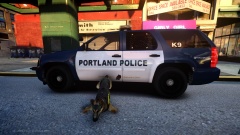
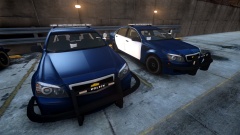
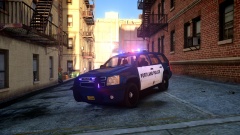
Portland Police Bureau Chevy Caprice

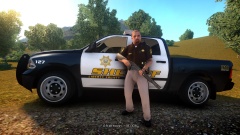
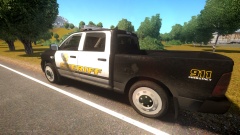
Let's pretend, "The Portland Police Bureau has officially chosen the 2014 Chevy Caprice PPV to be the Bureau's new patrol car, as they phase out the last of the Dodge Chargers. These two patrol cars shown only need their decals before they can officially hit the street. The PPB has been testing the Caprice for the last few years and have been satisfied with the car's performance." Look at my profile for release information and here's a gif of the lighting:

http://giphy.com/gifs/3rgXBI5XrYSKbzGW4w

From the album:

BlackJesus1's WIPs

· 133 images

Account

Navigation

Search

Search

Configure browser push notifications

Chrome (Android)
  1. Tap the lock icon next to the address bar.
  2. Tap Permissions → Notifications.
  3. Adjust your preference.
Chrome (Desktop)
  1. Click the padlock icon in the address bar.
  2. Select Site settings.
  3. Find Notifications and adjust your preference.