
CODEX12
Members
-
Joined
-
Last visited
Everything posted by CODEX12
-
I had the same feeling with my first build with a gtx 550 ti lol & 4GB ram
-
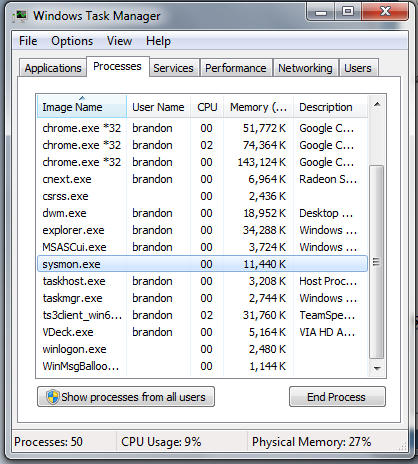
Okay sorry the long ass title let me get started. Last night i was on windows 10 and i wanted to to a flesh format back to windows 7 so i did, then 1hour later when installing all of the drivers programs games etc, i started to get this issue. (Another program is currently using this file) so whenever i install any program and open it will close randomly itself and whenever i try to reopen the program main exe file it says this (Another program is currently using this file). i have found out that some program i can't close is called (sysmon.exe) i did a google search and didn't find anything about my issue. about this program (sysmon.exe) If anyone had this issue before and got it fixed please don't be sacred to make a comment. Thank you. Solved by going on to windows 10.

-
-
 You should do a update on this adding more lightings. nice release on the skin looks dope
- 4 comments
- 1 review
-
-
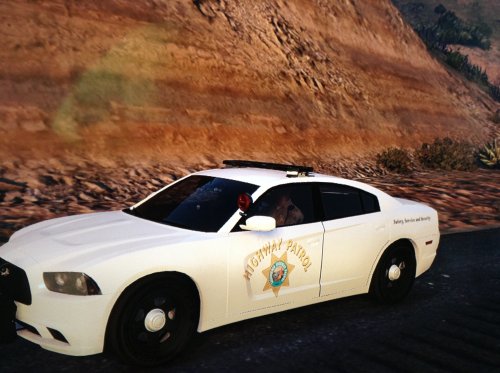 have no idea why people take screenshots on they phones when you can use steam lol. good work anyways man
 -
Any further updates on the AI Boost
-
-
For a second i was like OMG IT'S RELEASED!
-
 Tar for the link didn't even see this being released.
 -
Not a big fan of the model itself but good work. & were is this model from?
-
Building your own would have saved you money i agree to what others say take it back don't open or mess with it because it might be a fault with anything also paying for a pc at that price i would take it back and go nuts on them & buy the parts yourself and save cash maybe buy a 2nd GPU card.
-
good work on the screenshots guys looking good
-
 dam looks fine
 -
 thanks bud skin release if people do request
 -
From the album: Grand Theft Auto V Modifications
-
From the album: Grand Theft Auto V Modifications
-
Why would rockstar work with GTAMP lol that's just silly.
-
 OMG ELS
 -
That's why people shouldn't try making their own MP when rockstar will only take action against it. i guess FiveM will be next to go down.
-
 Bugged out then :D the skins look nice tho.
 -
was they anyneed to spam the screenshots.
-
-
You can try using the ones from GTA IV if am not mistaken they should all be the same.
-
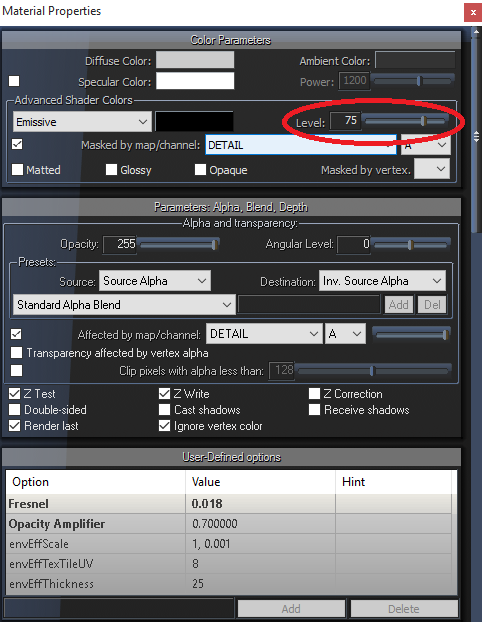
It can be the power settings in zmodeler when setting the lights to vehicle_lightsemissive Here's a screenshot below what am talking about if the model is locked and you cannot change it speak to the author



.png.524062019211a639451043bf88e1e6cc.png)