
CODEX12
Members
-
Joined
-
Last visited
Everything posted by CODEX12
-
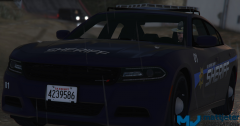 I swear I almost jizzed did you convert this from GTA IV everyone should be doing it at least we have a great game that at least works flawless
 -
you gotta be kidding me release now or I'll kil you lol amazing well job love it a lot
-
Not sure if this post is old but I hope someone is working on a crown Victoria we need that badly and chargers :) yep the modding as only started but look on gtainside they are already lambos and more I would make it myself sadly I don't like using zmodeler only like auto desk if anybody at all is working on any models please do showroom
-
issue was fixed by removing windows 10 installed windows 7 now am getting over 130 fps maxed without a issue I like to thank the lcpdfr members who helped me fixing it the t-pod was fixed by making a new game save in gta v but the texture popping was still they so I uninstalled windows 10 installed windows 7 issue was gone perfectly loading time everything thank you alot guys this topic can be removed / closed
-
am not home at moment but when I'll get back I can add you
-
Does anyone else with a gtx 980 ti 6gb get more then 60 fully maxed out because I seen a few videos with my graphics card and they have over 100fps maxed 1080p and I cannot get soild 60 max which is really weird am also on windows 10 I might be going off topic here but with windows 10 only adds +2 fps more you wouldn't see it that much but it's really only useful for people with low end computers
-
Already done that didn't work it's steam by the way Am installing the game now let you guys know if it's fixed or not sorry if people getting mad with the post bumps.
-
the old AMD drivers are now gone and here is a video example i did. Am also going to delete everything to do with GTA V and install it again
-
It will be my cpu anyways always at 100% all cores upgrade should fix everything
-
Nope it still happens
-
Still doing the same issue only thing i have not did is used a commandline if that don't work it as to be my CPU because it's always at 100%
-
Can't believe this mod looks seriously amazing.
-
^^ that's what i am going to do soon but wouldn't the power supply need to be upgraded because am sure 500 wat's is pretty low. i do see bits of bottlenecking god knows if it effects the FPS. infact i can't even hardly see any bottleneck. Anyways to the topic i have uninstalled the drivers fully uninstalled them but the nvidia control panel is still on the tap same as the AMD control panel can't seem to remove it from the tap selection. holla! holla!
-
Will try this now thank's again :) i was wondering why it was not opening
-
The VRAM is perfectly fine & it's not green texture popping it's the buildings roads and everything else i have installed the new drivers for the graphics card on they main website still i can't open nvidia control panel not sure if that's because of windows 10 or what anyways thank's for being helpful. I might be ending up reinstalling back to windows 7 if it keeps doing it because GTA V is very unplayable with that texture popping crap lol silly me i didn't even see the new patch from Geforce 355.60 if am correct ill update now and give this a try.
-
Hello people. today i have upgraded to a MSI GTX 980 6GB graphics card and am getting texture popping alot sometimes it happens it don't it really only happens when am driving pretty fast etc, am not sure if this is my CPU doing it but specs below. windows 10 8:GB of ram MSI GTX 980 6GB 500 wat power supply crossair. AMD athlon(tm) II X4 640 Processor 3.00 GHz this issue also happend abit with my older graphics card which was a AMD 7770 1:GB
-
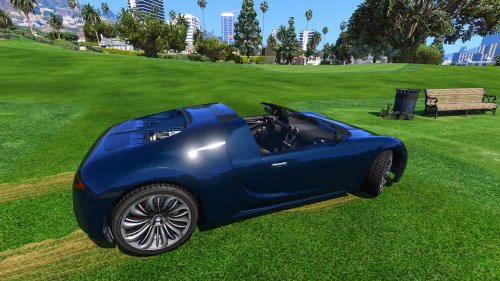 I believe this is a vehicle modification don't give a crap what others say we have to start somewere right? Rating 10
- 9 comments
- 11 reviews
-
Are you sure its correctly attached with the dummy because i had this kinda issue before
-
I was wondering why it got taken off.
-
They all look seriously amazing.
-
-
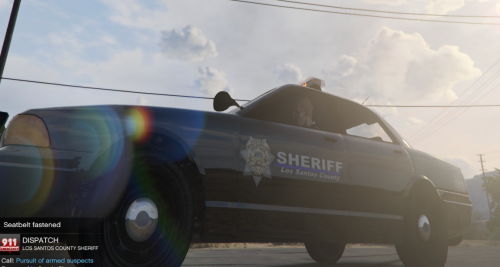 And why is it called thin blue line?
 -
It's a object which means you cant do anything yet.
-
-
Why don't ragehook work with the new patch?