
CODEX12
Members
-
Joined
-
Last visited
Everything posted by CODEX12
-
How can anyone even say that GTA IV is so much better? am not starting a war. i can name alot of things that V is better
-
Laptops are likely to overheat at some point playing gta v unless it's a very good one. And you need something at least 3:GB or 4:GB graphics card but you still can run it on very high settings i just seen some gameplay with it pretty good laptop go with the MIS one.
-
Did you update the drivers from they main website. Download the Automatic Driver Updates here http://www.geforce.com/drivers
-
-
Didn't knew it was on the rules but thank's for the heads up.
-
I don't think it matters if it's retail or not but this is a steam one but give it shot anyways. it's the latest up to date. Reply back if the issue is still not fixed i will do some research for non steam users. Not used this program but seems like it will help. https://www.gta5-mods.com/tools/verify-game-files-without-steam
-
i have a updated one if you want i can upload it and it's clean no modifications on it. I only found this a few days ago because i had the same error and i got the game off steam so i hope they is the same way for non steam am uploading my x64a.rpf file hope this fixes the issue.
-
it should work perfectly fine when i had that error i just did that steam thing and it fixed it so am pretty sure for non steam users just repair it within the disk format. good luck :)
-
Wait if you have the disk can't you click on repair? be better rather reinstalling the game Like when you uninstall a program you should see repair when you click it.
-
I had the same issue other day but works perfect now. try going on to steam if you are a steam user. do the following steps. 1: login to steam 2: right click on to Grand Theft Auto V then click on properties / Local files / Verify Intergrity of game cache (DOING THIS MIGHT REMOVE ANY MODIFICATIONS YOU HAVE INSTALLED) hope this fixes your issue. even if you have missing files doing that will redownload whatever is missing. such as x64a.rpf
-
As from GTA IV you can import vehicles into autodesk correct? well dose anybody at all know if it's going to be done the same way for GTA V so we can start making models? yes this might been asked a million times but i never heard owt from it. something like Kam's Max Scripts
-
Wait & see :)
-
-
-
-
-
Are you on patch 1.0.7.0?
-
Sam can you confirm that the AI police is more better because they ram the hell out of you when you take lead pursuits. They is really hardly nothing i can request apart from trying to fix the AI from acting like you are not in pursuit. Good work as always.
-
 FiveM as not been updated for it to support LSPDFR so it won't have MP
 -
EDIT: sorry i tho you meant GTA V try redownloading LCPDFR without any modifications that can also start the crashing,
-
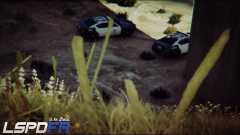 Taken the screenshot myself in game editor then editing the blur & LSPDFR logo myself :)
 -
-
I hope it dose get released sometime today if not i really don't mind looking at the good amazing updates you coming out with. (this is seriously something we been waiting for)
-
Now LSPDFR is getting even better from the look of it all we need right now is vehicle modding crown victorias and dodge chargers. Keep it up (sam) you doing a very nice job i can't believe this is alot more stable no crashing then (GTA IV) & the design of that police computer is nice.
-
sweet love the look of it.