
coastiestevie
Members
-
Joined
-
Last visited
Everything posted by coastiestevie
-
New Samples available
-
Uploaded now
-
I do have some samples, I'll upload the youtube video in a moment. Thanks for moving it to the proper category!
-
San Andreas New Dispatcher Mod Created by Coastiestevie, from scratch! This is a project I started working on, which I hope will be a true success. It completely replaced the old female dispatcher voice, as she's nearing her retirement anyways and replaced her with a newer, younger voice. It's an experienced dispatcher style. It's without the ummm.... innnnn... uhhhhh.... as real dispatchers usually don't stutter on radio. They plan on what will be said before keying up. After recreating over 900 files, this mod is ALMOST complete! I'm speaking with some of the creators of the mods below, who I have made available compatibility for their mod. We don't want the female voice saying one word and the new dispatcher saying the rest of the sentence. All known missing dispatch files have been fixed to my knowledge.
-
-
 Thanks a lot!
 -
Who's vehicle model do you recommend for this? I like the texture.
-
 Interesting enough, it automatically started working LOL. Don't know what I did, but I'm getting illegal broadcast calls now. Thanks anyways!
- 546 comments
- 103 reviews
-
Yes I followed all the directions and the files in the proper place. All logs speak nothing of PeterUCallouts. Not sure why...
- 546 comments
- 103 reviews
-
It's located in X64, Audio, SFX, S_FULL_SER.rpf, and inside the officer audio files as 0x0C0BFD68
-
I'm not getting any callouts from your script. I followed all the readme directions.
- 546 comments
- 103 reviews
-
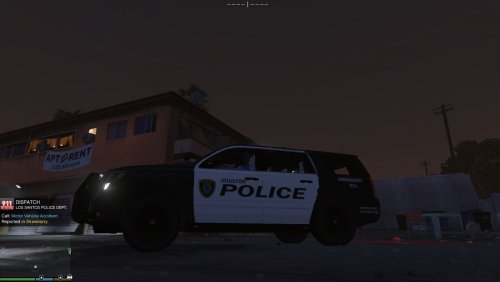 This is an HPD texture file for the 2015 tahoe. Works best with the vehicle model below:
 -
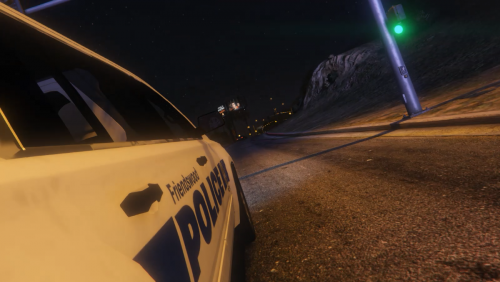 Yeah I don't see why not
 -
This is the texture file for the 2015 tahoe. Works best with the vehicle model below:
-
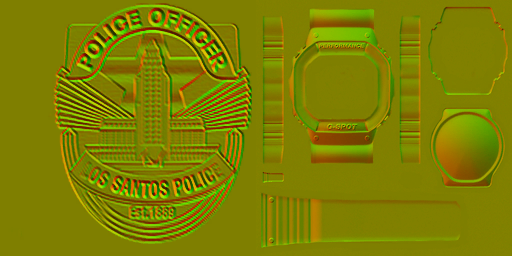
You see it normally in uniform textures. It's a yellow photo with embossed appearance, such as below. How can I create one from scratch?
-
Well I suppose, but not when I want my texture working!! glad ya figured it out for me though thanks again
-
You know, I don't see why they have to make little changes like that, which piss the rest of us off. It's like we have to go scavenger hunting for texture locations!!
-
PERFECT! That's it! I see original cop ped textures there. Thank you both for helping me locate it!
-
Where are those patchday folders located?
-
I had created my own uniform texture and it worked perfectly. Then, GTA V got updated a while ago. When I started up the game, the texture appeared like the original texture, but my texture was still in the s_m_y_cop texture file. I'm not sure why the texture is showing in game as the original ped texture, but in OpenIV, its my texture. Any ideas?
-
-
-
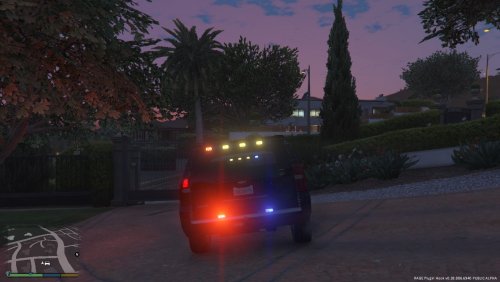 Not sure if this is a car error or LSPDFR error, but while conducting a traffic stop, I got this crash [3/29/2016 3:44:37 PM.694] LSPD First Response: Car key error handled.
- 41 comments
- 8 reviews
-
I'm not asking you to make more vehicles. Someone else will continue to make the other light bars then. On the topic of light bars, do we know how to fix the blacked out glass?
- 41 comments
- 8 reviews
-
No I don't forget that the game is based in Los Angeles. More then half of the cars made have the arjent. A lot of people don't even like the arjent model. We need more variations right now.
- 41 comments
- 8 reviews