


Asuna
Members
-
Joined
-
Last visited
Everything posted by Asuna
-
is c++ x86 and .net framework4 installed?
-
Actually all the system I have seen this on, has been mostly 64
-
Again this error....No windows 7 64 bit shouldn't have a problem my computers are both 64 bit and installed. The only way that I have found to rid yourself of it(via installing on some one elses computer via teamviewer..is a fresh install of the game....Remove ALL mods from your gta folders, uninstall game, reinstall then install LCPDFR be sure your folders are "unlocked" should you need to learn how to do that [media=]
-
You're welcome! Mods, Problem solllvveedddd once again...by yours truely...
-
I noticed like he did in another topic where he offered no help at all and jay closed it with out moving it
-
didn't I post how to do this like 3 hours ago?
-
Patterns will only change using U and I, and only if you pressed Alt+M and a menu appears. J and K only control On and Off, as well as the Warn/TKD light button O when pri is on, and L when it's off which flips wag to steady burn take downs and alleys but should only light up the front of the vehicle. Some lights maybe linked to the warn/tkd lights so you might get a steady burn light(s) in the rear of the vehicle Some care are like that with paintjob. usually older vehicles, but you can change the paintjobs later Siren is moderately easy to replace And just for good measure [ POLICE ] Active = 1 Indicates if the vehicle is able to use ELS in game, a 0 here means not active and disables ELS in game for that vehicle Halogen_Only = 0 Indicates if the vehicle is active for Halogen, aka, classic bulb lights, such as a code3 360 or a steethawk etc, a 1 here indicates it's activated and you have one pattern to work with giving the illusion of a rotating reflector Color_Light1L = 0 These two green lines indicates the reflection color on the ground on the left side See Under this for color keys Color_Light2L = 0 THESE WILL NOT CHANGE THE COLOR OF YOUR LIGHTS ON THE VEHICLE Color_Light3R = 0 These Blue lines are the same as the green, only for the Right side Color_Light4R = 0 Color_Light7L = 3 These Purple lines are for the Arrow Stick or traffic director bar or in laymens, the Secondary lights Color_Light8C = 3 Color_Light9R = 3 Offst_SLights = 0 This is a reflection offset, you don't need this really...why it's in here....got me COLOR CODES. These numbers replace the 0's (and 3's if nessicery) below Halogen only // Red 0 // Blue 1 // White 2 // Amber 3 // Green 4
-
Yes, you can change one cars wft's and wtd's from Police2 -> police and it should work most of the time. or Police -> noose or vice versa
-
I prefer She fyi, I wouldn't say pro...I would say some where between moderate to expert knowledge in GTAIV eff ups Don't really see how ASI loaders became the subject here though....
-
IVDashCam - The police dash cam mod: has an installer Trainer, Drop the ASI and INI into your gta install folder, EFLC trainers into the EFLC directory, traffic flow goes in SCRIPTS..... Firstperson if i remember right, goes in the directory....or was it scripts... the others..I don't know read the readme files
-
Mods, this question was posed in his other thread, It has been answered, this one can be closed FYI
-
Right click your gta shortcut or LAUNCHGTAIV.exe in the gta folder, click run as admin, or follow this video to never have to do that
-
Uncheck taser....
-
then you have a pardon the french, crap car mod, replace POLICE. I believe that is where your problem is
-
Uncheck taser install....
-
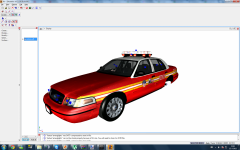 is dat a street hawk?! drool
 -
step one, remove ALL mods....step 2 uninstall through the add remove program step 3, reinstall, step 4, play with out mods. see wha happens
-
next question: This is a fully legal paid for copy?
-
whats the error code with the error message?
-
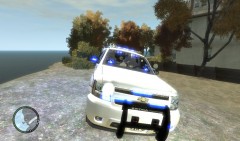 holy christmas tree batman!
 -
Would ya read all the posts before posting you still don't know what to do....Open up the ELS.ini if you want the controls to ELS pretty sure i also said how to pull them over in my last post
-
Shift is to pull them over, ELS default keys are J K L to turn them on, default cars is G, its siren and lights or off with default cars though....I have no idea WHY they did that...
-
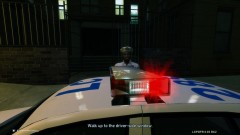 also, the freedom has a circular Alley http://shop.teletouch.com/images/products/whelen/fxaly_mr11.jpg
 -
hey arron, take a look at my gallery and enlarge image with the flag on the side of the crusier
- 7 comments
- 2 reviews
-
even I could have told you that...I have an Edge sitting in my basment

