


vynlthrash
Members
-
Joined
-
Last visited
Everything posted by vynlthrash
-
CANT FRIGGIN WAIT
-
-
THAT BACKGROUND!
-
I'd laugh if they release a trainer first to troll everyone
-
**still getting shot at**
-
my computer is stupid and wont let me edit...im at work so i gotta go..but just continue this as when you get to me i get hit in the vest and they take off you know...if you want
-
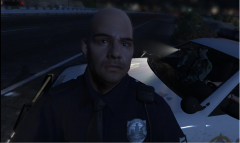
SHOTS FIRED! 104 to dispatch i need backup on shots fired at an officer on La Puerta freeway heading southbound by the Maze Bank Arena. five suspects in a white speedo spot a patrol stanier on the side of the road and pull up about 20 yards away and all jump out firing at the squad car. Officer vynl jumps out and crawls his way to the rear of the vehicle as glass shatters all around him.
-
104 to control code 4 show me 10-8
-
Copy that
-
Copy that..past ticket history..also he mentioned he was carrying a pistol...any conceal permit on record
-
I'm on I1 northbound traffic stop...plates qu734f1
-
I'm on I1 northbound traffic stop...plates qu734f1
-
104 sits behind a very confused landstalker occupied times 2. Is dispatch dead?
-
dont you do this to me
-
104 to Dispatch
-
what 10 codes are we using..everywhere is different..aha
-
104 (hwy)
-
no....youre crying...
-
-
so dead here again :( THERES A FUCKING COUNTDOWN
-
-
-
-
i had to do a new install
-
i wonder if the prison will be worked into it as well? Maybe do a prisoner transport and that stuff




