
Eriiaa
Members
-
Joined
-
Last visited
Everything posted by Eriiaa
-
-
From the album: Random screenshots
I've just arrested DiNozzo 'cause his license was expired. I bet Gibbs won't be happy when he gets the message -
 The FedSig Vector looks awesome on the Charger. I'd go with that.
 -
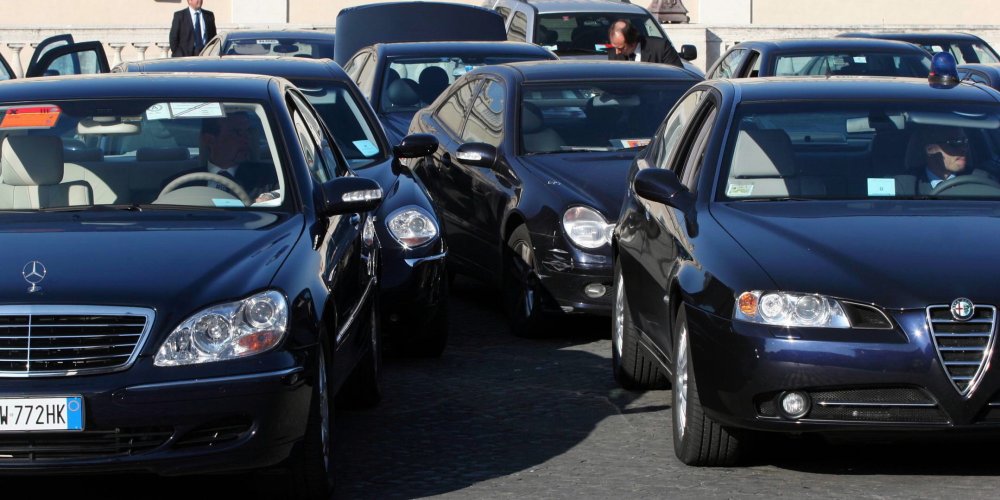
Here in Italy police rarely uses unmarked cars, and when they do, there's no way to tell it is a police vehicle. They have normal license plates, no markings and no permanent lights, since they use magnetic beacons Usually those car are used by government to escort politicians. They are mostly Alfa Romeo, Audi or Mercedes, and they're always painted midnight blue, hence we call them "auto blu", literally "blue cars"
-
 I can't spawn the cars anymore. It worked for weeks and now, all of a sudden, none of the cars spawn anymore. No CVPI nor CVPI2 nor CVPI3. I've also reinstalled both the car files and the vehicles and carvariations files but still cars won't spawn, not with RAGE console nor with trainers. Any idea why?
- 208 comments
- 59 reviews
-
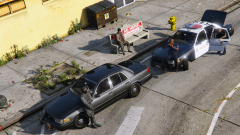 How the hell do you manage to get screenshots that good-looking? My screens always look like they're from a 2003 game... I guess it's Steam's fault
 -
 I'll try that on the amber lights version and see if something changes for me
- 335 comments
- 70 reviews
-
Maybe I'm a bit late, but I had the same problem by using the amber parking light version, when I went back to the classic version the bug disappeared. If you are using amber parking light, try to change to the normal parking lights
- 335 comments
- 70 reviews
-
-
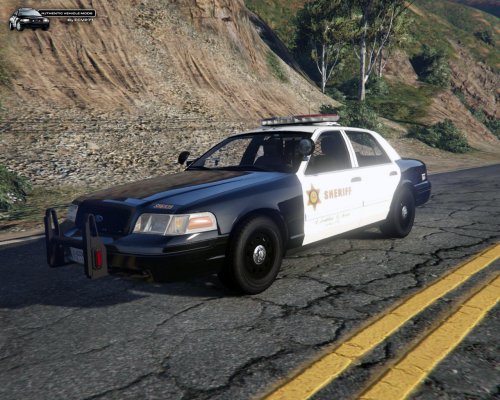 You might want to rename it to LASD, 'cause LACSD is the Sanitation District lol
- 75 comments
- 13 reviews
-
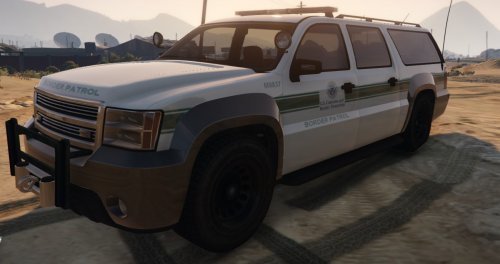 I know, right now we can't do much on the textures because of the mapping. When full texture edit will be available, I'll look for adding the Stainer and the Buffalo with Border Patrol skin
 -
I searched for a TPS pack long time ago (I'm a big Rookie Blue fan too :P) but i didn't found anything good, except for the skin you posted here This is the only uniform pack I found. I Searched for a ETF Tahoe too, but didn't found anything. You should try to contact someone there http://www.mountiesgaming.ca/ they're Canadians and they might help you
-
The hardest part is making the green stripe, because at the moment I don't think there is any re-mapping tool for GTA V, so there is no way to place a stripe in that position. I think I can do it with the Sheriff Granger, but it'll be weird
-
I know, i'm working on a new skin resembling the real Border patrol Tahoe http://images45.fotki.com/v1140/photos/4/49373/210525/rnpca3398-vi.jpg
-
To install, run OpenIV ( http://openiv.com/ ) and browse to x64e.rpf\levels\gta5\vehicles.rpf, enable Edit mode and import the provided files Make sure to backup the original files, I am not responsible of bans or game issues. DO NOT USE ONLINE This is my first skin, if you have any issue, report them to me
-
Upping my older post If you want to play,add me on steam (crimsonglory666 /Kill4Free) I'm using NYPD CVPI,Impala,Helicopter and FDNY ambo and engine,Dodge Challenger RT undercover NYPD Uniforms ELS V8,Braveheart's ANPR,traffic flow and traffic lights fix New York L3EVO ENB and DKT70 road textures
-
But I bought it on Kinguin so I spent only 3€ more
-
Can I say that this makes me very annoyed? I bought Space Engineers 2 days ago,and now it gets 40% off...
-
NYPD car pack,plus a lite version of a realistic car pack (hate GTA IV default cars)
-
GFWL xKill4Free,i play LCPDFR everyday
-