
SoCal Thero
Members
-
Joined
-
Last visited
Everything posted by SoCal Thero
-
Also Vehicle Dev's. When I get the vehicle aspect of it put together I will make a Tutorial Video and post it on my YouTube Channel so everyone can learn and that I'm not the one and only person that knows how to do it.
-
Really hope someone wants to take on the scripting part of this. It free's up So Many Resources that ELS pulls as well as the PITA that Non ELS is (I H.A.T.E doing Non ELS Models lol)
-
Hi
-
-
 Thank you LSPDFR Staff for featuring this download. It was a lot of work to do and is really appreciated to be recognized for it.
- 13 comments
- 3 reviews
-
Latest cover one was taken and pm to me. Im not the best at photos but if i am sent one that isnt overly contrasted or color saturated ill use it.
- 13 comments
- 3 reviews
-
Sorry I'm not familiar on how FiveM recognizes Handling lines to know for sure.
- 13 comments
- 3 reviews
-
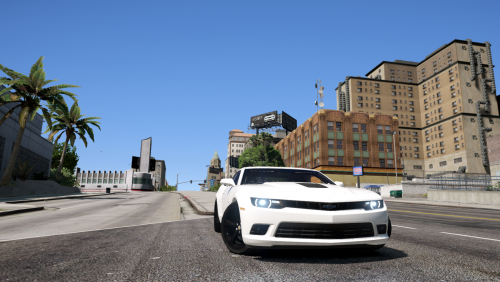
Hello Everybody, Today I bring to you a Project I've been working on for the past couple of weeks. A 2014 Chevy Camaro that I've turned into an unmarked/slicktop speed enforcement/undercover unit. This vehicle is not meant to represent any specific department vehicle and is just a creation from my imagination. The vehicle is mapped with all blue lighting with the exception of the mirror lights as well as it has been uv mapped to add a livery if you so desire (It comes without one by default). Since I personally hate using the trainer to clean my cars I've purposely removed the dirt textures from the vehicle to keep it clean constantly. Below is a walk around and light demo of the vehicle. I built this vehicle with the purpose of traffic enforcement so that the front lights do not activate until Stage 3 lighting however I used it for call-outs and other purposes as it was a fun vehicle to drive and build. This file is made to be an add on vehicle. Instructions are provided on how to install the vehicle as well as a Car Variation, Vehicle Meta, and a Handling line file so you may use it in its intended purpose (As well as have your hands on the steeringwheel and working dials). *NOTE* This Car was made and Instructions were written to work with Albo's Modding DLC Pack as it makes it easier to do. This can be found here: I did a birthday live stream using this vehicle a few days ago and promised that I would provide it as a download for anyone else to use and enjoy if they would like. Thanks again for viewing and downloading the file. Hope you enjoy SoCal Thero
- 13 comments
- 3 reviews
-
-

- 11
-
-
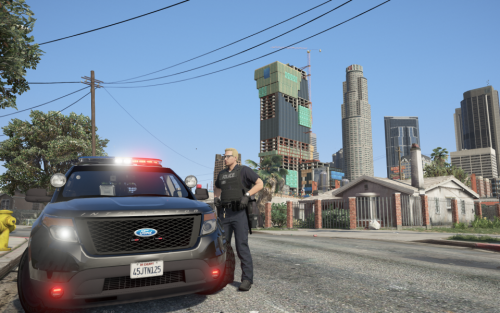 To my knowledge (It has been awhile since I have tried to install these) Everything should work correctly other than the files for the patchday need to be moved to the most current patchday in game (I believe as of this writing it is patchday19). If that does not work. I would recommend downloading Albo's DLC Pack Mod to add it in there: https://www.lcpdfr.com/files/file/15317-modding-dlc-pack-v/
- 78 comments
- 12 reviews
-
-
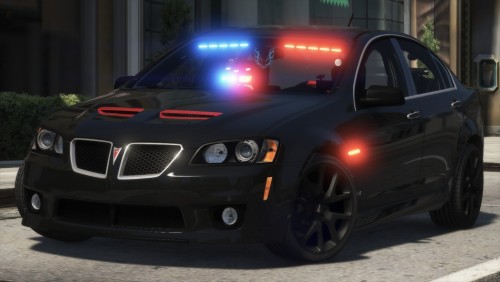 Loving the new look with the Template. Can't wait to see what other people make for liveries for this thing! 🙂
- 64 comments
- 11 reviews
-
-
- 1
-
-
Yea the dummy for extra 11 seems to be determined by its projection by moving it throughout the x y and z axis of the project so if ou keep it behind the 0 mark and lower the height of it, it tends to fix it however the light projection looks weird because it still projects from the dummy
-
Yes I was. I had to move the dummy down and back
-
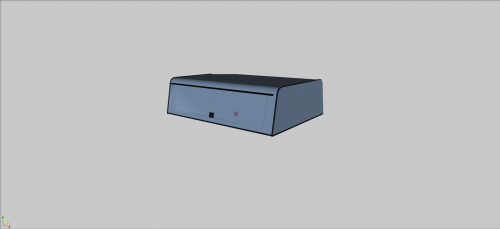 Hello and Thank you For Downloading this DEV part. I hope it helps give more depth to your project. I have left the part in a somewhat big state in regards to texturing to hopefully make it easier for anyone that wants to remove certain parts that they do not want. This DOES NOT COME with a uv map template. It is left like this so you may add it to your truck project or uv map it as you choose to want it. Rules- You may NOT UPLOAD this to any other Website in a UNLOCKED State. You may use this for a project of your own however it is to remain locked. You may Use This OUTSIDE of GTA V This Model is provided to you AS IS, as in I will not be fixing/adjusting adding to it. Its unlocked to give you the freedom to tweak it to your liking. Please provide the below credits in your upload. This was made by someone and converted by me to GTA 5. Least that could be done is give credit to the person for taking the time to create this. Thank you and Enjoy! SoCal Thero Credits: Camper Shell: -3d Model Created by "None" -Object Textured by "Thero" -Object Converted to GTA 5 by "Thero"
 -
Amazing Detailed Model. Really been enjoying patrolling in this thing. I didn't think I would like the rambar at first but after using it once while I was playing it actually fits and feels like it was meant for this car. Keep up the great work!
- 64 comments
- 11 reviews
-
There are other sites such as GTA Mod Center and GTA5mods.com you can give a shot and see if they have something more that you specifically are looking for if you can't find it on LSPDFR.
-
Also are the positioned correctly on the model and the dummies are lined up? Also is the chassis and base dummy center to world?
-
Its within zmodeler you have to setup the material browswer for the spot to use the plates from the vehshare.ytd file.
-
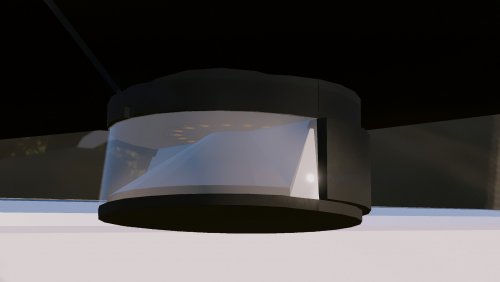 Awesome Man. Thanks for sharing with the rest of us.
 -
-
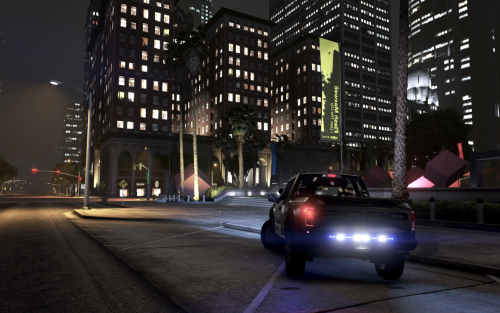 Hey Everyone, I bring to you a 2017 Ford F-150 Raptor Slicktop with a "Loveland Police" like theme/livery to the vehicle. Thank you for taking the time for downloading and soon to be (If you haven't already) installing my 2017 Slicktop F-150 Raptor. This truck was created for a 100 Subscriber (Yea its Sad I know LOL) Special LSPDFR Episode on my YouTube Channel and as I promised to the Subscribers/viewers I said that I would make a vehicle that I was able to release for everyone to use. Thank you again Everyone for Viewing/Downloading this Model and also to the subscribers for making all this possible. I didn't think I would see a subscriber count past 10 (and mostly my IRL friends/family), but to be at 100 Subscribers already really means a lot to me and I really hope this truck being released means a lot to you as well as the community to enjoy. If you find any bugs/glitches with it PLEASE LEAVE THEM IN THE COMMENTS SECTION so I can address them. -Thanks- SoCal Thero 🙂 *Episodes. Note Will not be released until 2:00 pm PST 3/19/18 and 3/20/18 so depending on the time you may not see them yet*
- 6 comments
- 3 reviews
-
-
- 2
-
-
Cool deal. Thank you for replying back and helping me out with it.
-
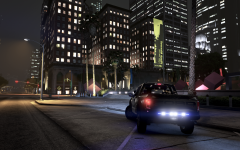
From the album: Thero's Vehicle Builds:
Sneak peak of my Subscriber Special Truck that I plan on releasing to everyone on here very soon. -
Hey Everyone, Just like the title says. I have my SECL setup to be a traffic advisor and it disables at stage 3. Is it possible to just add to the line to disable at stage 2 as well? Also bonus issue/help needed if you can: My environment lightning for extra 2 and 3 are facing backwards of where the light heads are aimed at. Is this just simply needing to move the dummy back farther and down just like extra 11 needs sometimes? Thanks, Thero
-
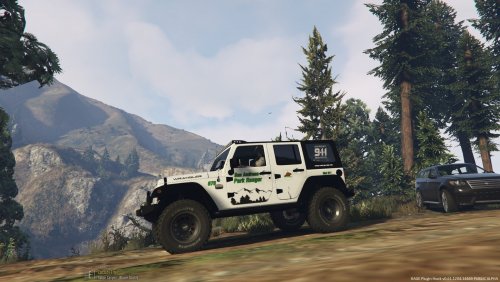 Absolutely beautiful skin. Seems simple but is very nice for a park ranger vehicle. 5/5