



SoCal Thero
Members
-
Joined
-
Last visited
-
Currently
Viewing File: [ELS] Thero's State Wide Services Pack (LEO, EMS, Fire, Plus More)
Everything posted by SoCal Thero
-
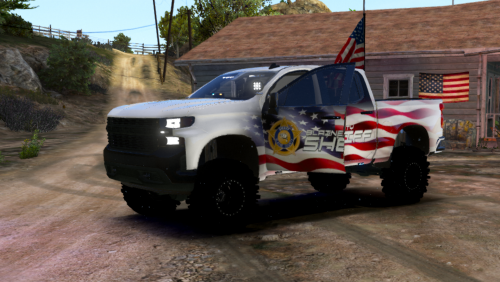
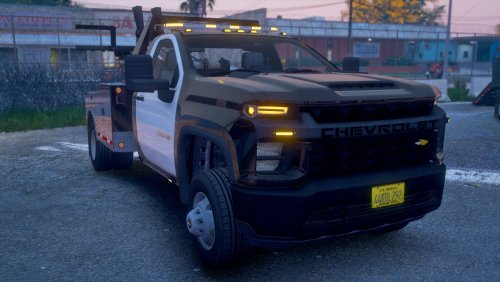 Hello Everyone, Today I bring to you the first pack of this large request that was sent my way by my Buddy. He has agreed to allow the release of these vehicles for the GTA Community to enjoy. I present to you a mini tow vehicle pack. Pack features: - Templated Vehicles - Multiple Extra's to custom configure light packages - Flatbed Truck Setup for I'm Not Mentals Rollback Script: https://www.gta5-mods.com/scripts/flatbed-script Vehicles within the Pack: 2020 Chevy Silverado 3500 Chassis Truck for Wrecker/Tow Truck 2020 Chevy Silverado 3500 Chassis Truck for Flatbed Rolloff Truck Common Questions: 1. Will you be adding to this pack? - No I will not be. This was created for a friend and he has agreed to release it to the gta community. My work is done here 🙂 2. Will you make an ELS Version? - No Reference Question #1 Answer 3. May I use this in my FiveM Community? - Yes Go right ahead and use it 4. May I change the Liveries? - Yes that is why the Templates are provided 5. Will you be fixing any issues/broken things? - Maybe. Depends honestly how I feel about doing it if I have time (My time is very limited) 6. May I reupload this with my liveries? - No You may not. Upload your liveries/ytd file and link to this file download.
- 12 comments
- 2 reviews
-
-

-

- 7
-
-
 At this time no. With enough knowledge I know someone could do it with what is within the file 🙂
- 6 comments
- 1 review
-
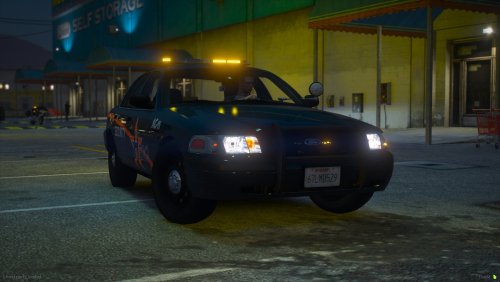
Hey Everyone, This pack was made for a buddy of mine who was looking for a security pack and I challenged him to being able to make one in-between video renders for YouTube. Wanted to share this with the community for anyone else that would like to go Code Amber. Thank you for checking it out and hope you enjoy using it! Vehicles Included: - 2011 Ford CVPI - 2015 Ford Taurus - 2016 Ford Explorer - 2018 Chevy Tahoe - 2014 Dodge Charger - 2018 Dodge Charger - 2014 BMW RT1200 Motorcycle Features: - Removeable Lights - Moveable Spotlights -SoCal Thero-
- 6 comments
- 1 review
-
-
- 3
-
-
 Thank you for letting me know. I'm always working on adding/improving to this pack and I'll look into these for the next update release 🙂
- 93 comments
- 3 reviews
-
-
- 1
-
-
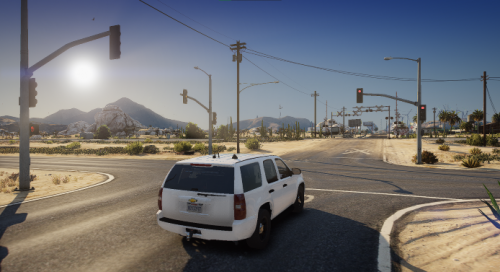 This is one of those mods that you really wanted for so long so you don't have to dodge people getting on Joshua and/or getting on to Great Ocean Highway. Its amazing that the AI Follow the paths to which is really great. I know this is aimed more at the county but if you went around the map and removed the "double" stop sign/signals would just be the cherry on top. Great must have mod for anyone that likes to not have to dodge terrible AI pathing and lack of signals in the county!
- 100 comments
- 19 reviews
-
-
- 1
-
-
-
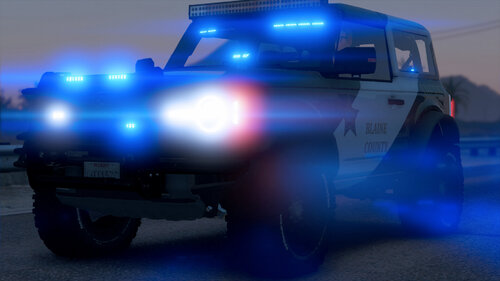 Hello, Thank you for downloading my Ford Bronco used on my YouTube Birthday Special found on my channel: https://www.youtube.com/channel/UCIm01FWoNzI-O8kGimU4Ftg https://streamable.com/ebr3li Vehicle Features: - Template included for vehicle - Template included for lights (Yes you may change each individual light to your liking) - Default of Red and Blue light setup (All Blue option provided as well) - ELS Version Included with ELS File - Non ELS Version Included and is FiveM Ready ELS Features Include: - Extra 7 and 8 include removal of the rear spare tire Non ELS Features include: - Extra 1 - Add/Remove hard top - Extra 2 - Add/Remove Spare Tire holder - Extra 3 - Add/Remove Spare Tire - Extra 4 - Add/Remove Ram Bar - Extra 5 - Add/Remove Wrap Around Ram Bar (Extra 4 must be enabled) - Extra 6 - Add/Remove Mirror Light Pods - Extra 7 - Add/Remove Dash Deck Light - Extra 8 - Add/Remove Visor Light Bar - Extra 9 - Add/Remove Front Offroad LED Light bar - Extra 10 - Add/Remove Antenna's (Extra 1 must be enabled) - Extra 11 - Add/Remove Side Pod Lights (Extra 1 must be enabled) - Extra 12 - Add/Remove Rear Pod Lights (Extra 1 must be enabled) You download this model going into the following: - You are expected to know how to install this model (Both SP and/or as a FiveM Asset) - You are not to unlock the model - You are aware I am not held responsible for any game breaking and/or damage cause from installing this vehicle. - If used on a YouTube channel I ask that you link to the download so others may easily find this download Thank you everyone and Enjoy! -SoCal Thero-
 -
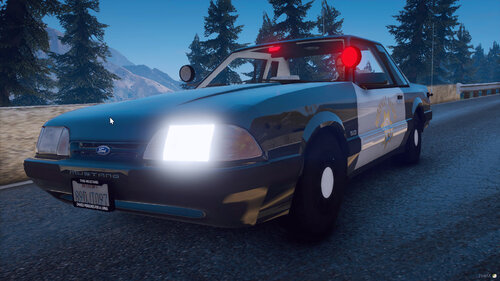
Apparently I did forget to add the Mustang's template and as such attached it as a picture here instead of uploading a new file. When I go to upload the next update with additional vehicles I'll make sure its included as well as the additional vehicles I add
- 93 comments
- 3 reviews
-
-
So Turning off my Lspdfr folder in GTA5/Plugins/LSPDFR seems to stabilize the game. Scripts I'm using:
-
I have one but nothing in it. I dont use one. Ive pinpointed it to scripts for callouts as my game runs fine until I add additonal call outs and scripts I try and download only the latest ones to avoid any out dated ones
-
I don't know if I have an out dated script but I'm on my second clean install of GTA 5 and have launched it with everything but scripts installed and it seems to work fine. But as soon as I put scripts in it just breaks and I try and stick to scripts only compatible with the latest version of LSPDFR but I maybe overlooking something. Any thoughts what is causing it? RagePluginHRagePluginHook.logook log attached.
-
 I do have a discord lol. It can be found in my YouTube Video Descriptions They are included in the file in the Templates folder
- 36 comments
- 4 reviews
-
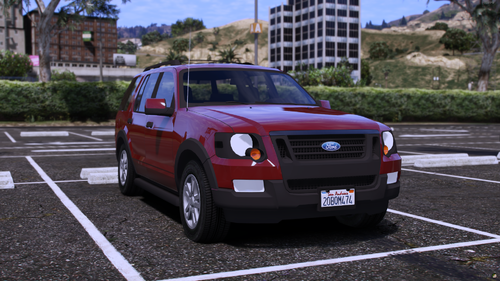 Regardless if it is the best or not it is very well optimized and being released as dev for others to use is a win in my book if you ask me. If I make any improvements on it I'll be sure to share with you again to update this file
 -
You Can do either if you're familiar how to. It is setup for FiveM but can be altered.
- 36 comments
- 4 reviews
-
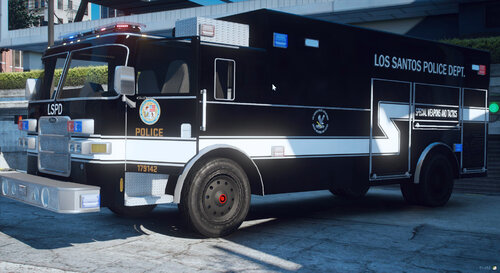
Hello Everybody, This pack has been an ongoing project for close to a year now but it has finally been completed to the best of My Ability. I tried to capture as good as I could a good amount of the vehicle fleet that the LAPD uses. Big Thanks to @ShadowShifter and @Stoppel for the Liveries and Carcol work to get the light patterns and liveries accurate to the IRL versions as well as Big Thanks to the beta testers to work out all the issues I hadn’t seen when originally creating the vehicles. The Vehicle List is as follows: 2000 Chevy Tahoe 2008 Ford CVPI 2011 Ford CVPI 2011 Ford CVPI Slick top 2014 Dodge Charger 2015 Ford Taurus 2015 Ford Taurus Slick top 2015 Ford Explorer 2015 Ford Explorer SWAT Slick top 2016 Ford Explorer 2016 Ford Explorer SWAT Slick top 2020 Ford Explorer 2020 Ford Explorer SWAT Slick top Lenco Bear cat SWAT Pierce Mobile Command Unit SWAT I tried to standardize the Extra’s list as well to make it easier between the models Extra 1 = Ram bar (If applicable) Extra 2 = Working Driver Side Spotlight Extra 3 = Passenger Side Spotlight Up Extra 4 = Passenger Side Spotlight Down Extra 8 = Front Responding Lights (Roof bar) Extra 9 = On Scene Light Pattern (Recommend Turning off Extra 8, 10, 11 and 12) Extra 10 = TA Traffic Bar center to out (Must have Extra 8 on to work) Extra 11 = TA Traffic Bar Right to Left (Must have Extra 8 on to work) Extra 12 = TA Traffic Bar Left to Right (Must have Extra 8 on to work) Frequently Asked Questions: Can you add XYZ vehicle to the pack? I will possibly add more vehicles but in the far future. -My Lights are not working correctly Make sure you do not have a conflicting Carcol ID with another vehicle -Can you make this ELS? There are no plans to make an ELS version. There are really good ELS LAPD Packs out there already by other devs such as Walters Do they have LOD’s? Sadly they do not as I am very lazy to do it. No excuse, just lazy Thanks Everyone and Hope you Enjoy -SoCal Thero-
- 36 comments
- 4 reviews
-
-
-
- 8
-
-
.thumb.png.2b90c825ce0e064dfff2d688fb687103.png) Should be easy for someone to edit the texture file its only one file and just replace the green with blue and it'll be good. Same goes if you wanted to do all blues as well
Should be easy for someone to edit the texture file its only one file and just replace the green with blue and it'll be good. Same goes if you wanted to do all blues as well -
Yes I do. Invite code is 6k6HdMM
-
Right on! Happy to hear/see its getting used
-
Happy holidays GTA Community. Today I bring you a first for me. A Vehicle that uses both ELS and Non ELS light setups (Not perfected by any means). This vehicle I built with the intent on using for a Christmas special for my YouTube channel (Episodes release Christmas Eve and Christmas Day) and wanted to share it with the rest of the community. Again it is not perfect by any means but it was something I wanted to share with everyone and hope you get as much enjoyment out of it as I did. Features: - Working Siren Controller (Basically just mapped the extra lights to lights on the controller) - Non ELS lights (Front and Rear Bumper) - Rest of the model uses ELS lighting - Take Down Lighting - Ally Lighting - Template provided for paint job creation - Dirt Mapped - Spoiler/Wing works as an extra in case you don't want it on Installation: This vehicle is intented to replace the "FBI" vehicle slot. If you replace it anywhere else the non els lights will not work correctly without routing the siren id to the FBI slot.
-
 There is an ELS version that works for LSPDFR as an Add on The Non ELS you can set it up to work for LSPDFR as well but as an Add on.
- 24 comments
- 1 review
-
I take it back it IS fivem ready. Click on the model version you want and its setup under the "non els" folder Possibly. It is setup as a drag and drop for Non els you just have to drop from the "usa" folder into your server. If it is ELS you'll have to set it up as an add on
- 24 comments
- 1 review
-
-
-

.thumb.png.2b90c825ce0e064dfff2d688fb687103.png)
