echo04
Members
-
Joined
-
Last visited
Everything posted by echo04
-
I've just started to add in some ELS vehicles and now my game crashes during loading the second picture with the guy on it. i've tried taking all the cars out and adding one by one but it crashes no matter what. Suggestions?
-
 I could not find anything saying "defaultfor" in the vehiclesirenset.xml. Any further suggestions?
- 853 comments
- 108 reviews
-
Is it possible to disable Mastery for one specific vehicle? I've removed that vehicle's name from the "siren setup" but I still get the mastery interaction on that vehicle in-game. Update your strobes plugin
- 853 comments
- 108 reviews
-
-

- 1
-
-
All, As usual, there are many of us that have loads of problems after every update comes out... and here is mine.. I cannot get Simple Native Trainer to work after the update. YES, I have updated SNT. I have also updated my Scripthook. It has worked without issues until this new update. Now... I had to disable the ASI Manager in OpenIV to even get my game to work so I'm sure that has something to do with it BUT I've never had this issue before. SNT has always worked fine after the updates.. Not sure why I need to choose to either play the game at all or do so without SNT. My vehicle mods don't work either. Obvious decision there but I prefer using SNT.... Anyone have any suggestions as to how I can make SNT to work along with the game itself?
-
Try this... Open OpenIV, tools... ASI Manager.... then Uninstall ASI Manager... Note that this disables things like SNT... I haven't figured out a way to get the game to work otherwise... even though I prefer to use SNT..
-
Any fix to this yet?
-
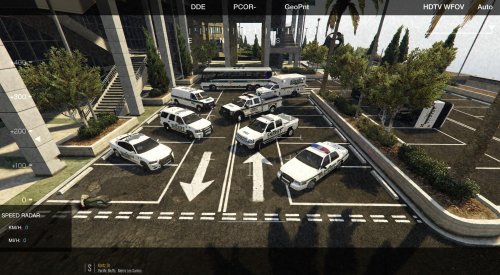 Any chance the red/blue lights can be added for the express van you used?
 -
Its a pain how touchy some of these files are. I added a few lines which made a ton of my added vehicle's lights and sirens to work but then totally effed up some cars that always worked correctly. Ugh... And yeah, engine sounds work fine, just were without lights and sirens.
-
I've attached it Thanks GGN Crazy, makes sense carvariations.meta
-
So I just installed the carvariations for the new Coast Guard boat by SkylineGRTFreak which works great, that also made some of the add-on vehicles lights work that did not once before somehow.... but it also completely messed up the lights on my firetruck and police3 slot. Obviously its something to do with the carvariations entry but why would it cancel the other two slot's settings? I have also tried setting the firetruck and police3 back to what they were which then messes up the other vehicle's lights and so on and so forth....
-
So you got yours working to correct way? I was just adding a car at a time and from the get-go the lights/sirens never worked. Still get a regular horn. The only things I've added/edited were the carvariations and vehicles. Most of the vehicles had their files included in the download and it still didn't work.
-
Nope didn't do the trick
-
Well... that didn't work the way I wanted it to... Moderators, are you able to merge these two posts?
-
I'm happy I'm not the only one with this frustrating issue... No suggestions from anyone?
-
Nice, I removed AdvancedHook.asi from my directory and the game works! Does this mean I won't be able to run any scripts now?
-
I've done some looking around and still can't figure out where the issue lies... Any suggestions? Now, one thing I will point out is that I did update my OpenIV but it did not prompt me to update my mods folder.... Could that be an issue?
-
All the emergency vehicles that have been added to the files. tow trucks too
-
I've edited all three.. Yeah correct, it crashes when the different pictures of the characters are appearing on the screen i.e bikini girl
-
I've attached Xmas2, Vtines, and Mpluxe2 files. I'm assuming its a version issue? carvariations.meta vehicles.meta carvariations.meta vehicles.meta carvariations.meta vehicles.meta
-
Nope I don't. Yes I have prior to this crashing, also prior to the update of course.
-
While attempting to load the game after the update, my game crashes while loading story mode. It almost reaches the end of loading then crashes... I've updated RPH, Scripthook, OpenIV. Not sure whats causing it and I don't know what to look for in the RPH crash log.... I've attached it for your review and suggestions.
-
-
The radio mod has not been updated to be supported by the latest versions of the game and RPH which may be the cause of the crash. However, the last version of the mod works for me without issues
-
I have added cars before but for some reason, this vehicle's lights and sirens don't function. The firetruck horn sounds, which is the "audioNamehash" I'm trying to use. I have installed the provided carvariations/vehicles files but no luck. The vehicle spawns fine however. Suggestions?
-
Got this error after changing some lines around.... got a fix?? Attached below. Pop-up window says "Error thrown at line 81, Character 4..." Here is my RPH Log:
- 853 comments
- 108 reviews