


echo04
Members
-
Joined
-
Last visited
Everything posted by echo04
-
How's it looking in game?
-
Does anyone know how to lock the camera inside the car once you get out? I have done it by accident where I have made a traffic stop and got out and walked to the car and the camera stayed inside the car.
-
not intending to jack his topic, but I thought it may have something to do with the first person mod? But I can't remember how it was done
-
how did you get the camera to stay inside the car after you got out. I feel like i have done that by accident before and cant figure out how. Any mods used to do it?
-
Any luck?
-
You sir, are the man!
-
I know evanscornelious (spelling) put the gta v helocopter pilot in his gta v peds file but I dont know how to convert it otherwise I'd do it lol any takers? I'm happy to see that I'm not the only one wanting one
-
Anyone have a good helicopter pilot model other than the noose default? Something a bit more modern?
-
wouldn't even know where to begin so I'll just wait to see if someone else does it haha, thanks man
-
hey man, I saw that the helicopter pilots are in you "Dev" file but no idea what to do with them. Is the model playable yet? I really like the flightsuit....
-
delete this thread pls
-
I've seen the AI police actually driving and pulling the vehicle over then conducting the stop 1 time. I asked the same thing if there was a way to make those more frequent but never got a response lol
-
all up and running guys, thanks! Any suggestions as for the traffic stop back up call?
-
cool thanks man edit: it just says "arrest options investigate id check" but when i click it, i just asks for his id again
-
I was wondering how to call in the names in 1b? Also, another question off topic... is there a was to raise the amounts of calls where you back up another officer on a traffic stop for the random events?
-
Aside from my lightbar, your car has probably more lights than my department cruiser lol
-
Does anyone have a black steel rim texture with chrome beauty rings?
-
-
Is there any way to make this call or incident more frequent? I have only seen it once since 1.0 came out and would enjoy it happening more frequently. Is it completely random or can I alter it?
-
Just be careful what you do and put in it. We hammer people here in Florida that outfit their cars to look even more like in service cars just to have them look like actual police vehicles, trust me, I did the same thing just for fun and never acted like a cop but got in enough trouble just because of how it looked and it almost cost me my real career in Law Enforcement before it even began
-
Apparently I missed something then, if those steps add the taser model into the game. I followed them and it added the taser action, but not the weapon model itself
-
yessir i did it manually
-
For starters, before the HotFix, my taser didn't work to no fault of the LCPDFR staff. I have since did some tweaking and now have the taser in game but the model does not appear in my hand. The player holds up his hands like something is in it and it fires the taser but the weapon is not visible... any suggestions?
-
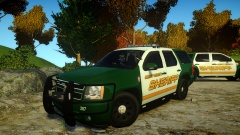 the best! up for release yet?
 -
Hey Sam, I still cannot get the taser to work, even after manually adding it. Any suggestions?


