

Skip to content
View in the app

A better way to browse. Learn more.

LCPDFR.com

A full-screen app on your home screen with push notifications, badges and more.

To install this app on iOS and iPadOS
  1. Tap the Share icon in Safari
  2. Scroll the menu and tap Add to Home Screen.
  3. Tap Add in the top-right corner.
To install this app on Android
  1. Tap the 3-dot menu (⋮) in the top-right corner of the browser.
  2. Tap Add to Home screen or Install app.
  3. Confirm by tapping Install.

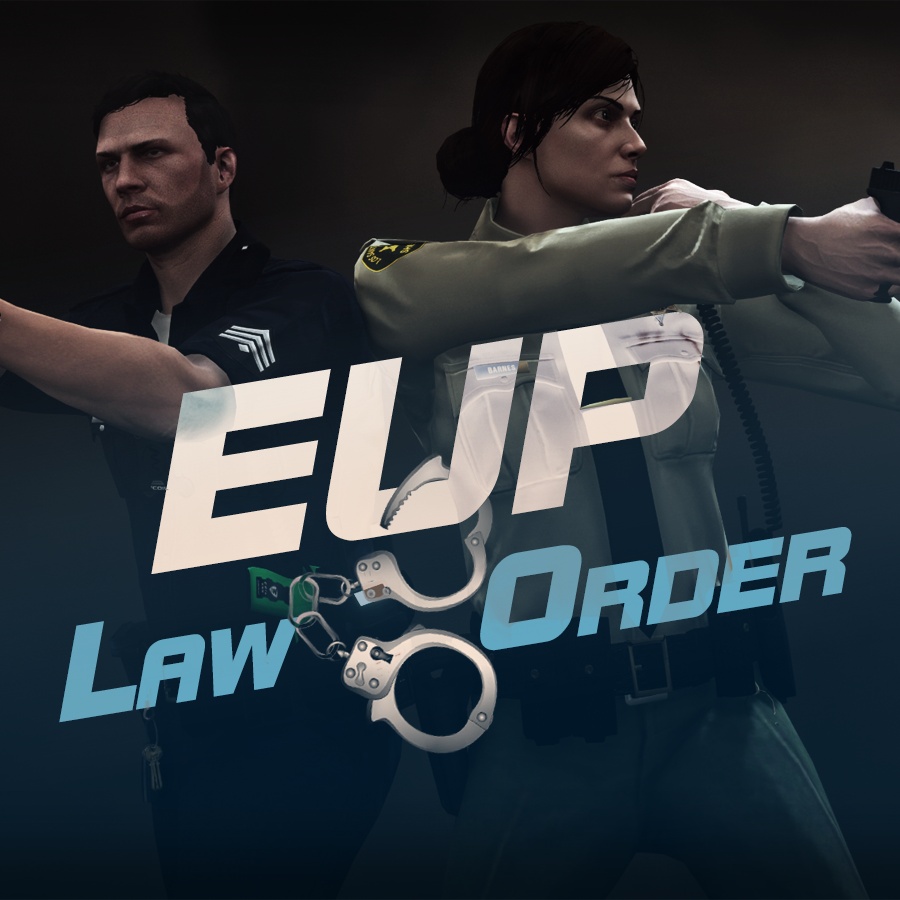
Emergency uniforms pack - Law & Order 9.3.1

(236 reviews)

10 Screenshots


632635363_EUPlw.png.08a8e4d613dc7a278fc352b6b57ce8a2.png

EUP is an all-in-one modification that gives us the free range to create your own law enforcement officer as you patrol the streets and roads of San Andreas. U mad Ronson?

This time, play different - be different. Adapt your style to the situation. Get your gear on - use a High-Vis vest to direct traffic, a waterproof jacket on a rainy day or a tactical outfit when the situation gets hot. Choose from various lore-friendly departments base of real life. Customize various components of your outfits.

The mod that started as a holster and a vest retexture, now so expansive, most Australians finish downloading it right when an update comes out. Emergency Uniforms Pack Law & Order 8.2 offers an unrivaled catalog of lore-friendly California-inspired law enforcement uniforms for both male and female multiplayer characters. From tasteful evolutions of the classic LSPD outfits, you see AI cops wearing, to dozens of uniforms for entirely new lore-friendly law enforcement departments based on real-world California departments. Emergency Uniforms Pack has it all, and when tied with partner mods such as EUP Serve and Rescue, EUP Menu, and EUP LSPDFR Configs, you can totally transform your LSPDFR experience.

Creative Commons License
This work is licensed under a Creative Commons Attribution-NonCommercial-ShareAlike 4.0 International License.


If you were you were looking for the latest version of EUP and wish to support our work click the button down below:

Patreon

 
This mod is a free mod, the beta versions of EUP accessible only through our patreon page, is a tool for us to support the development of the mod and create a platform to interact with the community, 5 years later this mod became my main ''job'' and source of income, thanks to all the fans and supporters. Which means more quality and enhancements, since I can allow all my time to it and invest money into assets and programs.

The public version is still important to us and will receive updates, which is only made possible through our membership system.


For General discussions, beta registration, support, images contest and more follow join our Discord Server:


EUP Discord


Add-Ons


In order to select and customize outfits, you NEED to get the menu here:


Need help? Something went wrong? Not sure how to proceed?
Leave the comments and reviews alone, we don't really monitor them.


Follow the link to EUP Discord for help or comments


Edited by Alex_Ashfold
Links update

What's New in Version 9.3.1

Released

jsut updating the version umber to display a more accurate one. No need to downloand and reinstall, no new content.


Short Description

https://www.patreon.com/alex_ashfold

User Feedback

Recommended Comments

nickmyn15

Members

Please Help

I have add all the textures to the right folder in open iv 

But for some reason it does not show the other textures that this mod adds and what i mean by that it gives no option to add vests, gloves etc

please help thanks

Kilyin

Members

@Alex_Ashfold How do I get rid of this little black square thing floating behind me? Can't figure it out.

Omdel3W.jpg

Alex_Ashfold

Insiders Author

Just now, Kilyin said:

@Alex_Ashfold How do I get rid of this little black square thing floating behind me? Can't figure it out.

Omdel3W.jpg

Me neither, I'm guessing it's a game limitation, I working on some potential fix, but none of them works for now, you guys will have to accept each others for the moment :turned:

Kilyin

Members

14 minutes ago, Alex_Ashfold said:

Me neither, I'm guessing it's a game limitation, I working on some potential fix, but none of them works for now, you guys will have to accept each others for the moment :turned:

It was actually a 'watch'. Got rid of that. The only thing I can't figure out now is how to remove some sort of clipping thing from the badge on his chest.

Alex_Ashfold

Insiders Author

21 minutes ago, Kilyin said:

It was actually a 'watch'. Got rid of that. The only thing I can't figure out now is how to remove some sort of clipping thing from the badge on his chest.

The model was taken from Michael available tops, and this ''issue'' was already in the original game, and model editing isn't available at the moment, the only thing I did was a model swap.

lego434

Members

Alex,
   Would it be possible for you to list out what a standard uniform would look like something like:
LSPD:

TOP 1 of 20
Pants: 2 of 15

etc, etc? 

I think this would save your users a ton of time trying to find out the right mix and match to start and then be able to easily customize from that starting reference point. 

Kilyin

Members

55 minutes ago, lego434 said:

Alex,
   Would it be possible for you to list out what a standard uniform would look like something like:
LSPD:

TOP 1 of 20
Pants: 2 of 15

etc, etc? 

I think this would save your users a ton of time trying to find out the right mix and match to start and then be able to easily customize from that starting reference point. 

Pretty much this, it's too much work/time to find out what is what. Maybe even make some presets available for download.

Kilyin

Members

(edited)

I finally figured out how to make a basic cop with a short sleeve shirt and no issues that I can see. I can post the SkinControl.ini part if anyone is interested. 

I like police hats, but unfortunately, it doesn't seem to fit the head of any mp model properly, which is a shame.

Edited by Kilyin

DeathTag

Members

Will it be possible to add the new bulletproof vests from the new patch? They are found if your a bodyguard and the vip you work for chooses a specific outfit which i don't know the name of right now. I think they look amazing and will suit the whole law enforcement theme xD

TitusCommodus

Members

I just updated this mod on my pc and I can no longer find the belt with the nightstick that is matched with the short sleeved police shirt. Has this been removed or have I not installed the update properly? Also I noticed that the gun holster (accessories 9) doesn't seem to fit any of the uniforms it looks like it's floating in the air to far from any pants but again I might be missing what it's meant to pair up with.

Alex_Ashfold

Insiders Author

On 17/12/2015 at 10:53 PM, lego434 said:

Alex,
   Would it be possible for you to list out what a standard uniform would look like something like:
LSPD:

TOP 1 of 20
Pants: 2 of 15

etc, etc? 

I think this would save your users a ton of time trying to find out the right mix and match to start and then be able to easily customize from that starting reference point. 

If you download one of these add-ons for EUP

You'll notice a ''content.txt'' file that does exactly that, the main file of EUP doesn't have any, for now. I'm slowly producing it and it will be included in the next updated version.

On 21/12/2015 at 5:25 AM, DeathTag said:

Will it be possible to add the new bulletproof vests from the new patch? They are found if your a bodyguard and the vip you work for chooses a specific outfit which i don't know the name of right now. I think they look amazing and will suit the whole law enforcement theme xD

3

Next Addon:

Spoiler


2015-12-17_00015.thumb.jpg.67d22e70661a42015-12-17_00008.thumb.jpg.088c3816c89592015-12-17_00007.thumb.jpg.475850f87c2522015-12-17_00002.thumb.jpg.1889d3af3ee4a


SDRazorblade123

Members

(edited)

Hi, I think I accidentally put one part of the part 1 uniforms in the wrong place in open iv. The reason I think that is when I go into skin control, everything literally just bugs out, parts of clothing are like flying all over the place and it just glitches all over the place. I hope there is a way to fix it


Edited by SDRazorblade123

lego434

Members

On 12/24/2015 at 7:23 PM, Alex_Ashfold said:

You'll notice a ''content.txt'' file that does exactly that, the main file of EUP doesn't have any, for now. I'm slowly producing it and it will be included in the next updated version.

Great Alex I will take a look! 

GrandmasterSwag

Members

Can you possibly find a way to remove the tie from long sleeve uniforms?

Kilyin

Members

@Alex_Ashfold So since you've completely changed the structure of the mod with this update, any chance of just providing updated files in the old format for those of us that already installed the mod to the game dlcpacks and .rpf files? 

Alex_Ashfold

Insiders Author

2 hours ago, Kilyin said:

@Alex_Ashfold So since you've completely changed the structure of the mod with this update, any chance of just providing updated files in the old format for those of us that already installed the mod to the game dlcpacks and .rpf files? 

If you read the FAQ section i doesn't matter if you have the mod installed with the previous configuration, in he end it overwrite the sane file, but to install it's just matter of dropping one file and add a line in a text configuration file.

Kilyin

Members

42 minutes ago, Alex_Ashfold said:

If you read the FAQ section i doesn't matter if you have the mod installed with the previous configuration, in he end it overwrite the sane file, but to install it's just matter of dropping one file and add a line in a text configuration file.

I read it, and I don't really like that answer. I went through a lot of trouble to install all this shit into those individual dlcpacks and .rpf files, and now they're just sitting there for nothing, assuming I use the update... not really cool, but whatever.

Alex_Ashfold

Insiders Author

1 hour ago, Kilyin said:

I read it, and I don't really like that answer. I went through a lot of trouble to install all this shit into those individual dlcpacks and .rpf files, and now they're just sitting there for nothing, assuming I use the update... not really cool, but whatever.

That's the goal of this update, make it easy for users. I understand you went through a lot of trouble, but they are not sitting there for ''nothing'' it's hard to explain you. The loaded files are the one the new ''DLC'' no matter what is the originals dlcpacks, that's how rockstar games update their how content like with pacthday7ng and such. We did the same.

We spent hours making, even my full day yesterday on this update and the images instructions, nothing is forcing us to do this and nothing is forcing you to install this, you are free to leave a review and uninstall the mod by replacing the files from the original one.

Kilyin

Members

(edited)

9 minutes ago, Alex_Ashfold said:

That's the goal of this update, make it easy for users. I understand you went through a lot of trouble, but they are not sitting there for ''nothing'' it's hard to explain you. The loaded files are the one the new ''DLC'' no matter what is the originals dlcpacks, that's how rockstar games update their how content like with pacthday7ng and such. We did the same.

We spent hours making, even my full day yesterday on this update and the images instructions, nothing is forcing us to do this and nothing is forcing you to install this, you are free to leave a review and uninstall the mod by replacing the files from the original one.

Uh, alright, all I was asking for is maybe a differential for the few files that got updated so I could put them in without installing them as separate dlcpacks. I know how patch folders work, but thanks for talking down to me like I'm a fucking idiot. I've obviously already installed the mod and nobody forced me to. Thanks for your help.

Edited by Kilyin

Alex_Ashfold

Insiders Author

2 minutes ago, Kilyin said:

Uh, alright, all I was asking for is maybe a differential for the few files that got updated so I could put them in without installing them as separate dlcpacks. I've obviously already installed the mod and nobody forced me to. Thanks for your help.

The only thing I can Is to provide you with the originals files to replace in your dlcpacks. (''so they don't sit there for nothing'') but like i said you won't notice the difference.

Kilyin

Members

(edited)

6 minutes ago, Alex_Ashfold said:

The only thing I can Is to provide you with the originals files to replace in your dlcpacks. (''so they don't sit there for nothing'') but like i said you won't notice the difference.

Yeah, or you could just tell me what files were updated so I could insert them into their proper locations or provide a legacy 'update file', but nevermind, I'll figure it out.

And whether you want to admit it or not, using this new method leaves 200mb or so of textures just sitting around doing nothing, and sure I might not 'notice' it, but I know it's there, and I'm a little OCD about mods, which is why my game doesn't crash.

Edited by Kilyin

fireboy6117

Members

 anyone know why this is happening it worked fine 2 hours ago

skin.jpg

Alex_Ashfold

Insiders Author

(edited)

1 hour ago, fireboy6117 said:

 anyone know why this is happening it worked fine 2 hours ago

skin.jpg

Bigger sized picture?

3 hours ago, Kilyin said:

Yeah, or you could just tell me what files were updated so I could insert them into their proper locations or provide a legacy 'update file', but nevermind, I'll figure it out.

And whether you want to admit it or not, using this new method leaves 200mb or so of textures just sitting around doing nothing, and sure I might not 'notice' it, but I know it's there, and I'm a little OCD about mods, which is why my game doesn't crash.

When rockstar games want to update a texture let's say in mpheist, they don't replace the textures directly in the files they create another ''dlc'' and call it patchday4ng and includes the new textures and/or meshes in that dlc.

I can't make everyone happy sorry.

I included all the files you needed + instructions. If you are starting to do things on your own to ''figure it out'' don't blame me after if it doesn't work.

Edited by Alex_Ashfold

Kilyin

Members

10 minutes ago, Alex_Ashfold said:

When rockstar games want to update a texture let's say in mpheist, they don't replace the textures directly in the files they create another ''dlc'' and call it patchday4ng and includes the new textures and/or meshes in that dlc.

I can't make everyone happy sorry.

I included all the files you needed + instructions. If you are starting to do things on your own to ''figure it out'' don't blame me after if it doesn't work.

Sorry, but I spent a great deal of time installing this mod and the addons for it, and creating the correct file structure for the archive so it was basically drag and drop in OpenIV, path to path, hence my frustration. It's fine though, I already looked over the dlc.rpf files from the updates and incorporated them into my own archives/installation and it works, so problem solved.

Alex_Ashfold

Insiders Author

Just now, Kilyin said:

Sorry, but I spent a great deal of time installing this mod and the addons for it, and creating the correct file structure for the archive so it was basically drag and drop in OpenIV, path to path, hence my frustration. It's fine though, I already looked over the dlc.rpf files from the updates and incorporated them into my own archives/installation and it works, so problem solved.

well, good luck for the future updates...

Create an account or sign in to comment

Latest Mods

Account

Navigation

Search

Search

Configure browser push notifications

Chrome (Android)
  1. Tap the lock icon next to the address bar.
  2. Tap Permissions → Notifications.
  3. Adjust your preference.
Chrome (Desktop)
  1. Click the padlock icon in the address bar.
  2. Select Site settings.
  3. Find Notifications and adjust your preference.








