
Skip to content
View in the app

A better way to browse. Learn more.

LCPDFR.com

A full-screen app on your home screen with push notifications, badges and more.

To install this app on iOS and iPadOS
  1. Tap the Share icon in Safari
  2. Scroll the menu and tap Add to Home Screen.
  3. Tap Add in the top-right corner.
To install this app on Android
  1. Tap the 3-dot menu (⋮) in the top-right corner of the browser.
  2. Tap Add to Home screen or Install app.
  3. Confirm by tapping Install.

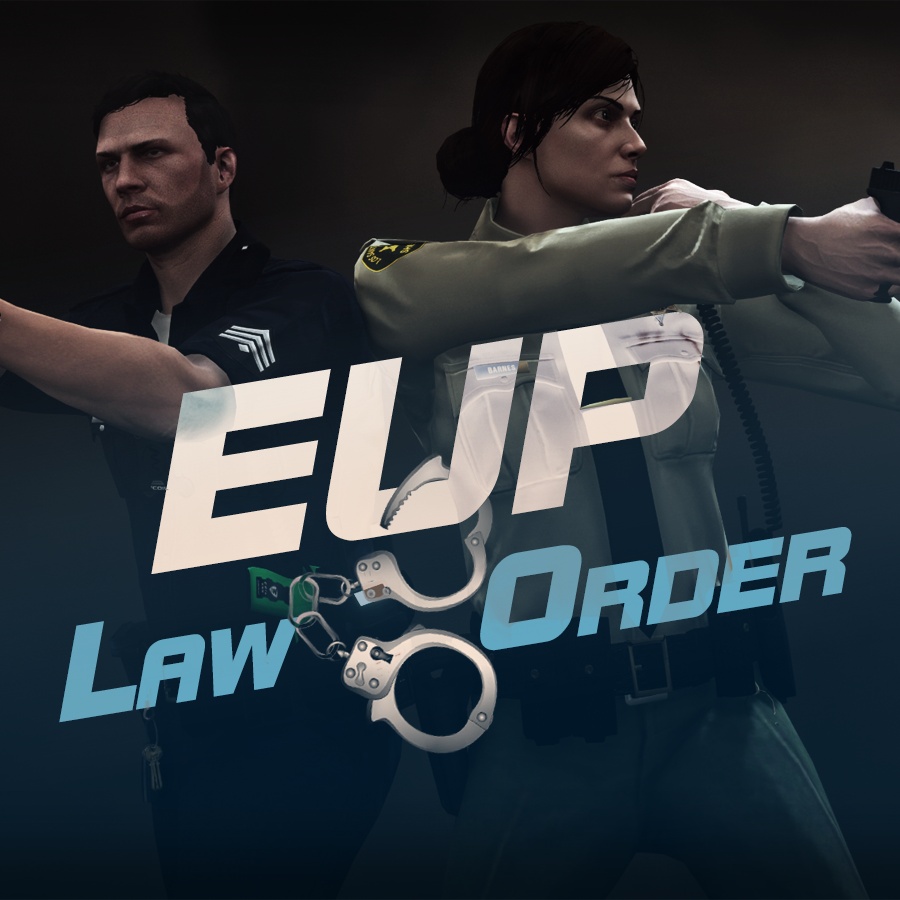
Emergency uniforms pack - Law & Order 9.3.1

(236 reviews)

10 Screenshots


632635363_EUPlw.png.08a8e4d613dc7a278fc352b6b57ce8a2.png

EUP is an all-in-one modification that gives us the free range to create your own law enforcement officer as you patrol the streets and roads of San Andreas. U mad Ronson?

This time, play different - be different. Adapt your style to the situation. Get your gear on - use a High-Vis vest to direct traffic, a waterproof jacket on a rainy day or a tactical outfit when the situation gets hot. Choose from various lore-friendly departments base of real life. Customize various components of your outfits.

The mod that started as a holster and a vest retexture, now so expansive, most Australians finish downloading it right when an update comes out. Emergency Uniforms Pack Law & Order 8.2 offers an unrivaled catalog of lore-friendly California-inspired law enforcement uniforms for both male and female multiplayer characters. From tasteful evolutions of the classic LSPD outfits, you see AI cops wearing, to dozens of uniforms for entirely new lore-friendly law enforcement departments based on real-world California departments. Emergency Uniforms Pack has it all, and when tied with partner mods such as EUP Serve and Rescue, EUP Menu, and EUP LSPDFR Configs, you can totally transform your LSPDFR experience.

Creative Commons License
This work is licensed under a Creative Commons Attribution-NonCommercial-ShareAlike 4.0 International License.


If you were you were looking for the latest version of EUP and wish to support our work click the button down below:

Patreon

 
This mod is a free mod, the beta versions of EUP accessible only through our patreon page, is a tool for us to support the development of the mod and create a platform to interact with the community, 5 years later this mod became my main ''job'' and source of income, thanks to all the fans and supporters. Which means more quality and enhancements, since I can allow all my time to it and invest money into assets and programs.

The public version is still important to us and will receive updates, which is only made possible through our membership system.


For General discussions, beta registration, support, images contest and more follow join our Discord Server:


EUP Discord


Add-Ons


In order to select and customize outfits, you NEED to get the menu here:


Need help? Something went wrong? Not sure how to proceed?
Leave the comments and reviews alone, we don't really monitor them.


Follow the link to EUP Discord for help or comments


Edited by Alex_Ashfold
Links update

What's New in Version 9.3.1

Released

jsut updating the version umber to display a more accurate one. No need to downloand and reinstall, no new content.


Short Description

https://www.patreon.com/alex_ashfold

User Feedback

Recommended Comments

ImpulseVX

Members

(edited)

This addon seems to always corrupt my GTA files. I've installed everything to the letter, including skin control and the hotfix, put them in the correct places as far as I can tell. Trying to launch the game via ragehook causes a corrupted files crash, and the only way to fix it is to verify integrity, which seems to kill the mod. Any help?


For reference, the only mods installed are:

LSPDFR

Ragepluginhook

RDE installed via O-IV

EUP 7.3 + Hotfix 7.3a

My testing has concluded that EUP's installation kills everything, as other LSPDFR mods such as police radio, arrest manager and traffic policer all work just fine.

Edited by ImpulseVX

Jax765

Members

(edited)

The game tends to glitch out if you die while playing as a freemode character. Can you make it so that you respawn properly as you do with normal cop models?

Also, the plugin crashes when opening the wardrobe menu, only works properly if I load the plugin via the console.

Edited by Jax765

AshHill07

Members

Anyone else experiencing members of the public being a bit more ... aggressive, with the new version? Or is it the GTA update that has made them more aggressive and I just didn't notice until now?

McAwesome6934

Members

So there's no campaign hat with the update, correct? 7.0 added a corrupted one and 7.3a gets rid of it? Or am I misunderstanding something.

Kal74

Members

(edited)

2 hours ago, McAwesome6934 said:

So there's no campaign hat with the update, correct? 7.0 added a corrupted one and 7.3a gets rid of it? Or am I misunderstanding something.

There is a changelog section usually found just above the comments and it says

7.3a hotfix (Install after the main files)

  • Removed the corrupted campaign hat file
  • Fixed a mistake in presetoutfits.ini
  • Hotfix not included in the main 7.3 file

Edited by Kal74

McAwesome6934

Members

9 minutes ago, Kal74 said:

There is a changelog section usually found just above the comments and it says

7.3a hotfix (Install after the main files)

  • Removed the corrupted campaign hat file
  • Fixed a mistake in presetoutfits.ini
  • Hotfix not included in the main 7.3 file

I read that, but I wasn't sure if there was a corrupted one and one that worked. Which is why I asked.

Ersteman

Members

I am still experiencing crash and corrupt error after a complete delete after that last patch. Everything worked fine until I put EUP back in, and it is the only O IV one.. Any solutions yet?? :-)

I installed everything correctly. It was working for a time. However, today I loaded up GTA and EUP would not load. I tried typing "LoadPlugin EUP Menu" into the RAGE console but EUP crashed just after loading again.

broodpup

Members

Is it possible to change the key bindings for EUP? My keyboard lacks a Num Pad and the new EUP system, which is great, makes it impossible for me to customize.

PhillBellic

Members

Alex, when's the next Version coming?

Schecter004

Members

It crashes sometimes. I don't know why.

Spoiler

[04.07.2016 00:00:01.616] Started new log on 04.07.2016 00:00:01.616
[04.07.2016 00:00:01.617] ====================================================================================================
[04.07.2016 00:00:01.605] Log path: C:\Program Files\Rockstar Games\Grand Theft Auto V\RagePluginHook.log
[04.07.2016 00:00:01.618] Log verbosity: Verbose
[04.07.2016 00:00:01.619] Initializing input system
[04.07.2016 00:00:01.622] Initializing game console
[04.07.2016 00:00:01.627] Console key has been set to F4 (key code: 115)
[04.07.2016 00:00:01.687] Initializing console variable "ConsoleScrollAmount".
[04.07.2016 00:00:01.687] Type: System.Int32, Reading section: "Miscellaneous", key: ConsoleScrollAmount
[04.07.2016 00:00:01.690] Read value: <null>
[04.07.2016 00:00:01.690] Initializing console variable "SkipGameIntro".
[04.07.2016 00:00:01.690] Type: System.Boolean, Reading section: "Miscellaneous", key: SkipGameIntro
[04.07.2016 00:00:01.691] Read value: <null>
[04.07.2016 00:00:01.691] Initializing console variable "DisableRenderVersionText".
[04.07.2016 00:00:01.691] Type: System.Boolean, Reading section: "Miscellaneous", key: DisableRenderVersionText
[04.07.2016 00:00:01.696] Read value: True
[04.07.2016 00:00:01.696] Setting value of console variable "DisableRenderVersionText" to stored value.
[04.07.2016 00:00:01.697] Initializing console variable "ConsoleKey".
[04.07.2016 00:00:01.697] Type: System.Windows.Forms.Keys, Reading section: "Miscellaneous", key: ConsoleKey
[04.07.2016 00:00:01.698] Read value: F4
[04.07.2016 00:00:01.698] Setting value of console variable "ConsoleKey" to stored value.
[04.07.2016 00:00:01.699] Console key has been set to F4 (key code: 115)
[04.07.2016 00:00:01.699] Initializing console variable "PluginTimeoutThreshold".
[04.07.2016 00:00:01.699] Type: System.Int32, Reading section: "Miscellaneous", key: PluginTimeoutThreshold
[04.07.2016 00:00:01.700] Read value: 10000
[04.07.2016 00:00:01.700] Setting value of console variable "PluginTimeoutThreshold" to stored value.
[04.07.2016 00:00:01.701] Initializing console variable "AlwaysShowConsoleOutput".
[04.07.2016 00:00:01.701] Type: System.Boolean, Reading section: "Miscellaneous", key: AlwaysShowConsoleOutput
[04.07.2016 00:00:01.702] Read value: <null>
[04.07.2016 00:00:01.702] Initializing console variable "ShowConsoleCommandInfoOnPluginLoad".
[04.07.2016 00:00:01.702] Type: System.Boolean, Reading section: "Miscellaneous", key: ShowConsoleCommandInfoOnPluginLoad
[04.07.2016 00:00:01.703] Read value: False
[04.07.2016 00:00:01.703] Setting value of console variable "ShowConsoleCommandInfoOnPluginLoad" to stored value.
[04.07.2016 00:00:01.704] Initializing console variable "ShowOnScreenWarnings".
[04.07.2016 00:00:01.704] Type: System.Boolean, Reading section: "Miscellaneous", key: ShowOnScreenWarnings
[04.07.2016 00:00:01.705] Read value: <null>
[04.07.2016 00:00:01.705] Console initialized
[04.07.2016 00:00:01.705] Initializing forms manager
[04.07.2016 00:00:01.708] Version: RAGE Plugin Hook v0.41.965.8352 PUBLIC ALPHA for Grand Theft Auto V
[04.07.2016 00:00:01.714] ================ RAGE Plugin Hook ================
[04.07.2016 00:00:01.720] Checking game support
[04.07.2016 00:00:02.002] Product name: Grand Theft Auto V
[04.07.2016 00:00:02.002] Product version: 1.0.757.4
[04.07.2016 00:00:02.003] Is steam version: False
[04.07.2016 00:00:02.004] Initializing DirectX
[04.07.2016 00:00:02.006] Initializing Direct3D
[04.07.2016 00:00:02.006] Loading C:\Windows\system32\d3d11.dll
[04.07.2016 00:00:02.007] Loaded at 0x7FEF5DB0000
[04.07.2016 00:00:02.007] D3D11CreateDeviceAndSwapChain at 0x7FEF5DD00F8
[04.07.2016 00:00:02.007] Creating Direct3D 11 device and swap chain
[04.07.2016 00:00:02.017] Swap Chain created: 0x68202DA0
[04.07.2016 00:00:02.018] Swap Chain VTable: 0x68202DA0
[04.07.2016 00:00:02.018] Swap Chain VTable_2: 0x7FEF5FA5AE0
[04.07.2016 00:00:02.019] 0x4856415756535540;0xB0EC8148C9246C8D;0x8DEE058B48000000
[04.07.2016 00:00:02.019] D3D11Present: 0x7FEF5FCB2F8
[04.07.2016 00:00:02.020] D3D11ResizeBuffers: 0x7FEF5FCF97C
[04.07.2016 00:00:02.020] D3D11ResizeTarget: 0x7FEF5FD07D8
[04.07.2016 00:00:02.021] D3D11SetFullscreenState: 0x7FEF5FD0B64
[04.07.2016 00:00:02.026] Direct3D initialized
[04.07.2016 00:00:02.027] Direct3D watcher thread spawned
[04.07.2016 00:00:02.028] Initialized DirectX
[04.07.2016 00:00:02.030] Detected Windows 7 Professional (64-bit) (6.1.7601.0)!
[04.07.2016 00:00:02.378] Getting device
[04.07.2016 00:00:02.379] Retrieved device
[04.07.2016 00:00:02.379] Creating wrapper
[04.07.2016 00:00:02.475] Wrapper created
[04.07.2016 00:00:02.485] Effect created
[04.07.2016 00:00:02.486] Creating buffer
[04.07.2016 00:00:02.486] Created buffer
[04.07.2016 00:00:02.487] Creating blend state
[04.07.2016 00:00:02.487] Created blend state
[04.07.2016 00:00:02.488] Done with creation
[04.07.2016 00:00:02.539] Initializing texture system.
[04.07.2016 00:00:02.540] Initializing texture system; phase 1
[04.07.2016 00:00:02.540] Initializing texture system; phase 2
[04.07.2016 00:00:02.548] Initializing texture system; phase 3
[04.07.2016 00:00:02.549] Initializing texture system; phase 4
[04.07.2016 00:00:02.561] Initializing texture system; phase 5
[04.07.2016 00:00:02.563] Initializing texture system; phase 6
[04.07.2016 00:00:02.565] Initializing texture system; phase 7
[04.07.2016 00:00:02.568] Initializing texture system; phase 8
[04.07.2016 00:00:02.570] Initializing texture system; phase 9
[04.07.2016 00:00:02.571] Initializing texture system; phase 10
[04.07.2016 00:00:02.575] Initializing texture system; phase 11
[04.07.2016 00:00:02.576] Initializing texture system; phase 12
[04.07.2016 00:00:02.578] Initializing texture system; phase 13
[04.07.2016 00:00:02.579] Initializing texture system; phase 14
[04.07.2016 00:00:07.028] Direct3D watcher thread ended
[04.07.2016 00:00:33.768] LoadingScreenMsg: Initializing game support
[04.07.2016 00:00:34.019] Initializing game support
[04.07.2016 00:00:34.864] LoadingScreenMsg: Velocity limit removed
[04.07.2016 00:00:35.115] Compatibility level: 0
[04.07.2016 00:00:35.115] Supported version detected
[04.07.2016 00:00:35.115] ==================================================
[04.07.2016 00:00:35.116] LoadingScreenMsg: Patching code
[04.07.2016 00:00:35.366] LoadingScreenMsg: Waiting for game initialization
[04.07.2016 00:00:35.616] Waiting for game initialization
[04.07.2016 00:00:35.716] LoadingScreenMsg: Initializing core
[04.07.2016 00:00:35.966] Initializing hook
[04.07.2016 00:00:35.966] LoadingScreenMsg: Completing interoperability
[04.07.2016 00:00:36.217] Completing interoperability
[04.07.2016 00:00:36.217] Initialization code 1.
[04.07.2016 00:00:36.218] Initialization code 2.
[04.07.2016 00:00:36.218] Initialization code 3.
[04.07.2016 00:00:36.231] 1 Address: 0x00000001405467F0
[04.07.2016 00:00:36.231] Calling func 1
[04.07.2016 00:00:36.257] 2 Address: 0x0000000141001EF2
[04.07.2016 00:00:36.257] 3 Address: 0x000000013FB75CBA
[04.07.2016 00:00:36.297] Address: 0x0000000141001E90
[04.07.2016 00:00:36.298] Unknown var: 0x0000000141EF08B0
[04.07.2016 00:00:36.298] Initialization code 4.
[04.07.2016 00:00:36.299] Completing interoperability, phase 1
[04.07.2016 00:00:36.299] Completing interoperability, phase 2
[04.07.2016 00:00:36.300] Completing interoperability, phase 3
[04.07.2016 00:00:36.300] Completing interoperability, phase 4
[04.07.2016 00:00:36.301] Completing interoperability, phase 5
[04.07.2016 00:00:36.301] Completing interoperability, phase 6
[04.07.2016 00:00:36.301] Completing interoperability, phase 7
[04.07.2016 00:00:36.302] LoadingScreenMsg: 
[04.07.2016 00:00:36.552] LoadingScreenMsg: Loading Story Mode
[04.07.2016 00:00:49.512] LoadingScreenMsg: Loading and Populating Game World
[04.07.2016 00:00:49.763] LoadingScreenMsg: 
[04.07.2016 00:00:55.424] Initializing console variable "IsDeveloperModeEnabled".
[04.07.2016 00:00:55.425] Type: System.Boolean, Reading section: "Miscellaneous", key: IsDeveloperModeEnabled
[04.07.2016 00:00:55.426] Read value: True
[04.07.2016 00:00:55.426] Setting value of console variable "IsDeveloperModeEnabled" to stored value.
[04.07.2016 00:00:55.437] WARNING! Developer mode is now enabled. While in this mode, detailed error messages will be displayed.
[04.07.2016 00:00:55.438] Initializing console variable "TimeScale".
[04.07.2016 00:00:55.438] Type: System.Single, Reading section: "Miscellaneous", key: TimeScale
[04.07.2016 00:00:55.439] Read value: <null>
[04.07.2016 00:00:55.627] WARNING! Developer mode is now enabled. While in this mode, detailed error messages will be displayed.
[04.07.2016 00:00:55.638] 
[04.07.2016 00:00:55.640] Loading plugin from path: C:\Program Files\Rockstar Games\Grand Theft Auto V\Plugins\EUPClothingMenu.dll
[04.07.2016 00:00:58.287] <UNLOADED PLUGIN>: Initializing input system
[04.07.2016 00:00:58.288] <UNLOADED PLUGIN>: Initializing game console
[04.07.2016 00:00:58.290] <UNLOADED PLUGIN>: Initializing forms manager
[04.07.2016 00:00:58.354] Plugin "EUP Clothing Menu" was loaded from "EUPClothingMenu.dll".
[04.07.2016 00:00:58.355] 
[04.07.2016 00:00:58.355] Loading plugin from path: C:\Program Files\Rockstar Games\Grand Theft Auto V\Plugins\InvPoliceVeh.dll
[04.07.2016 00:01:00.853] <UNLOADED PLUGIN>: Initializing input system
[04.07.2016 00:01:00.855] <UNLOADED PLUGIN>: Initializing game console
[04.07.2016 00:01:00.857] <UNLOADED PLUGIN>: Initializing forms manager
[04.07.2016 00:01:00.867] Plugin "Invincible Police Vehicles" was loaded from "InvPoliceVeh.dll".
[04.07.2016 00:01:00.868] 
[04.07.2016 00:01:00.868] Loading plugin from path: C:\Program Files\Rockstar Games\Grand Theft Auto V\Plugins\KeepCalm.dll
[04.07.2016 00:01:03.410] <UNLOADED PLUGIN>: Initializing input system
[04.07.2016 00:01:03.411] <UNLOADED PLUGIN>: Initializing game console
[04.07.2016 00:01:03.412] <UNLOADED PLUGIN>: Initializing forms manager
[04.07.2016 00:01:03.480] Plugin "Keep Calm" was loaded from "KeepCalm.dll".
[04.07.2016 00:01:03.481] 
[04.07.2016 00:01:03.481] Loading plugin from path: C:\Program Files\Rockstar Games\Grand Theft Auto V\Plugins\LSPD First Response.dll
[04.07.2016 00:01:06.037] <UNLOADED PLUGIN>: Initializing input system
[04.07.2016 00:01:06.038] <UNLOADED PLUGIN>: Initializing game console
[04.07.2016 00:01:06.040] <UNLOADED PLUGIN>: Initializing forms manager
[04.07.2016 00:01:06.104] Plugin "LSPD First Response" was loaded from "LSPD First Response.dll".
[04.07.2016 00:01:06.105] 
[04.07.2016 00:01:06.105] Loading plugin from path: C:\Program Files\Rockstar Games\Grand Theft Auto V\Plugins\PedSearch.dll
[04.07.2016 00:01:08.641] <UNLOADED PLUGIN>: Initializing input system
[04.07.2016 00:01:08.642] <UNLOADED PLUGIN>: Initializing game console
[04.07.2016 00:01:08.644] <UNLOADED PLUGIN>: Initializing forms manager
[04.07.2016 00:01:08.653] Plugin "Ped Search v1.1.1" was loaded from "PedSearch.dll".
[04.07.2016 00:01:08.654] 
[04.07.2016 00:01:08.655] Loading plugin from path: C:\Program Files\Rockstar Games\Grand Theft Auto V\Plugins\RageShowMyLocation.dll
[04.07.2016 00:01:11.172] <UNLOADED PLUGIN>: Initializing input system
[04.07.2016 00:01:11.173] <UNLOADED PLUGIN>: Initializing game console
[04.07.2016 00:01:11.175] <UNLOADED PLUGIN>: Initializing forms manager
[04.07.2016 00:01:11.241] Plugin "RageShowMyLocation" was loaded from "RageShowMyLocation.dll".
[04.07.2016 00:01:11.242] 
[04.07.2016 00:01:11.242] Loading plugin from path: C:\Program Files\Rockstar Games\Grand Theft Auto V\Plugins\Spotlight.dll
[04.07.2016 00:01:13.776] <UNLOADED PLUGIN>: Initializing input system
[04.07.2016 00:01:13.777] <UNLOADED PLUGIN>: Initializing game console
[04.07.2016 00:01:13.779] <UNLOADED PLUGIN>: Initializing forms manager
[04.07.2016 00:01:13.792] Plugin "Spotlight Mod" was loaded from "Spotlight.dll".
[04.07.2016 00:01:13.793] 
[04.07.2016 00:01:13.793] Loading plugin from path: C:\Program Files\Rockstar Games\Grand Theft Auto V\Plugins\VehicleSearch.dll
[04.07.2016 00:01:16.298] <UNLOADED PLUGIN>: Initializing input system
[04.07.2016 00:01:16.300] <UNLOADED PLUGIN>: Initializing game console
[04.07.2016 00:01:16.301] <UNLOADED PLUGIN>: Initializing forms manager
[04.07.2016 00:01:16.311] Plugin "Vehicle Search v2.1.7" was loaded from "VehicleSearch.dll".
[04.07.2016 00:01:17.160] Keep Calm: [Keep Calm] v0.8.0.0 Loaded
[04.07.2016 00:01:17.588] ---------------------------------------------------------------------
[04.07.2016 00:01:17.588] LSPD FIRST RESPONSE
[04.07.2016 00:01:17.588] Version 0.3.1
[04.07.2016 00:01:17.588] A G17 Media Modification
[04.07.2016 00:01:17.588] - Developed by LMS & Sam
[04.07.2016 00:01:17.588] - Special thanks to Cyan, Lt.Caine, Alexander Blade, The OpenIV Team, LukeD & MulleDK19
[04.07.2016 00:01:17.588] © Copyright 2015-2016, G17 Media, www.lspdfr.com
[04.07.2016 00:01:17.588] ---------------------------------------------------------------------
[04.07.2016 00:01:17.588] [INFO] Running LSPD First Response 0.3.1(0.3.38.5436)
[04.07.2016 00:01:17.588] [INFO] Copyright © 2015-2016, G17 Media, www.lspdfr.com
[04.07.2016 00:01:17.651] 
[04.07.2016 00:01:17.812] C:\Program Files\Rockstar Games\Grand Theft Auto V\lspdfr\lspdfr.ini
[04.07.2016 00:01:17.812] C:\Program Files\Rockstar Games\Grand Theft Auto V\lspdfr\lspdfr.ini
[04.07.2016 00:01:17.814] Callouts: 250
[04.07.2016 00:01:18.301] RageShowMyLocation: RageShowMyLocation 0.171.19.1955 : Plugin loaded !
[04.07.2016 00:01:18.303] RageShowMyLocation: RageShowMyLocation 0.171.19.1955 : Added event handler for FrameRender
[04.07.2016 00:01:18.313] RageShowMyLocation: RageShowMyLocation 0.171.19.1955 : found settings file, adjusting settings.
[04.07.2016 00:01:18.314] RageShowMyLocation: RageShowMyLocation 0.171.19.1955 : Settings File path : C:\Program Files\Rockstar Games\Grand Theft Auto V\Plugins\RageShowMyLocation.ini
[04.07.2016 00:01:18.712] Spotlight Mod: [Spotlight] Loaded
[04.07.2016 00:01:18.719] Spotlight Mod: [Spotlight] Version: 0.9.0.40319
[04.07.2016 00:01:18.985] Vehicle Search v2.1.7: System.ArgumentException: The specified type is not an Enum type.
[04.07.2016 00:01:18.987] Vehicle Search v2.1.7: System.ArgumentException: The specified type is not an Enum type.
[04.07.2016 00:01:20.253] Keep Calm: [Keep Calm] Error comparing versions: System.ArgumentNullException: Der Wert darf nicht NULL sein.
[04.07.2016 00:01:20.253] Parametername: input
[04.07.2016 00:01:20.254] bei System.Version.Parse(String input)
[04.07.2016 00:01:20.254] bei ????????????????????????????????????????.????????????????????????????????????????._Lambda$__0-0()
[04.07.2016 00:01:20.332] [TRACE] Thread CopManager #1 initialized
[04.07.2016 00:01:20.448] RageShowMyLocation: 
[04.07.2016 00:01:20.449] RageShowMyLocation: ==============================
[04.07.2016 00:01:20.449] RageShowMyLocation: UNHANDLED EXCEPTION DURING GAME FIBER TICK
[04.07.2016 00:01:20.450] RageShowMyLocation: ------------------------------
[04.07.2016 00:01:20.450] RageShowMyLocation: Origin: Rage.SleeplessGameFiber
[04.07.2016 00:01:20.451] RageShowMyLocation: ------------------------------
[04.07.2016 00:01:20.451] RageShowMyLocation: Exception type: System.NullReferenceException
[04.07.2016 00:01:20.451] RageShowMyLocation: Exception message: Der Objektverweis wurde nicht auf eine Objektinstanz festgelegt.
[04.07.2016 00:01:20.452] RageShowMyLocation: ------------------------------
[04.07.2016 00:01:20.452] RageShowMyLocation: Inner exceptions:
[04.07.2016 00:01:20.452] RageShowMyLocation: ------------------------------
[04.07.2016 00:01:20.453] RageShowMyLocation: Stack trace:
[04.07.2016 00:01:20.453] RageShowMyLocation: bei RAGENativeUI.Common.GetPressedKeys()
[04.07.2016 00:01:20.454] bei RageShowMyLocation.PositionControl.?????????????????????????????????????????()
[04.07.2016 00:01:20.454] bei RageShowMyLocation.PositionControl.Process(Object obj, GraphicsEventArgs eva)
[04.07.2016 00:01:20.455] bei Rage.Game.RaiseFrameRender(GraphicsEventArgs e)
[04.07.2016 00:01:20.455] bei Rage.RemotePlugin.HandleRenderThread()
[04.07.2016 00:01:20.455] bei Rage.GameFiber.Main()
[04.07.2016 00:01:20.456] RageShowMyLocation: ==============================
[04.07.2016 00:01:20.456] RageShowMyLocation: 
[04.07.2016 00:01:29.112] EUP Clothing Menu: 
[04.07.2016 00:01:29.113] EUP Clothing Menu: ==============================
[04.07.2016 00:01:29.113] EUP Clothing Menu: UNHANDLED EXCEPTION DURING GAME FIBER TICK
[04.07.2016 00:01:29.113] EUP Clothing Menu: ------------------------------
[04.07.2016 00:01:29.114] EUP Clothing Menu: Origin: Rage.SleeplessGameFiber
[04.07.2016 00:01:29.114] EUP Clothing Menu: ------------------------------
[04.07.2016 00:01:29.114] EUP Clothing Menu: Exception type: System.NullReferenceException
[04.07.2016 00:01:29.115] EUP Clothing Menu: Exception message: Der Objektverweis wurde nicht auf eine Objektinstanz festgelegt.
[04.07.2016 00:01:29.115] EUP Clothing Menu: ------------------------------
[04.07.2016 00:01:29.116] EUP Clothing Menu: Inner exceptions:
[04.07.2016 00:01:29.116] EUP Clothing Menu: ------------------------------
[04.07.2016 00:01:29.116] EUP Clothing Menu: Stack trace:
[04.07.2016 00:01:29.117] EUP Clothing Menu: bei RAGENativeUI.MenuPool.ProcessMenus()
[04.07.2016 00:01:29.117] bei EUPClothingMenu.EntryPoint.Process(Object sender, GraphicsEventArgs e)
[04.07.2016 00:01:29.118] bei Rage.Game.RaiseFrameRender(GraphicsEventArgs e)
[04.07.2016 00:01:29.118] bei Rage.RemotePlugin.HandleRenderThread()
[04.07.2016 00:01:29.118] bei Rage.GameFiber.Main()
[04.07.2016 00:01:29.119] EUP Clothing Menu: ==============================
[04.07.2016 00:01:29.119] EUP Clothing Menu: 


Ersteman

Members

On ‎6‎/‎28‎/‎2016 at 2:40 PM, ImpulseVX said:

This addon seems to always corrupt my GTA files. I've installed everything to the letter, including skin control and the hotfix, put them in the correct places as far as I can tell. Trying to launch the game via ragehook causes a corrupted files crash, and the only way to fix it is to verify integrity, which seems to kill the mod. Any help?


For reference, the only mods installed are:

LSPDFR

Ragepluginhook

RDE installed via O-IV

EUP 7.3 + Hotfix 7.3a

My testing has concluded that EUP's installation kills everything, as other LSPDFR mods such as police radio, arrest manager and traffic policer all work just fine.

me to.

I just finished another file verification.. one more try.

Guest

Guest

Guests

I think the CHP/SAHP Peds should be able to have a traffic reflective vest since they deal with a lot of traffic stuff in real life.

AshHill07

Members


1 hour ago, OfficerNorcal said:

I think the CHP/SAHP Peds should be able to have a traffic reflective vest since they deal with a lot of traffic stuff in real life.

They already do?

Spoiler

AA48D540E46CD6F2559490C827E1BC93675860AE


fire2903rescue

Members

Kinda annoying but I can't add any tatoos to my character...am I missing something....miss skin control for that if it isn't included..

Kal74

Members

3 minutes ago, fire2903rescue said:

Kinda annoying but I can't add any tatoos to my character...am I missing something....miss skin control for that if it isn't included..

This may not exactly be what you want, but its something.. I believe Simple Trainer will allow you to add tattoos on your character. whether or not you can save it to your EUP character save, I honestly don't know, that would be something for the developers or someone with more knowledge to tell you if that would work or not..

fire2903rescue

Members

8 minutes ago, Kal74 said:

This may not exactly be what you want, but its something.. I believe Simple Trainer will allow you to add tattoos on your character. whether or not you can save it to your EUP character save, I honestly don't know, that would be something for the developers or someone with more knowledge to tell you if that would work or not..

Yeah I did that, wasnt' sure, wanted to make sure I wasn't missing a menu or the way to access it lol. Don't get me wrong, love EUP. Just miss the extra options SC had. No BIG deal. xD

Kal74

Members

(edited)

3 minutes ago, fire2903rescue said:

Yeah I did that, wasnt' sure, wanted to make sure I wasn't missing a menu or the way to access it lol. Don't get me wrong, love EUP. Just miss the extra options SC had. No BIG deal. xD

Yeah I didn't see it in EUP anywhere either, but you never know, if you request something, maybe they will add it in the next version release:thumbsup:

Edited by Kal74

AlexBraun

Members

4 hours ago, Kal74 said:

Yeah I didn't see it in EUP anywhere either, but you never know, if you request something, maybe they will add it in the next version release:thumbsup:


4 hours ago, fire2903rescue said:

Kinda annoying but I can't add any tatoos to my character...am I missing something....miss skin control for that if it isn't included..

There are two reasons we didn't add in tattoos to the EUP Menu.
1. We didn't see much reason to add in Tattoos, since most players play without tattoos and they are not really welcomed in Law Enforcement.

2. Tattoos are a pain in the *** to work with.

seve

Members

(edited)

17 minutes ago, AlexBraun said:

they are not really welcomed in Law Enforcement.

In the USA? I seen cops with it. Anyway, good thing im not going to apply for a job there.

Edited by seve

AlexBraun

Members

1 minute ago, seve said:

In the USA? I seen cops with it. Anyway, good thing im not going to apply there for a job then.

It depends on the department, what tattoo they have, where it is on their body, etc.

Kal74

Members

1 hour ago, AlexBraun said:

There are two reasons we didn't add in tattoos to the EUP Menu.
1. We didn't see much reason to add in Tattoos, since most players play without tattoos and they are not really welcomed in Law Enforcement.

2. Tattoos are a pain in the *** to work with.

Personally I could care less about this being added in :thumbsup:  I was just trying to help the other guy out by looking to see if that option was available and informing him that if he requests something, maybe it would be added in.  I just wanted to clarify that I wasn't requesting this..

shonole

Members

On 6/24/2016 at 0:01 PM, Kire said:

Dig the update! Any idea when the campaign hats will be re-added? I'm a sucker for 'em, and hway patrol really isn't that fun without one :(

Ditto!

Create an account or sign in to comment

Latest Mods

Account

Navigation

Search

Search

Configure browser push notifications

Chrome (Android)
  1. Tap the lock icon next to the address bar.
  2. Tap Permissions → Notifications.
  3. Adjust your preference.
Chrome (Desktop)
  1. Click the padlock icon in the address bar.
  2. Select Site settings.
  3. Find Notifications and adjust your preference.














