Skip to content
View in the app

A better way to browse. Learn more.

LCPDFR.com

A full-screen app on your home screen with push notifications, badges and more.

To install this app on iOS and iPadOS
  1. Tap the Share icon in Safari
  2. Scroll the menu and tap Add to Home Screen.
  3. Tap Add in the top-right corner.
To install this app on Android
  1. Tap the 3-dot menu (⋮) in the top-right corner of the browser.
  2. Tap Add to Home screen or Install app.
  3. Confirm by tapping Install.

No More Violence 1.0.0

(1 review)

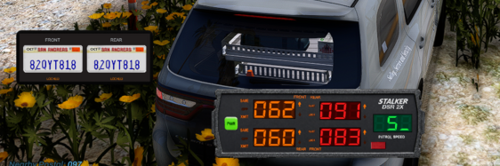
1 Screenshot

Are you tired of accidentally hitting old people when you only meant to aim your weapon?

No More Violence prevents accidental melee attacks while using firearms, flashlights, fists, and other weapons. Its customizable allow list lets you choose exactly which weapons can still perform melee attacks.

Features include:

  • Blocks accidental pistol-whipping and weapon melee

  • Blocks unarmed punches

  • Prevents flashlight melee attacks

  • Customizable weapon and weapon-group allow list

  • Baton/nightstick allowed by default

  • Reload the allow list without restarting using refresh

  • Lightweight and performance-friendly


Short Description

Are you tired of accidentally hitting old people? No More Violence prevents unwanted melee attacks.

AI disclosure

The author has disclosed that AI tools were used in creating the following aspects of this file:

  • Description
  • Images
  • Mod and Mod Content (Substantial)

I used this to simply make the mod, it has been a idea for a while and wanted to create it. I used codex which is OpenAI to create this the images and the Description. I used AI because I'm not at that level yet to create handmade plugins myself. The mod it self I gave full credit with my name attached to it

User Feedback

Recommended Comments

McMuffin22

Members

Gonna try this

Sargent Lizzy Wizzy

Members Author

(edited)

Thanks!

17 hours ago, McMuffin22 said:

Gonna try this

Lemme know how you like it!

Edited by Sargent Lizzy Wizzy

McMuffin22

Members

21 hours ago, Sargent Lizzy Wizzy said:

Thanks!

Works really well! You did an amazing job with this mod!

Sargent Lizzy Wizzy

Members Author

26 minutes ago, McMuffin22 said:

Works really well! You did an amazing job with this mod!

Thanks for the feedback! I'm glad you are enjoying it!

Lepoisson

Members

Hello, I just wanted to point out that the assembly version of your plugin is: 2.0.2.0 instead of: 1.0.0.0

Sargent Lizzy Wizzy

Members Author

On 8/3/2026 at 1:57 PM, Lepoisson said:

Hello, I just wanted to point out that the assembly version of your plugin is: 2.0.2.0 instead of: 1.0.0.0

Oh okay thanks ill fix that in a bit!

Create an account or sign in to comment

Account

Navigation

Search

Search

Configure browser push notifications

Chrome (Android)
  1. Tap the lock icon next to the address bar.
  2. Tap Permissions → Notifications.
  3. Adjust your preference.
Chrome (Desktop)
  1. Click the padlock icon in the address bar.
  2. Select Site settings.
  3. Find Notifications and adjust your preference.