




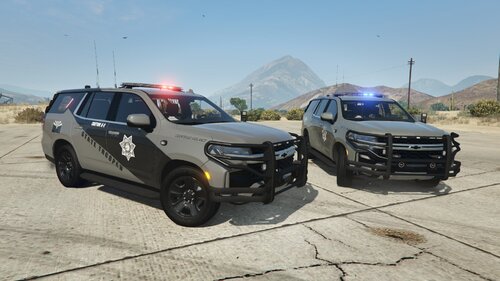
Hello! Thought I would try making my birth state and am quite happy how it has come out! Original plan was to include two custom belts aswell, but due to lack of parts I will make an update/new post later to include them.
It includes:
Class A Shirt (Hanako)
Class B Shirt (Hanako)
Class C Shirt (Hanako)
Patrol Pants (Lewis H.)
Polo (Hanako)
Polo w/ Undershirt (Hanako)
Baseball Hat
Custom Campaign Hat
Custom Badge
Custom Collar Pins
Join my discord for custom EUP: https://discord.gg/6zUYVfqN3V
Edited by Aidan's Outfitters
Short Description
Basic Oklahoma Highwy Patrol Based EUP Package with Custom Models
AI disclosure
The author has disclosed that AI tools were used in creating the following aspects of this file:
- Images
Reece - Campaign Hat
Reece - Nameplate
Reece - Nameplate







.thumb.png.8cef6bf40847c87cdc7f2b84d14bb45d.png)
![[RELEASE] LASD/LSSD Livery Pack [WIP / Expanding]](http://s3-screenshots.int-cdn.lcpdfrusercontent.com/resize/500/-/monthly_2026_08/11CVPI-LCPDFR.thumb.png.5854e70536a1be65efd81c48874a99d2.png)
![[NON ELS / FiveM Ready] B/B 2021 FPIU Unmarked - ULC Compatible](http://s3-screenshots.int-cdn.lcpdfrusercontent.com/monthly_2026_08/fpiu1(1).thumb.png.6ba7b189c9a83d3aa873f4d24dead596.png)
Recommended Comments
Create an account or sign in to comment