Skip to content
View in the app

A better way to browse. Learn more.

LCPDFR.com

A full-screen app on your home screen with push notifications, badges and more.

To install this app on iOS and iPadOS
  1. Tap the Share icon in Safari
  2. Scroll the menu and tap Add to Home Screen.
  3. Tap Add in the top-right corner.
To install this app on Android
  1. Tap the 3-dot menu (⋮) in the top-right corner of the browser.
  2. Tap Add to Home screen or Install app.
  3. Confirm by tapping Install.

Custom San Andreas Area Fire/EMS Logos 1.0.0

(0 reviews)

1 Screenshot

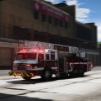
These are a few custom logos I've made for my LSPDFR and FiveM. I'll be actively updating this file over time with blank liveries for firetrucks, ambulances and sprint cars. Recommend station logos in the comments and I will try my best to make them as accurate as I can. 


Short Description

These are a few custom logos I've made for my LSPDFR and FiveM.

User Feedback

Recommended Comments

ADPC67

Members

(edited)

These logos are really really fine.


Maybe you could do "Rockford Hills" fire station ? I got that station with the number 608 on it, maybe you could try something


@alecm125 did skins that match this if you want to get inspired

Edited by ADPC67

Create an account or sign in to comment

Latest Mods

Account

Navigation

Search

Search

Configure browser push notifications

Chrome (Android)
  1. Tap the lock icon next to the address bar.
  2. Tap Permissions → Notifications.
  3. Adjust your preference.
Chrome (Desktop)
  1. Click the padlock icon in the address bar.
  2. Select Site settings.
  3. Find Notifications and adjust your preference.



