Skip to content
View in the app

A better way to browse. Learn more.

LCPDFR.com

A full-screen app on your home screen with push notifications, badges and more.

To install this app on iOS and iPadOS
  1. Tap the Share icon in Safari
  2. Scroll the menu and tap Add to Home Screen.
  3. Tap Add in the top-right corner.
To install this app on Android
  1. Tap the 3-dot menu (⋮) in the top-right corner of the browser.
  2. Tap Add to Home screen or Install app.
  3. Confirm by tapping Install.

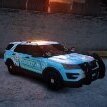
NYPD 2020FPIU v2.0 1.0.1

(0 reviews)

6 Screenshots

-Fixed the issue of the front turn signal not turning on-


-Improved vehicle texture (closer to reality)-


-Improved wheel hub-


-Changed the position of the red light on the intake grille-


Short Description

B_duck's NYPD 2020 Ford Explorer Pack

User Feedback

Recommended Comments

Bduck

Members Author

22 minutes ago, joseph buscemi vlogs said:

i love it better than ever 

thanks for your support

DanielAli

Members

My game crash after spawn the older ver. works fine any help?


@DanielAliYeah the new verison you must used police 3 slot if you don't it will crashed your game 

(edited)

@Bduck


Edited by joseph buscemi vlogs

DanielAli

Members

On 1/27/2024 at 1:28 PM, joseph buscemi vlogs said:

@DanielAliYeah the new verison you must used police 3 slot if you don't it will crashed your game 

i already have Police3 slot but my game crash on loading screen sometime game start losing Texture

Wehrmachgt

Members

Ayo where did you get that PAL CARES sticker?

@DanielAli so you need to delete police3 and then go into your game, spawn it and it won't work, the reason why you spawn it the game will register the car is not there. 


exit it out of game and drag and drop it again.


if your car not working or engine sound, dm me here 

Frakee

Members

Amazing Car! no issues installing on my game 😁

Would like to see more NYPD vehicles coming out soon? 😏 Could contain: vehicle, land vehicle, text, wheel, sky, tire, outdoor, transport, car, ground, city, light, street, police


DanielAli

Members

On 1/29/2024 at 12:27 AM, joseph buscemi vlogs said:

@DanielAli so you need to delete police3 and then go into your game, spawn it and it won't work, the reason why you spawn it the game will register the car is not there. 


exit it out of game and drag and drop it again.


if your car not working or engine sound, dm me here 

didn"t work for me maybe i have something wrong with my game file do have Discord to help if can

On 1/30/2024 at 11:55 AM, DanielAli said:

didn"t work for me maybe i have something wrong with my game file do have Discord to help if can

@DanielAli hey what your discord 

UnknownRelax

Members

thanks for using my skin...

wheresosama

Members

how do you activate police 3 in the regular gta iv

Lewis2150

Members

On 4/15/2024 at 4:22 AM, wheresosama said:

how do you activate police 3 in the regular gta iv

You need to use the Gay Tony version of the game, complete edition 

Topanotch

Members

(edited)

How do I fix the texture loss when I spawn this in? It dissapears then the game goes crazy

Edited by Topanotch

CG13

Members

For anyone having issues spawning this vehicle I recommend using this Vehicle IDE setting rather than the one included.. The one included resulted in my game being unable to spawn the car. I've found that this IDE actually works for me. Within the Vehicle.ide file with the TBOGT/Common/data directory find the one involving Police 3 and replace it with this one. It works for me and I hope it works for you as well.


police3,    police3,    car,        FBI,        POLICE3,    VEH@STD,    NULL,        100,    999,        0.2610, 0.2610,        0,    5,    1.0,    0    ext_strong+livery


Hope this helps you if you plan on doing NYPD cars like I am.

L4zyyy

Members

(edited)

Hi i just downloaded this mod and i renamed it and replaced it with the police 2 car.Everything works fine excpet the blue text on the back.It moves very quickly.How can i make it slow.Which file and setting makes it slower.Im using ELS V8_51

Edited by L4zyyy

Create an account or sign in to comment

Latest Mods

Account

Navigation

Search

Search

Configure browser push notifications

Chrome (Android)
  1. Tap the lock icon next to the address bar.
  2. Tap Permissions → Notifications.
  3. Adjust your preference.
Chrome (Desktop)
  1. Click the padlock icon in the address bar.
  2. Select Site settings.
  3. Find Notifications and adjust your preference.











