Skip to content
View in the app

A better way to browse. Learn more.

LCPDFR.com

A full-screen app on your home screen with push notifications, badges and more.

To install this app on iOS and iPadOS
  1. Tap the Share icon in Safari
  2. Scroll the menu and tap Add to Home Screen.
  3. Tap Add in the top-right corner.
To install this app on Android
  1. Tap the 3-dot menu (⋮) in the top-right corner of the browser.
  2. Tap Add to Home screen or Install app.
  3. Confirm by tapping Install.

LAPD BEACH PATROL EUP 9.4 1.0.0

(0 reviews)

6 Screenshots

LAPD EUP BEACH PATROL

                                                                                                                            Includes - Uniform for Bicycle.

                                                                                                                                                  Uniform for Beach.
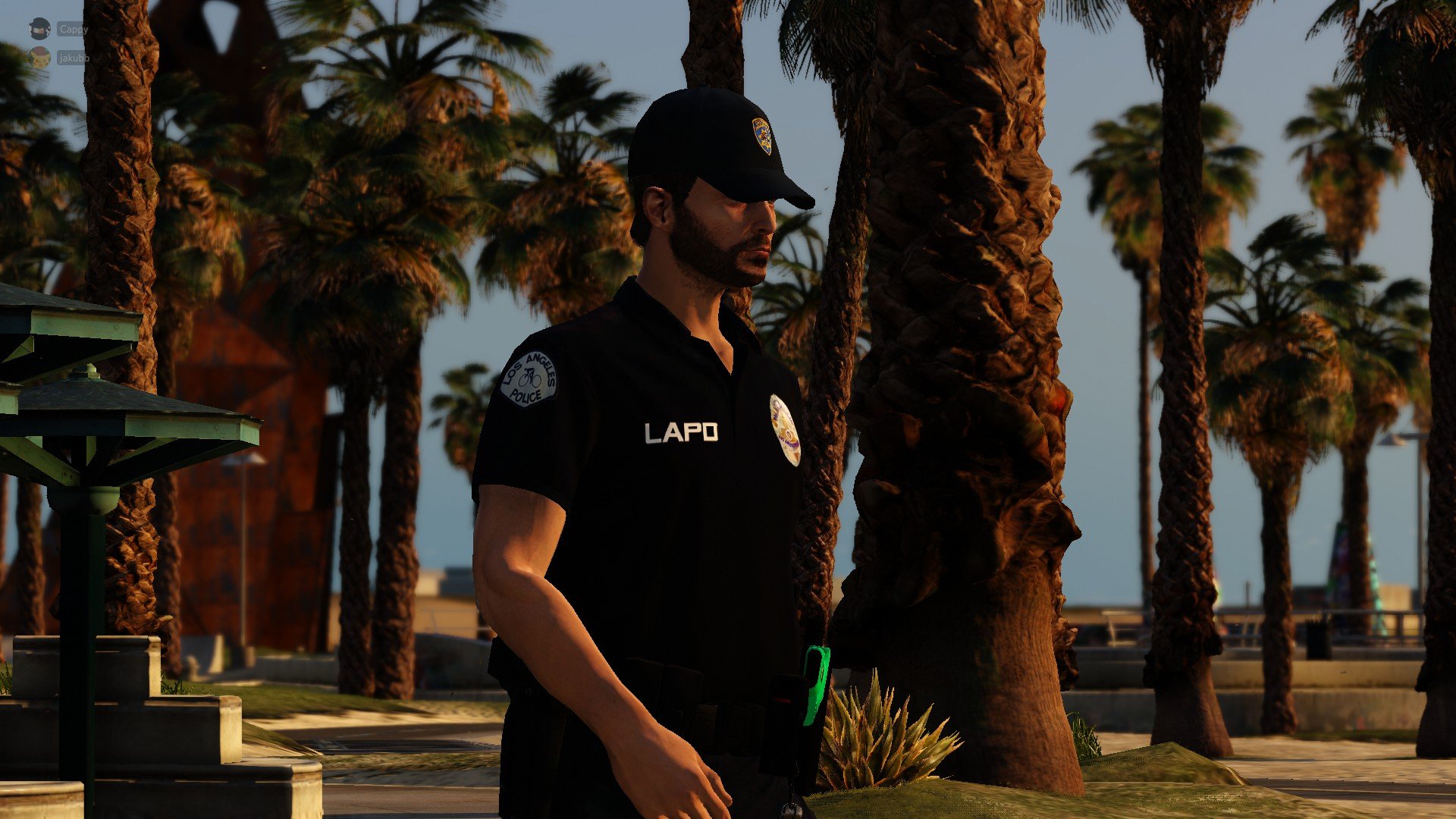
                                                                                                    20220605200612_1.thumb.jpg.636942fea63f4405d05b746fed8847f0.jpg


Installation in the README FILE

Make sure to make a backup.


Made for EUP 9.4 though will probably work for other versions as well.


Edited by jacobbbb


Short Description

Includes Bicycle uniform and Beach uniform

User Feedback

Recommended Comments

Deactivated Member

Deactivated

looks good to bad i had to make my own ages ago cause there was non XD

jacobbbb

Members Author

7 minutes ago, LifesaverMikey19 said:

looks good to bad i had to make my own ages ago cause there was non XD

Yeah the exact reason made it too but I decided to release it if anyone wants to use it😀

Hunter080509

Members

can you make a normal one for all uniforms?

Create an account or sign in to comment

Account

Navigation

Search

Search

Configure browser push notifications

Chrome (Android)
  1. Tap the lock icon next to the address bar.
  2. Tap Permissions → Notifications.
  3. Adjust your preference.
Chrome (Desktop)
  1. Click the padlock icon in the address bar.
  2. Select Site settings.
  3. Find Notifications and adjust your preference.