
Skip to content
View in the app

A better way to browse. Learn more.

LCPDFR.com

A full-screen app on your home screen with push notifications, badges and more.

To install this app on iOS and iPadOS
  1. Tap the Share icon in Safari
  2. Scroll the menu and tap Add to Home Screen.
  3. Tap Add in the top-right corner.
To install this app on Android
  1. Tap the 3-dot menu (⋮) in the top-right corner of the browser.
  2. Tap Add to Home screen or Install app.
  3. Confirm by tapping Install.

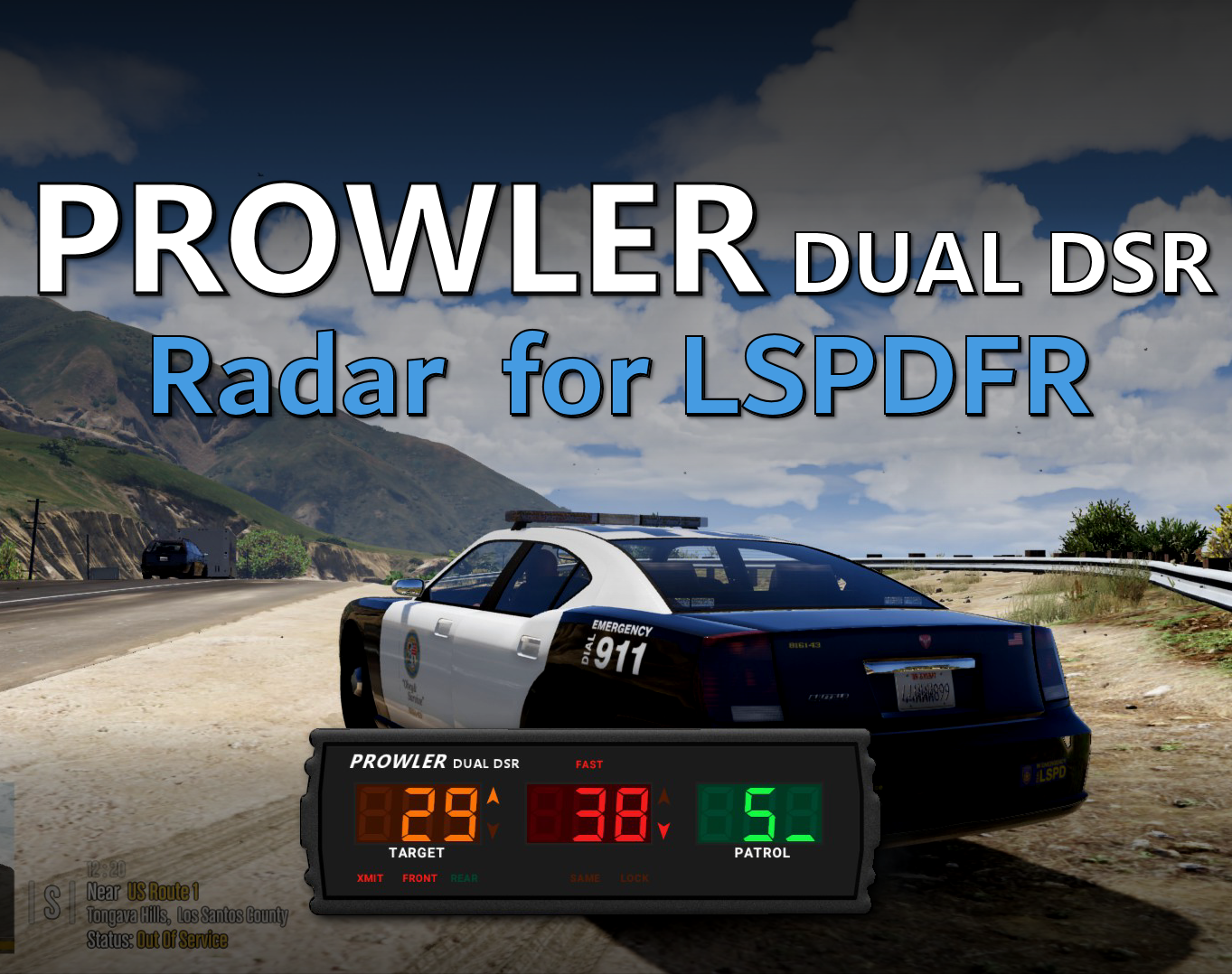
Prowler Radar 1.3.1

(37 reviews)

4 Screenshots


Discord: https://discord.gg/AuJCUag


Features:

  • A realistic radar system based on the real-world Stalker Dual DSR
  • Four different modes including stationary and moving
  • A "fast" tracker to differentiate between strongest and fastest signal
  • An "auto lock" feature that allows you to set a maximum speed


Prowler-Dual-DSR.pdf

Edited by opus49
Updated credits

What's New in Version 1.3.1

Released

Prowler Radar 1.3

  • Added on screen remote control
  • Added doppler sounds
  • Added "debug mode" so you can see the radar logic in real time
  • Made beam width configurable
  • Made police vehicle requirement optional
  • Added plate reader
  • Added minimum target speed


Short Description

A realistic police radar.

User Feedback

Recommended Comments

Raigou

Members

If I change to metric, do I have to change the "MinTargetSpeed" or "AutoLock Limit" accordingly? or the system does the imperial-metric translation automatically?

opus49

Insiders Author

35 minutes ago, Raigou said:

If I change to metric, do I have to change the "MinTargetSpeed" or "AutoLock Limit" accordingly? or the system does the imperial-metric translation automatically?

Those values are mph regardless

Raigou

Members

1 hour ago, opus49 said:

Those values are mph regardless

Then if I want the MinTarget to be 50 kph I have to set it at 30(mph) more or less, ok, but then ingame, set to metric, when will it trigger the MinTarget? at 30 or 50?

opus49

Insiders Author

51 minutes ago, Raigou said:

Then if I want the MinTarget to be 50 kph I have to set it at 30(mph) more or less, ok, but then ingame, set to metric, when will it trigger the MinTarget? at 30 or 50?

The UseMetric setting only affects what is displayed on the screen.  Whatever speed in kph you want to trigger, calculate the mph and set it to that.

Ty23

Members

Hello, I hope this finds you well.

I have looked all over the internet to figure out why this isn't working. I have it installed, and I can press my numpad 0 to open it and get everything going. However, for some reason, it doesn't seem to track the speed of the AI vehicles. Also, to the right where it says "Patrol," it isn't showing a number for how fast you are normally going.

If someone can please tell me what I can do to fix that, I would appreciate it. Thank you!

opus49

Insiders Author

12 minutes ago, Ty23 said:

Hello, I hope this finds you well.

I have looked all over the internet to figure out why this isn't working. I have it installed, and I can press my numpad 0 to open it and get everything going. However, for some reason, it doesn't seem to track the speed of the AI vehicles. Also, to the right where it says "Patrol," it isn't showing a number for how fast you are normally going.

If someone can please tell me what I can do to fix that, I would appreciate it. Thank you!

use debug mode to see what it's tracking

Trevor19012

Members

(edited)

Love it.

Edited by Trevor19012

Ty23

Members

On 9/22/2025 at 11:02 PM, opus49 said:

use debug mode to see what it's tracking

How do I get it into debug mode? I'm sorry if this is a dumb question; I'm just really confused why it stopped working after I used it for months.


Ty23

Members

(edited)

"Hello, I hope this finds you well.

I have looked all over the internet to figure out why this isn't working. I have it installed, and I can press my numpad 0 to open it and get everything going. However, for some reason, it doesn't seem to track the speed of the AI vehicles. Also, to the right where it says "Patrol," it isn't showing a number for how fast you are normally going.

If someone can please tell me what I can do to fix that, I would appreciate it. Thank you!"


"How do I get it into debug mode? I'm sorry if this is a dumb question; I'm just really confused why it stopped working after I used it for months."


I'm sorry for asking again, but I still do not have an answer. I just really want to find out why this randomly stopped working, like I stated before, how I used this for months.


Edited by Ty23

ColeThatch

Members

(edited)

On 10/3/2025 at 1:26 AM, Ty23 said:

"Hello, I hope this finds you well.

I have looked all over the internet to figure out why this isn't working. I have it installed, and I can press my numpad 0 to open it and get everything going. However, for some reason, it doesn't seem to track the speed of the AI vehicles. Also, to the right where it says "Patrol," it isn't showing a number for how fast you are normally going.

If someone can please tell me what I can do to fix that, I would appreciate it. Thank you!"


"How do I get it into debug mode? I'm sorry if this is a dumb question; I'm just really confused why it stopped working after I used it for months."


I'm sorry for asking again, but I still do not have an answer. I just really want to find out why this randomly stopped working, like I stated before, how I used this for months.


Based on the .ini file, the required key is F11. Make sure all files are up to date.
(Yes, I speak from experience, as I have to check myself why my Prowler is no longer working either.)

Edited by ColeThatch

TooTall67

Members

On 9/22/2025 at 11:02 PM, opus49 said:

use debug mode to see what it's tracking

Im also having a problem with this addon doing literally nothing : (

I'm assuming you hold F11 for debug mode? If so, debug isn't displaying anything either. Either way, I've cycled though all the modes on the radar, made sure xmit was on, front antenna, rear antenna, beam width, etc. Nothing. The plates arent even showing up either

opus49

Insiders Author

14 minutes ago, MrMan104 said:

Im also having a problem with this addon doing literally nothing : (

I'm assuming you hold F11 for debug mode? If so, debug isn't displaying anything either. Either way, I've cycled though all the modes on the radar, made sure xmit was on, front antenna, rear antenna, beam width, etc. Nothing. The plates arent even showing up either

Why would the plates show up when you're not targeting anything?

If you don't see the legend from the debug mode, you haven't turned it on.  If you're not seeing anything, you're doing something wrong.

TooTall67

Members

15 hours ago, opus49 said:

Why would the plates show up when you're not targeting anything?

If you don't see the legend from the debug mode, you haven't turned it on.  If you're not seeing anything, you're doing something wrong.

Can you tell me how to get into debug mode? I see in the .ini it says "Settings+DebugKey=F11" but i have both clicked and held F11 and the debug legend did not appear. When I held F11, I heard a beep but nothing happened.

TooTall67

Members

19 hours ago, opus49 said:

Why would the plates show up when you're not targeting anything?

If you don't see the legend from the debug mode, you haven't turned it on.  If you're not seeing anything, you're doing something wrong.

Yeah so i think i had something weird going on. The first few times i tried to use it, the overlays would pull up and everything and i could set it to xmit  and change the antennas and patrol modes, but nothing would happen.


Just today when i was messing around with it, it started to work. Idk why, i didnt do anything different, but it just started working. The first image is me using the POLICE3 vehicle with stock metas and everything, and you can see the antenna beam width, and the vehicles it should be tracking that are within the beam width. I then spawned a new vehicle, an addon vehicle with custom metas and everything (i doubt that has anything to do with it, just mentioning it just in case) and it started working. You can see this in the second image. After that, i hopped back in the first vehicle and pulled up the radar and it started working fine. 

I have no idea what couldve been causing this. I havent found a way to specifically replicate this, but almost every time in-game i try to use the radar it just doesnt work at first. If you want, maybe i can start trying to find the cause by loading the game and trying each vehicle specifically first, with repeatable steps to see if theres a specific cause. But im no software developer so i havent troubleshooted like that before


Could contain: screenshot, car, vehicle, pc game, text, electricity, outdoor, night, street, lightCould contain: vehicle, car, text, land vehicle, street light, outdoor, screenshot, night, street, light

Luna Olson

Members

Anyone have the Stalker frame for the remote? i have the one for the DSR

0pheIia

Members

The new version of this is incompatible with grappler on certain vehicles. I just found this out.  

Ty23

Members

Hello. After further investigation, it seems like when you select specific vehicles, like Police 1, Police 2, or Police 3, some of them work with it and some of them don't. I still haven't found out why this happens, but it does. For me, only Police 2 works for Prowler. Maybe this can be fixed, but until then, I'm unsure. I'm glad I'm not the only one experiencing this.

opus49

Insiders Author

54 minutes ago, Ty23 said:

Hello. After further investigation, it seems like when you select specific vehicles, like Police 1, Police 2, or Police 3, some of them work with it and some of them don't. I still haven't found out why this happens, but it does. For me, only Police 2 works for Prowler. Maybe this can be fixed, but until then, I'm unsure. I'm glad I'm not the only one experiencing this.

Yes if you add cars that aren't police vehicles it won't work unless you configure it as such. There's an option to not require it to be a police vehicle. Nothing needs to be  "fixed".

criltxl

Members

awesome mod I love it 🔥🔥

mitchell66

Members

no instuction on what file it goes into for u new users

djtiamme

Members

Somebody plez help, it seems really good but i cant get my num 9 to work, what do i name the keybind in the ini? thanks

bl0ndu

Members

Hi! Mine dosen't work it says something about raw canvas.ui or something that it need a more updated version for me to open prowler its like it dosen't even want to load it when the rest of the plugins are

Axelpm

Members

Hello i was trying to install the Prowler Radar since couple days and i try differents ways but always said this, some one can help me pls??

ERROR: Could not load plugin from "C:\Program Files\Rockstar Games\Grand Theft Auto V Legacy\Plugins\ProwlerRadar.dll". Could not load file or assembly 'ProwlerRadar, Version=1.3.1.0, Culture=neutral, PublicKeyToken=null' or one of its dependencies. The system cannot find the file specified.

DeamonLan27

Members

On 12/31/2025 at 4:28 PM, djtiamme said:

Somebody plez help, it seems really good but i cant get my num 9 to work, what do i name the keybind in the ini? thanks

Go to plugin/LSPDFR and here should be the ini

Uxot

Members

(edited)

It doesn't track plates for me and it shows no traffic speed..?

Nvm it works,just wish the plate display would always show even under the speed limit detection...

Edited by Uxot

Create an account or sign in to comment

Latest Mods

Account

Navigation

Search

Search

Configure browser push notifications

Chrome (Android)
  1. Tap the lock icon next to the address bar.
  2. Tap Permissions → Notifications.
  3. Adjust your preference.
Chrome (Desktop)
  1. Click the padlock icon in the address bar.
  2. Select Site settings.
  3. Find Notifications and adjust your preference.




