
Skip to content
View in the app

A better way to browse. Learn more.

LCPDFR.com

A full-screen app on your home screen with push notifications, badges and more.

To install this app on iOS and iPadOS
  1. Tap the Share icon in Safari
  2. Scroll the menu and tap Add to Home Screen.
  3. Tap Add in the top-right corner.
To install this app on Android
  1. Tap the 3-dot menu (⋮) in the top-right corner of the browser.
  2. Tap Add to Home screen or Install app.
  3. Confirm by tapping Install.

Prowler Radar 1.3.1

(37 reviews)

4 Screenshots


Discord: https://discord.gg/AuJCUag


Features:

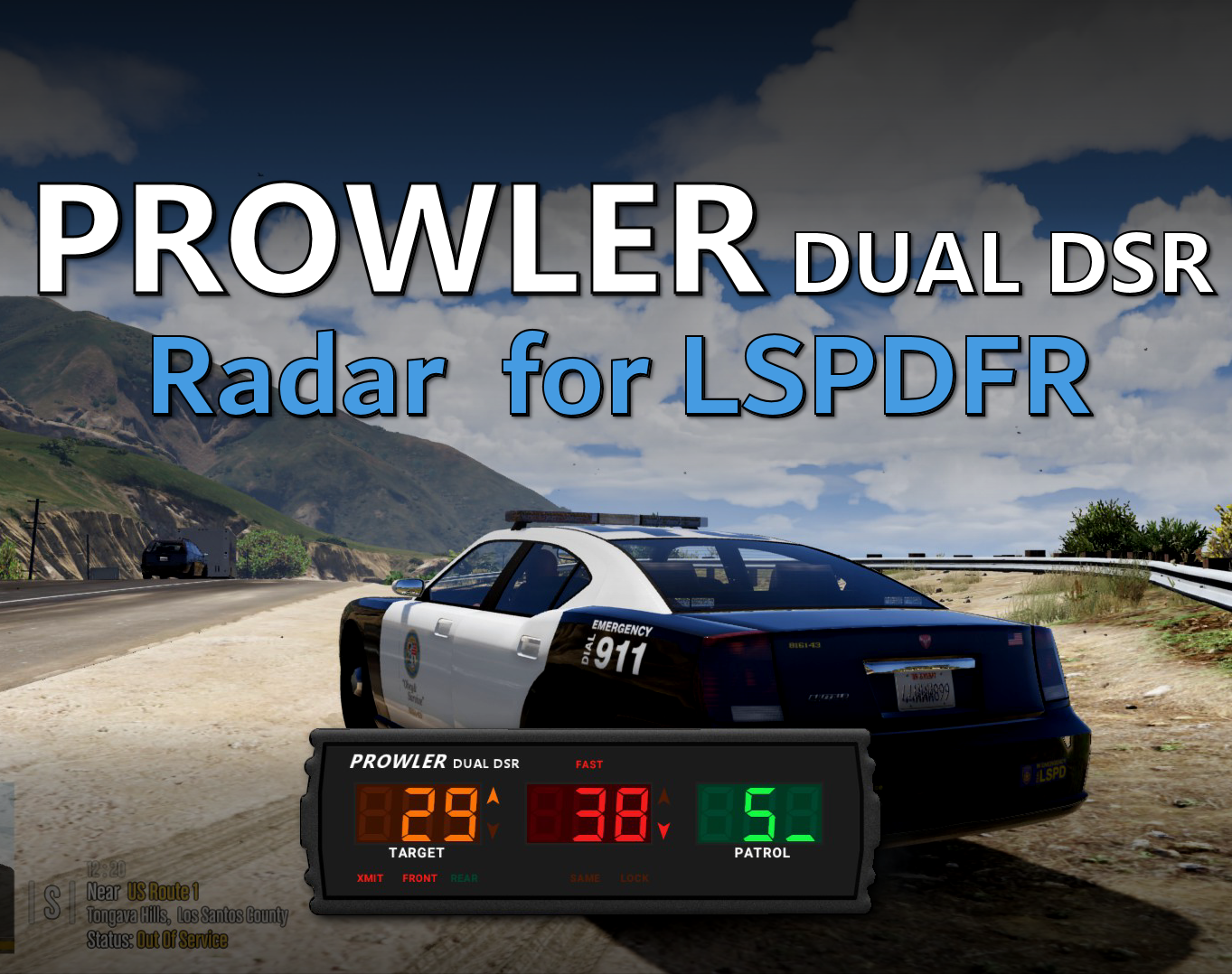
  • A realistic radar system based on the real-world Stalker Dual DSR
  • Four different modes including stationary and moving
  • A "fast" tracker to differentiate between strongest and fastest signal
  • An "auto lock" feature that allows you to set a maximum speed


Prowler-Dual-DSR.pdf

Edited by opus49
Updated credits

What's New in Version 1.3.1

Released

Prowler Radar 1.3

  • Added on screen remote control
  • Added doppler sounds
  • Added "debug mode" so you can see the radar logic in real time
  • Made beam width configurable
  • Made police vehicle requirement optional
  • Added plate reader
  • Added minimum target speed


Short Description

A realistic police radar.

User Feedback

Recommended Comments

opus49

Insiders Author

My apologies there was an issue with the initial release of 1.3 that has since been corrected.

Mr.DudeMan

Members

Bro thank you so much for adding sounds makes it so much more immersive

KnightHawkOne

Members

1 hour ago, opus49 said:

My apologies there was an issue with the initial release of 1.3 that has since been corrected.

The things you create are awesome🤯

Cucamonga

Members

I watched a video from Blue Line Vibes about this new update and he said it was coming next week and I am so excited that it is out now! You are amazing. 

BlueLine Vibes

Members

(edited)

On 6/20/2025 at 7:53 PM, M.Williams said:

Any plan on making this where you can run the rear and front at the same time?


Already available if you have it set to  S_   for the direction.   
SA = Stationary Away
SC = Stationary Closing
S_ = Both lanes of travel (say if you are shooting radar in the median of a highway for example


But I have a feeling you might be asking if he had plans to update to a Double Radar  (One on top and One on Bottom perhaps?)

Edited by BlueLine Vibes

GTA Fanatic

Members

Man, i have no words, honestly the only thing that could make this any cooler, would be if it had the dual Double Radar  (One on top and One on Bottom screens like the fivem version. Absolutely in love with your work, good job as always @opus49 

opus49

Insiders Author

43 minutes ago, GTA Fanatic said:

Man, i have no words, honestly the only thing that could make this any cooler, would be if it had the dual Double Radar  (One on top and One on Bottom screens like the fivem version. Absolutely in love with your work, good job as always @opus49 

I haven't ruled it out.  I actually spent quite a bit of time rewriting the code to make that possible.  I'll probably do it at some point.

Geckomacabre

Members

Its great, but desperately needs a feature that lets you resize the radar and plate and move them around, similar to how the new Simple HUD update works.

Could contain: outdoor, screenshot, plant, text, railroad, train, ground, track

opus49

Insiders Author

27 minutes ago, Geckomacabre said:

Its great, but desperately needs a feature that lets you resize the radar and plate and move them around, similar to how the new Simple HUD update works.

Could contain: outdoor, screenshot, plant, text, railroad, train, ground, track

It already has that.  Did you watch the video?


virxuis

Members

Doppler tone was the cherry on top for this plugin. Do you think you will ever add a "calibration" function, maybe when you first initiate the radar you are able to calibrate it just like real life, would add an extra layer of realism but again.. not that deep. Great plugin.

opus49

Insiders Author

26 minutes ago, virxuis said:

Doppler tone was the cherry on top for this plugin. Do you think you will ever add a "calibration" function, maybe when you first initiate the radar you are able to calibrate it just like real life, would add an extra layer of realism but again.. not that deep. Great plugin.

Ha, like a tuning fork?  I mean... never say never... but.. i'd say it's more like i'll implement the 2x

virxuis

Members

31 minutes ago, opus49 said:

Ha, like a tuning fork?  I mean... never say never... but.. i'd say it's more like i'll implement the 2x

No not the tuning fork, the "self test" that it has. Similar to this one https://www.youtube.com/watch?v=YioP_OT6ZAs


opus49

Insiders Author

3 minutes ago, virxuis said:

No not the tuning fork, the "self test" that it has. Similar to this one https://www.youtube.com/watch?v=YioP_OT6ZAs


Ah.  I'd need another button on the remote lol.


Geckomacabre

Members

(edited)

7 hours ago, opus49 said:

It already has that.  Did you watch the video?


Edited by Geckomacabre

opus49

Insiders Author

Just now, Geckomacabre said:

Yes I did... and the it only has it in the ini... You still need to either restart GTA or LSPDFR for it to change, which is why I said similar to the new simple hud update which lets you do it in game

You can bold and underline things all you want, but you are still wrong.  Watch the video demonstrating the latest update.  

Geckomacabre

Members

2 minutes ago, opus49 said:

You can bold and underline things all you want, but you are still wrong.  Watch the video demonstrating the latest update.  

thats why i removed it. Sorry


M.Williams

Members

On 8/17/2025 at 1:35 AM, BlueLine Vibes said:


Already available if you have it set to  S_   for the direction.   
SA = Stationary Away
SC = Stationary Closing
S_ = Both lanes of travel (say if you are shooting radar in the median of a highway for example


But I have a feeling you might be asking if he had plans to update to a Double Radar  (One on top and One on Bottom perhaps?)

Yes the double radar

YOsef112

Members

Can you unblock me from your server? I was hacked and banned because of this.

CozaLis

Members

There's no position setting in the Display settings like the video shows.. i've reinstalled multiple times

GTA Fanatic

Members

(edited)

12 minutes ago, CozaLis said:

There's no position setting in the Display settings like the video shows.. i've reinstalled multiple times

Reason being, you left click on what you want to move and just move it. If you want to resize, then click hold and use scroll on mouse.

Edited by GTA Fanatic

CozaLis

Members

33 minutes ago, GTA Fanatic said:

Reason being, you left click on what you want to move and just move it. If you want to resize, then click hold and use scroll on mouse.

How do you mean? Can i bring up the cursor and be able to click on the radar? There's no cursor when i open the settings menu. neither when i press display settings

opus49

Insiders Author

2 hours ago, CozaLis said:

How do you mean? Can i bring up the cursor and be able to click on the radar? There's no cursor when i open the settings menu. neither when i press display settings

Long press the power button to enter interactive mode:  


GTA Fanatic

Members

51 minutes ago, CozaLis said:

How do you mean? Can i bring up the cursor and be able to click on the radar? There's no cursor when i open the settings menu. neither when i press display settings

long press numpad 9, brings up curser 

Create an account or sign in to comment

Latest Mods

Account

Navigation

Search

Search

Configure browser push notifications

Chrome (Android)
  1. Tap the lock icon next to the address bar.
  2. Tap Permissions → Notifications.
  3. Adjust your preference.
Chrome (Desktop)
  1. Click the padlock icon in the address bar.
  2. Select Site settings.
  3. Find Notifications and adjust your preference.





