Skip to content
View in the app

A better way to browse. Learn more.

LCPDFR.com

A full-screen app on your home screen with push notifications, badges and more.

To install this app on iOS and iPadOS
  1. Tap the Share icon in Safari
  2. Scroll the menu and tap Add to Home Screen.
  3. Tap Add in the top-right corner.
To install this app on Android
  1. Tap the 3-dot menu (⋮) in the top-right corner of the browser.
  2. Tap Add to Home screen or Install app.
  3. Confirm by tapping Install.

Callout Interface 1.4.1

(46 reviews)

7 Screenshots


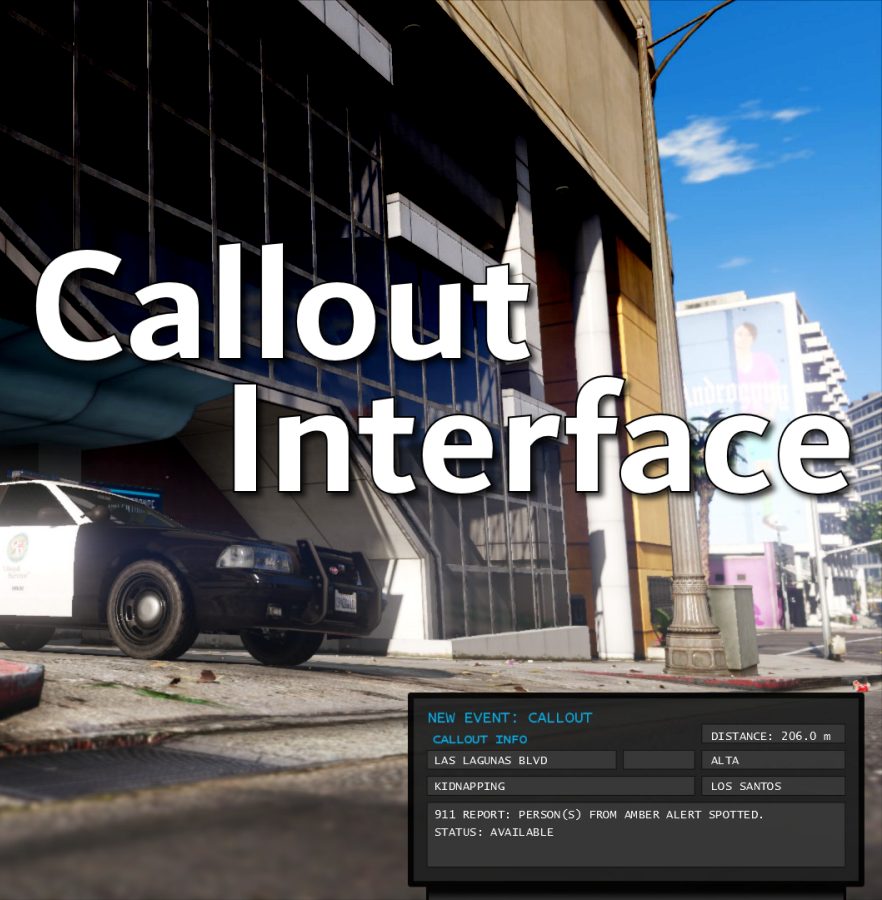
Callout Interface
A new way to interact with callouts.
 

Features:

  • RAGENativeUI menu front-end to start a callout
  • Force a random callout via keybind
  • Advanced MDT with multiple status buttons and tabs
  • Callouts can be sent to the MDT while you're on another callout
  • A fully functioning ALPR system with advanced camera layouts
  • External license plate display


Support:
Discord Serverhttps://discord.gg/AuJCUag

Developer API https://github.com/Immersive-Plugins-Team/CalloutInterfaceAPI


Recommended Callout Packs:

686 Callouts  link
Chaos Calloutslink
Super Calloutslink


New in Version 1.4.1


Edited by opus49
added latest dev diary and some new screenshots

What's New in Version 1.4.1

Released

New in Version 1.4.1

Added

  • Dependency checker
  • Hot key for toggling ALPR key on/off
  • Automatic tab switching (when enabled)
  • Automatic blips for ALPR
     

Changed

  • Toggling off MDT will exit interactive mode
  • Delayed and put checks around camera object creation


Fixed

  • Fixed a bug with ALPR debug mode where the graphics would get stuck


New in Version 1.4

Added

  • Realistic multi-camera ALPR system
  • Dynamic traffic stop that nobody someone likes
  • External license plate display widget
  • Silent callout system and log

Changed

  • Completely overhauled the MDT
  • Migrated graphics handling to RawCanvasUI

Short Description

Interface with callouts.

User Feedback

Recommended Comments

bigroy36

Members

Hello.  Love the mods man.  Quick question.  I use the License plate pack and i would like to add the plates to the callout interface so that they show as the state that is on the vehicles when the ALPR camera reads the plate.  Been trying to figure out how to do that.  Do i just need to change the textures in the plate folder and rename the tags to whatever the name is to what's already in there?  Seen it done on someone else's game, so I really wanted to do that with mine.

dedos

Members

HELP

My cursor dont appears

SirDJCat

Members

On 7/12/2023 at 3:30 AM, dedos said:

HELP

My cursor dont appears

Hold down num6 (or whatever button you have set to open the interface)

BikieBob

Members

Love the mod, however I can't seem to attach myself to any callouts - even if I am sitting there without a callout. The 'attach' button is available to click, however doing so doesn't do anything.

Dyll

Members

When I toggle ALPR on, there are items that look like they are used as the cameras which are little boxes show up on the actual patrol cruiser itself. Any idea why this may be happening? 

Charlie686

Members

1 minute ago, DylanP123 said:

When I toggle ALPR on, there are items that look like they are used as the cameras which are little boxes show up on the actual patrol cruiser itself. Any idea why this may be happening? 

These should be invisible, but other scripts (such as Menyoo) may force them to be visible. 🙂 

Dyll

Members

3 minutes ago, Charlie686 said:

These should be invisible, but other scripts (such as Menyoo) may force them to be visible. 🙂 

Yes! I suspected they should be invisible, I do have Menyoo in, so it seems like you are correct. I'll try now!

BikieBob

Members

14 hours ago, BikieBob said:

Love the mod, however I can't seem to attach myself to any callouts - even if I am sitting there without a callout. The 'attach' button is available to click, however doing so doesn't do anything.

Nevermind, figured out the issue. I didn't realise once you attached yourself you had to go back to the incident tab and the callout will come through!

Nicolasik

Members

Why are the Callout interface data not the same as CompuLite? Can this be fixed?

Charlie686

Members

4 minutes ago, Nicolasik said:

Why are the Callout interface data not the same as CompuLite? Can this be fixed?

I think you mean: why is CompuLite not the same as Callout Interface? 😉 

Nicolasik

Members

😄I understand your irony! The Callout interface is a very cool plugin! Maybe there is another plugin of the police computer with which the data will match?

Charlie686

Members

(edited)

33 minutes ago, Nicolasik said:

😄I understand your irony! The Callout interface is a very cool plugin! Maybe there is another plugin of the police computer with which the data will match?

Not that I'm aware of. CompuLite makes up a lot of stuff on the fly, and provides limited APIs (which is how plugins can interact with one another).

Unfortunately, Bejoijo hasn't made it easy to work with his plugins! 

Edited by Charlie686

Nicolasik

Members

Understood. Thanks!

Dani71

Members

(edited)

[SOLVED]HI !! Nice idea, I love it, but I'm having trouble with the superimposed display, .... the display opens but the mouse cursor goes "below" and therefore I can't click on the various options. How do I fix?


....HOLD..NumPad 6 !!!!!!


Could contain: text, vehicle, land vehicle, outdoor, car, building, wheel, road, way, vehicle registration plate, traffic, thoroughfare, street, ground, city

Could contain: text, vehicle, land vehicle, outdoor, car, building, wheel, road, way, vehicle registration plate, street, ground, city

Edited by Dani71

JSR94

Members

(edited)

Everything appears to be working however when I press available on the interface, the popup above the map shows im available but the actual Status still appears as not available, I attached an image. Any ideas? @opus49

Could contain: text, vehicle, car, land vehicle, screenshot, pc game, wheel, video game software, city, outdoor

Edited by JSR94

Domitaino

Members

Hi Opus, As always amazing work. love everything you make for us.

I am having a problem with having callout interface open while in game. I followed all instructions and when i press my callout menu key nothing happens,  i get no response. Also, all the changes to my MDT POS are not coming up. Its as if the file is not there, I am at a loss. Help!

thanks

21Sumter

Members

(edited)

Went through the ALPR modes, suddenly LSPDFR crashed. If you need anything for a detailed report, please contact us. I love your plugins, keep up the good work!


UPD: did it very quickly if slowly, it doesn't create any errors

Could contain: text, electronics, screenshot, display device, display, monitor, computer, flat panel display, screen, indoor

Edited by 21Sumter

opus49

Insiders Author

4 hours ago, 21Sumter said:

Went through the ALPR modes, suddenly LSPDFR crashed. If you need anything for a detailed report, please contact us. I love your plugins, keep up the good work!


UPD: did it very quickly if slowly, it doesn't create any errors

Could contain: text, electronics, screenshot, display device, display, monitor, computer, flat panel display, screen, indoor

There's not enough info here.  Can you upload the whole log please?

21Sumter

Members

5 minutes ago, opus49 said:

There's not enough info here.  Can you upload the whole log please?

RagePluginHook_02082023_111542.logthis is a daily file, I'm not sure that there is information about what happened, there is a mini report, but as the moderators said, it does not contain the information that would most likely help, but it was created at the same time as the failure, but you can't throw it in here. I can run a simulation of events in order to identify the problem

opus49

Insiders Author

33 minutes ago, 21Sumter said:

RagePluginHook_02082023_111542.logthis is a daily file, I'm not sure that there is information about what happened, there is a mini report, but as the moderators said, it does not contain the information that would most likely help, but it was created at the same time as the failure, but you can't throw it in here. I can run a simulation of events in order to identify the problem

Yes if could induce a crash and then immediately upload the RagePluginHook.log I can take a look.

21Sumter

Members

after doing my own investigation, repeating the script exactly, I was unable to cause a crash. I think this was an isolated incident and if it happens again, I will try to promptly repeat it again. Thank you for making these modifications. You make the world more colorful!❤️

21Sumter

Members

On 7/27/2023 at 11:53 AM, JSR94 said:

Everything appears to be working however when I press available on the interface, the popup above the map shows im available but the actual Status still appears as not available, I attached an image. Any ideas? @opus49

Could contain: text, vehicle, car, land vehicle, screenshot, pc game, wheel, video game software, city, outdoor

I think that at the moment, the grammar police plugin and callout intrface are not fixed to each other, maybe this will be fixed in the future, but it takes time, maybe there is another reason.

StubleStic

Members

Every time I start a callout, while the callout is running the callouts feed just bombards me with a lot of notifications about other callouts going on and then automatically attaching other units to it and all I hear is the new callout tone every single time.

RagePluginHook.log

Create an account or sign in to comment

Account

Navigation

Search

Search

Configure browser push notifications

Chrome (Android)
  1. Tap the lock icon next to the address bar.
  2. Tap Permissions → Notifications.
  3. Adjust your preference.
Chrome (Desktop)
  1. Click the padlock icon in the address bar.
  2. Select Site settings.
  3. Find Notifications and adjust your preference.