


.png.0471b6e260d8e75b94cc98cd3f04c98f.png)
.png.0dedb339acab0a21d719cc3ea42d479d.png)
.png.cfdd717a6e03ae9e404a68c437b40e9f.png)
.png.800854ed7b26db7a78eea58bd23c098a.png)
.png.5e2b3f55bc277877c376929d6a3891c5.png)
.png.f9ed788a16966347ac975270bf50c7b7.png)
.png.325c51318fee7ca0528ee4b0dd17c16e.png)
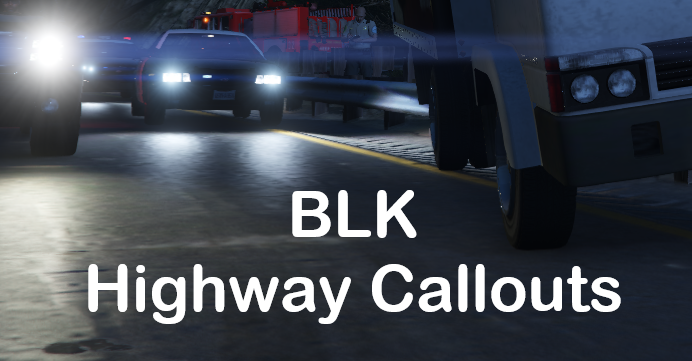
Welcome to the only highway focused callout pack (that is still slowly maintained) in LSPDFR!
This callout pack doesn't include shootings, robberies, muggins, kidnappings, stabbings, bank robberies, juggernatus or all the typical callouts you can find all over the script section of this website.
I'm more focused into creating callouts that are not too common or that can be approached from a different perspective. Why would I make you chase a vehicle around all of LS when I can make you surprise the criminals by deploying a spike strip and then, join the pursuit?
Remember officers don't have to deal with high speed pursuits or robberies everyday, there is also a side that is not that exciting but that officers have to do anyway. If you want to experience a different side to an officers work on the highways of LS, then give this callout pack a try.
⚠️ IMPORTANT NOTE ON CALLOUT MANAGER ⚠️
If you are using Callout Manager or any other plugin that starts callouts on demand, be aware that these callouts are meant to be played as a trooper or an officer patroling close to a highway, so if you are in the middle of the map like in Great Chaparral, Harmony or in Vinewood Hills, the callouts will fail to start.
REQUIREMENTS:
- LSPDFR 0.4.9 (not included)
- RagePluginHook (not included)
- RageNativeUI (not included)
- CalloutInterface (optional)
⚠️ STP and UB no longer required! ⚠️
HOW TO INSTALL:
- Drag and drop the "lspdfr" folder into your main game folder.
- Drag and drop the "plugins" folder into your main game folder.
- Drag and drop the CalloutInterfaceAPI file to your main game folder.
- Customize as desired in the ini file.
PLUGIN RECOMMENDATION
SceneManager by Rich
This plugin will help you manage traffic and you will surely need it for these callouts. If you don't have any plugin that can do something similar, you'll have a hard time playing this pack. I don't make it a requirement because is no longer maintained, but it still works!
Make sure to use the latest RageNativeUI version, do not use the version included in the plugin.
✨AVAILABLE CALLOUTS ✨
- NEW! Disturbance in rest area (only available at the rest area east of LS) : Investigate a couple that has been arguing in their vehicle for a long time.
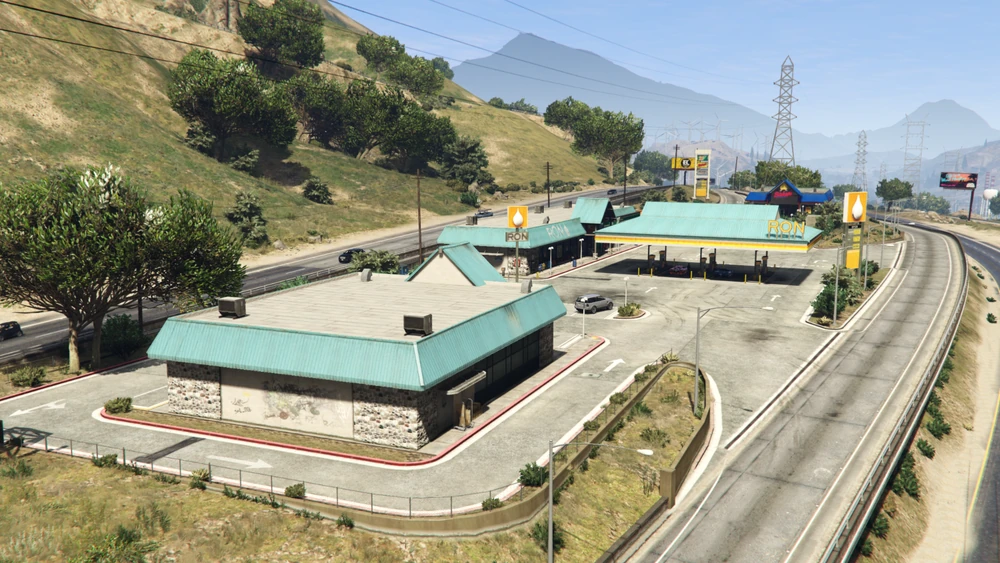
- NEW! Prowler in rest area (only available at the rest area east of LS) : The store clerk has called reporting a possible prowler in the rest area. Search for the suspect and make sure the zone is safe. Multiple outcomes possible.
- NEW! Stranded Vehicle: There's a vehicle parked on the shoulder of the highway; make sure the driver is safe.
-
MVA Traffic Control:
- You are not the only officer on patrol. Some officers are cleaning a MVA scene but are having a hard time handling traffic. Hurry up and manage traffic to prevent more accidents.
-
Assistance to Road Worker:
- The city had to cut resources and the road workers don't have all the security equipment they should. Luckily for them, you have them covered. Protect the workers from the heavy traffic and help maintain the roads of LS in good shape.
-
Animal on road:
- Some drivers have reported an animal in/close to the highway. Get there and make sure it's not a safety concern for the drivers and the animal.
-
Motor Vehicle Accident:
- Car accidents are a big part of an officers work and can't be missing in a callout pack like this.
-
Object on road:
- Drivers are reporting objects on the road, potentially causing an accident. Arrive to the scene and clear the way.
-
Asistance to stranded driver:
- You got a call for a vehicle stranded on the highway. Investigate and assist the driver.
-
Spike Strip Support:
- There is a pursuit approaching your position. Hurry up and get ready to deploy a spike strip and catch the criminals.
KNOWN ISSUES 🙁 :
- Peds/animations are not playing correctly at times.
- Animals caught by animal control look weird at the back of the truck.
HOW TO ADD CUSTOM VEHICLES FOR HIGHWAYS
****DISCLAIMER****
I'm not responsible for any errors in your game/configuration if you decide to follow this tutorial. Always make a copy of any file you edit.
If you don't feel comfortable editing XML files, just DON'T do it and stick to your default configuration.
I'm not an expert when it comes to modifying these files. What you find here is the result of my own curiosity and experience.
As of version 1.15.9, my callouts use LSPDFR's built-in functions to spawn emergency vehicles/peds instead of creating them manually from my XML file.
For that reason, I recommend using LSPDFR's config files to add your custom vehicles/peds the same way you can do it in the XML file I provide. Here's a quick and extremely basic tutorial:
1. In your GTA V main folder, go to "lspdfr/data/".
2. Open "agency.xml". Make a copy before editing.
3. Look for "<Name>San Andreas Highway Patrol</Name>"
4. Once you find the highway agency, edit it to your liking with the vehicles and ped models you want for highways. You are mostly interested in the "<Vehicles>" and "<Peds>" sections.
5. Save when you are satisfied with the configuration.
*Only for EUP users*
1. Go to "lspdfr/data/custom/".
2. Open "agency_eup.xml". Make a copy before doing any changes.
3. Find "<Name>San Andreas Highway Patrol</Name>"
4. Edit to your liking just like in the file in step 4 from the previous section.
5. Save when you are satisfied with the configuration.
6. Open"agency_eupfr.xml". Make a copy before editing.
7. Repeat steps 3 and 4.
8. Save when ready.
VIDEOS
Edited by BLKThePower
Updated callout list
What's New in Version 1.21.7
Released
1.21.7 - If you are updating, replace the ini file and the audio folder.
Hello everyone! A new update has dropped with 3 new callouts and I really hope you enjoy them as much as I do. 😄
For this update I wanted to create some callouts that would focus on an area of the map that's not used very often and in this case I chose the biggest rest area in LS; this is one of my fav spots in the map and I feel it has so much potential. I would love to continue making callouts like these so please let me know your thougths in the comments.😄
✨ NEW CALLOUTS ✨:
- Stranded vehicle: Similar to the "assistance to driver", in this scenario you need to investigate the vehicle and check on the driver. Thank you 249Xeno for the idea.
- Suspicious individual - ONLY AVAILABLE AT THE REST AREA EAST OF LS! : A suspected prowler is in the rest area. You are tasked with investigating and finding the suspect. You can talk with a few civilians that spawn all around the area and the store clerk that made the call. Make sure you search carefully every corner of the area or you might miss the suspect.
- Disturbance in rest area - ONLY AVAILABLE AT THE REST AREA EAST OF LS! : A couple has been arguing inside their vehicle; make sure no one is at risk.
UPDATED CALLOUTS:
MVA Traffic Control:
- Added a tow truck to the scene.
Motor Vehicle Accident:
- Added good samaritans that "tried" to help the victims. They have some dialog lines but no real impact on the callout.
Object On Road:
- Now up to 4 objects can spawn.
Animal On Road:
- Slightly decreased the chance to be ignored by the animal when luring it.
Road Maintenance:
- The worker no longer switches animations, reducing the chance for him to stay still doing nothing when switching between them.
Road Maintenance 2:
- The workers now follow the nav mesh instead of walking straight to their positions.
GENERAL CHANGES:
- Removed remaining error message for the missing XML file; the file was no longer required.
- Code improvements.
🏅 Special thanks to 249Xeno who's been encouraging me to continue working on these callouts; without him this update would've probably taken longer to be released or not happened at all. 💯
If you find any bugs or have any suggestions, feel free to contact me via PM.
Short Description
NoNameSet - For his explanation on vehicle damage.
wilson212 - For his further explanation on frontal and rear vehicle damage.
249Xeno - For encouraging me to continue working on this pack.






![[NON ELS] [ULC] California Themed Whelen Mini Pack (LSPD, SVPD, PBPD)](http://s3-screenshots.int-cdn.lcpdfrusercontent.com/resize/500/-/monthly_2026_09/w.thumb.webp.3328b0a1e36c58ba365cefbfc6fdb758.webp)
![Porsche GT3RS Glasslight [FiveM Ready] (GL Customs)](http://s3-screenshots.int-cdn.lcpdfrusercontent.com/resize/500/-/monthly_2026_09/Screenshot2026-09-07184903.thumb.png.13cd0b82a5090782e7254b79b5ef38ff.png)
![Ubermacht Rebla GTS Unmarked FIB [NON-ELS] [Replace] [Add-On]](http://s3-screenshots.int-cdn.lcpdfrusercontent.com/resize/500/-/monthly_2026_09/3.thumb.png.d3743291ff3fef15608f0978fa287cac.png)






Recommended Comments
Create an account or sign in to comment