Skip to content
View in the app

A better way to browse. Learn more.

LCPDFR.com

A full-screen app on your home screen with push notifications, badges and more.

To install this app on iOS and iPadOS
  1. Tap the Share icon in Safari
  2. Scroll the menu and tap Add to Home Screen.
  3. Tap Add in the top-right corner.
To install this app on Android
  1. Tap the 3-dot menu (⋮) in the top-right corner of the browser.
  2. Tap Add to Home screen or Install app.
  3. Confirm by tapping Install.

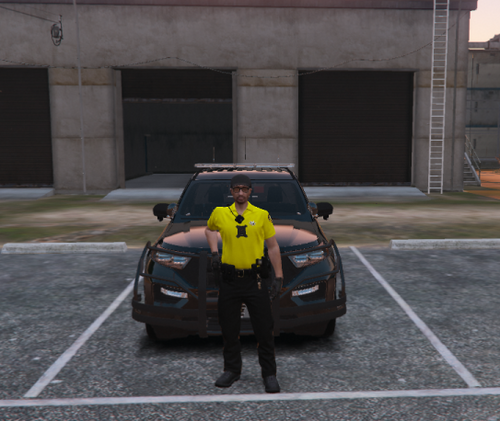
[4k] Los Santos Sheriff Texture Pack 2.0.0

(1 review)

9 Screenshots

User Feedback

Recommended Comments

Captain A.Brandon

Members Author

(edited)

"If Experiencing Texture Loss, Reduce your Textures to 2048x2048 to resolve*

Edited by Captain A.Brandon

SpikeTerm

Members

Looks great, I'll have to try this texture pack later. 

WallE911

Members

What vehicles pack do you use for it?

Captain A.Brandon

Members Author

@

1 hour ago, WallE911 said:

What vehicles pack do you use for it?

I always forget something 


Deactivated Member

Deactivated

@Captain A.Brandon

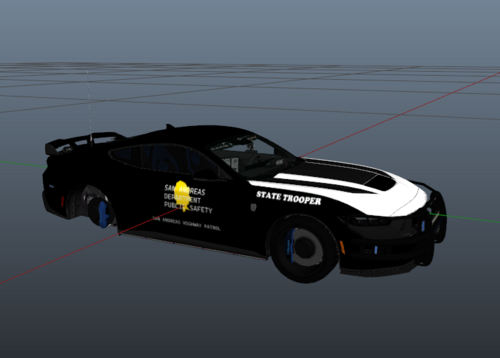
I recommend adding the "LOS SANTOS PARISH" parts on the 2014 charger, and 2011 cvpi [since it's missing].

i'd say put it on the rear bumper [or on the upper lip of the charger, above the tail lights, between the singular tail light]


example:

20160717203245_1.jpg.49df2cd45bc43b09430aa120c00c7586.thumb.jpg.8170b747ec976b4919333abcd5b3fc68.jpg

just replace "STATE TROOPER" with "LOS SANTOS PARISH"

Create an account or sign in to comment

Latest Mods

Account

Navigation

Search

Search

Configure browser push notifications

Chrome (Android)
  1. Tap the lock icon next to the address bar.
  2. Tap Permissions → Notifications.
  3. Adjust your preference.
Chrome (Desktop)
  1. Click the padlock icon in the address bar.
  2. Select Site settings.
  3. Find Notifications and adjust your preference.