


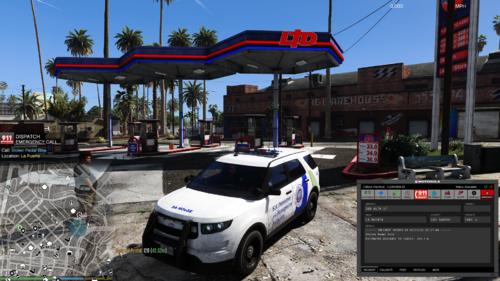
This is loosely based off of Toronto EMS, there is a bonus file which has a green (instead of orange) color along with the one shown in the previews.
Finally got a computer that is able to handle GTA V again.. been away from doing liveries for quite a while. Hopefully I will be contributing more.
Open to any feedback, I thoroughly enjoy making textures so I can take requests.
You will need PimDSLR's Ford E450, as this texture was used on this model.
PimDSLR (model)






.thumb.png.616be9d67781977562d321f2d40aacd8.png)



![OCRP Postal Map - Fixed Duplicate Postals and Atlas Style [FiveM]](http://s3-screenshots.int-cdn.lcpdfrusercontent.com/resize/500/-/monthly_2026_07/624688352-f61f6a95-cab2-4dbf-8e15-eac238807cc7.thumb.jpg.f9356ce9ac807f74bb9d897e93a8242d.jpg)


Recommended Comments
Create an account or sign in to comment