


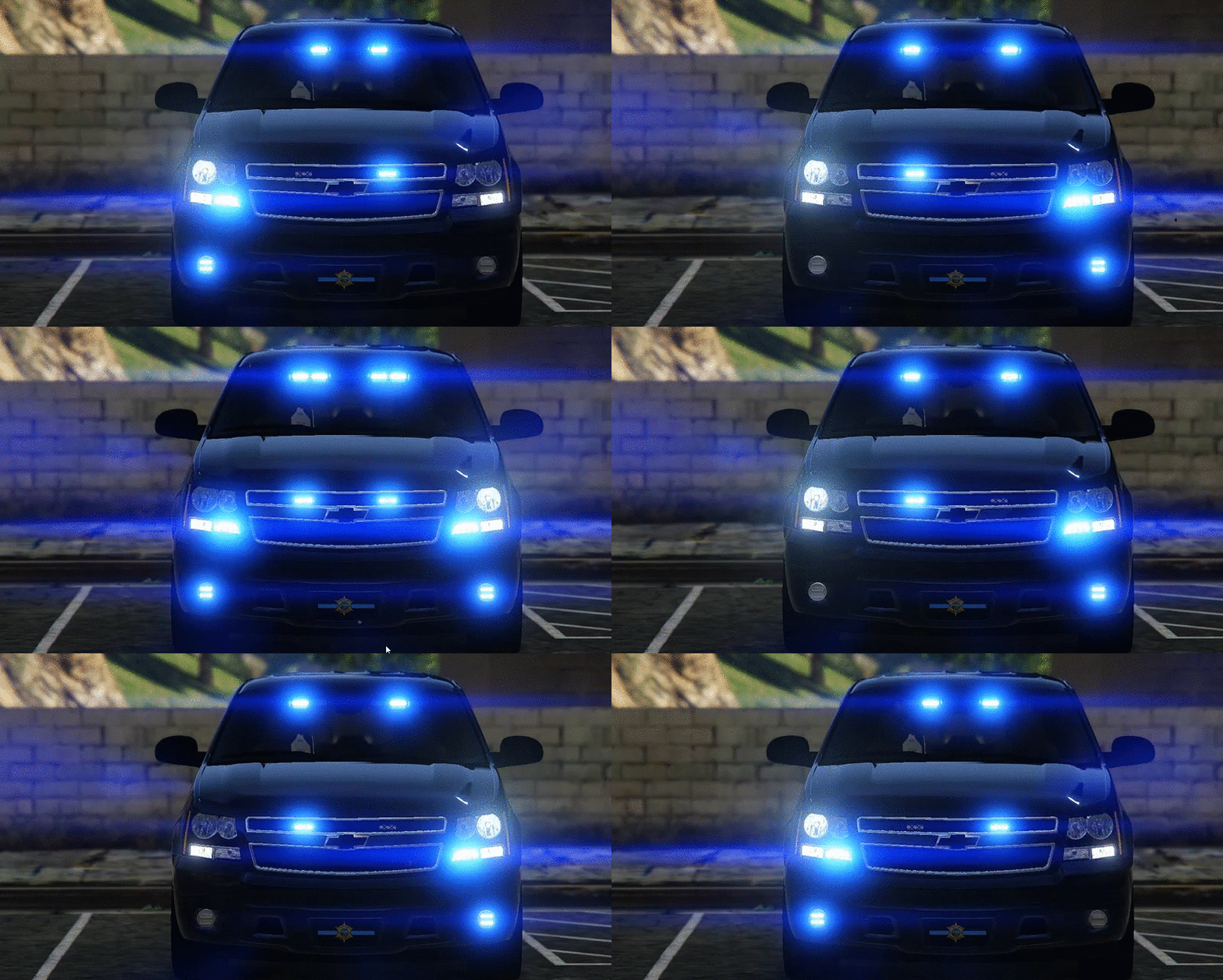
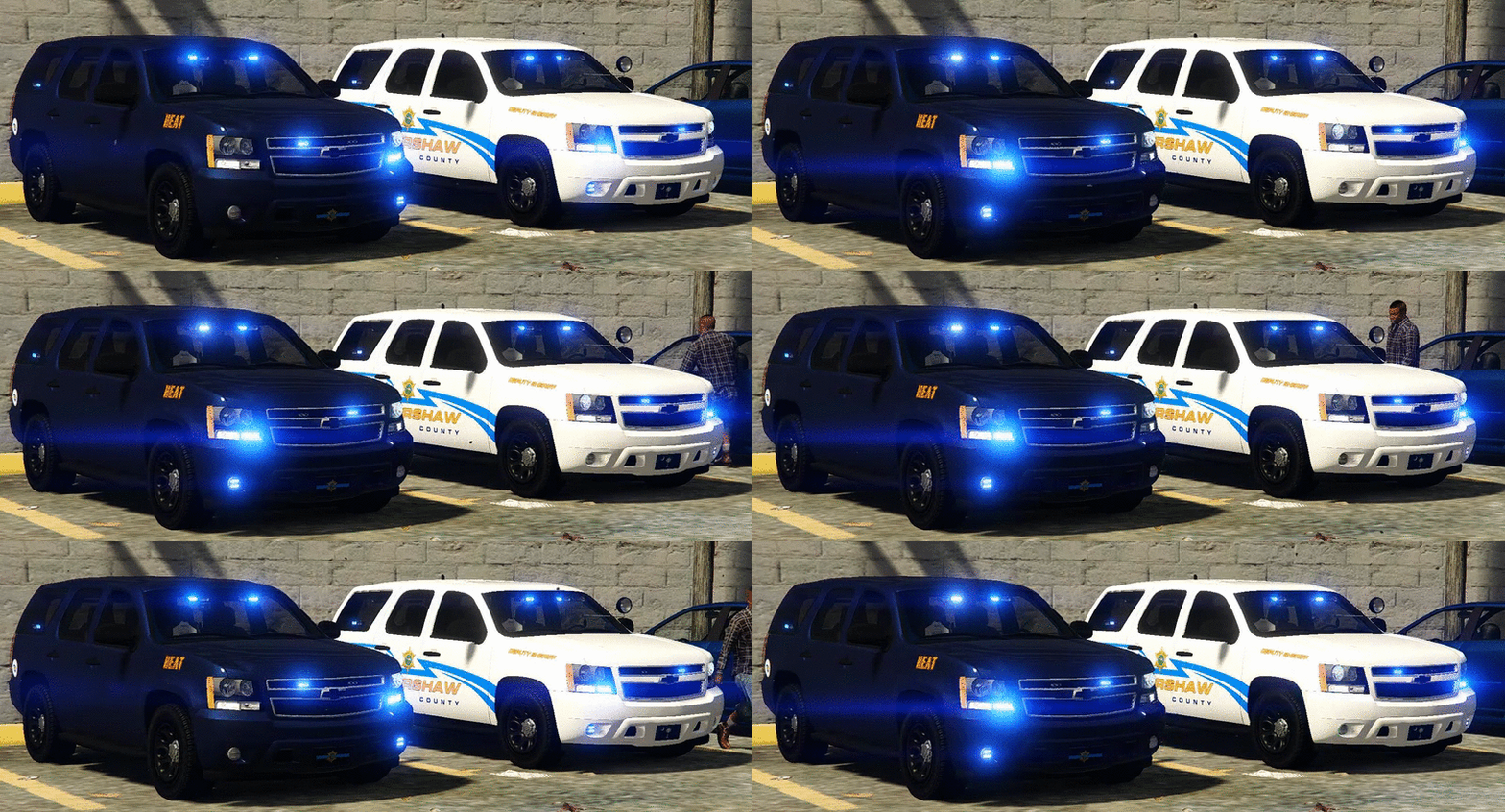
I saw this Tahoe while looking at scpolicecruisers.com.Cool website. You should check it out if you ever need any ideas for a car. It was hard to decide what Tahoe I wanted to make and I settled with this one.My next Tahoe will more than likely be one with a lightbar and steelies, because I beleive this is needed.
You will have 3 extra's to choose from:
extra_1 -Stalker Radar
extra_2 -Antenna
extra_3 -Spotlight(I am not sure if you downloaded my prev. Tahoe. This Tahoe does not have that funky spotlight bug where when you disable the extra....there is still with a outline!I got it fixed!)
Installation:
You can rename the .yft and .ytd to whatever you want,you don't have to use police.yft.
For RDE users: Install into update.rpf\update\x64\dlcpacks\rde\dlc.rpf\x64\levels\gta5\vehicles.rpf\
Non-RDE users will have to rename the cars to whatever you want, then place in the latest patchday: update.rpf\update\x64\dlcpacks\patchday9(or 10)\dlc.rpf\x64\levels\gta5\vehicles.rpf\
The sirensettings is 1, so change the .metas accordingly, if you need to(Probably won't at this point)
To edit handling for the tahoe:
Go to the necessary vehicles.meta, and change the handling id of the slot your using for the tahoe. Replace the handling id with "baller" or "baller2"
Credits:
- Model from free 3D site, author unknown.
- Converted and edited by GeorgieMoon.
- Interior by 4x4 Hummer merged and textured by GeorgieMoon.
- Interior converted by FightingNote
- Wheels by BxBugs123
- Livery by Gump,MrOxPlay and Dallas PD by qfmarine
- Whelen TIR 6 by tomcate8492
- Whelen PAR 36 by Bueno
- Spotlight by BlackJesus
- Antenna's by Vertex3D
- Watchgard 4RE by CAP N' CRUNCH
- Console by Sheriffvandyke
- Toughbook CF31 by Ridgerunner
- Stalker radar by CAP N' CRUNCH with edits by Gump
- Whelen Dominator by Tomcat8492
- Whelen Avenger by Trumapak
Stay vigil and thirsty my friends..
- Converted and edited by GeorgieMoon.
- Interior by 4x4 Hummer merged and textured by GeorgieMoon.
- Interior converted by FightingNote
- Wheels by BxBugs123
- Livery by Gump and Dallas PD by qfmarine
- Whelen TIR 6 by tomcate8492
- Whelen PAR 36 by Bueno
- Spotlight by BlackJesus
- Antenna's by Vertex3D
- Watchgard 4RE by CAP N' CRUNCH
- Console by Sheriffvandyke
- Toughbook CF31 by Ridgerunner
- Stalker radar by CAP N' CRUNCH with edits by Gump
- Whelen Dominator by Tomcat8492
- Whelen Avenger by Trumapak





![[ELS][REPLACE] 2020 Skoda Octavia Městská policie Praha (New design)](http://s3-screenshots.int-cdn.lcpdfrusercontent.com/resize/500/-/monthly_2026_05/20260514222354_1.thumb.jpg.dedd1cd5cdf14716666af6abfa71508d.jpg)


.thumb.png.a0f80464539c2dd42ee2519c1bda91f2.png)

![Generic Whelen 2023 F150 B/B [FiveM & Single Player]](http://s3-screenshots.int-cdn.lcpdfrusercontent.com/monthly_2026_05/enb2026_5_13_15_23_48_06.thumb.png.ecbdfb941234f496e3fd959033f602d4.png)






Recommended Comments
Create an account or sign in to comment