
Skip to content
View in the app

A better way to browse. Learn more.

LCPDFR.com

A full-screen app on your home screen with push notifications, badges and more.

To install this app on iOS and iPadOS
  1. Tap the Share icon in Safari
  2. Scroll the menu and tap Add to Home Screen.
  3. Tap Add in the top-right corner.
To install this app on Android
  1. Tap the 3-dot menu (⋮) in the top-right corner of the browser.
  2. Tap Add to Home screen or Install app.
  3. Confirm by tapping Install.

This file has been reported as outdated or no longer maintained. For further information, see the file comments.

LSPDFR+ (Better Traffic Stops, Court System) 1.9.0.0

(137 reviews)

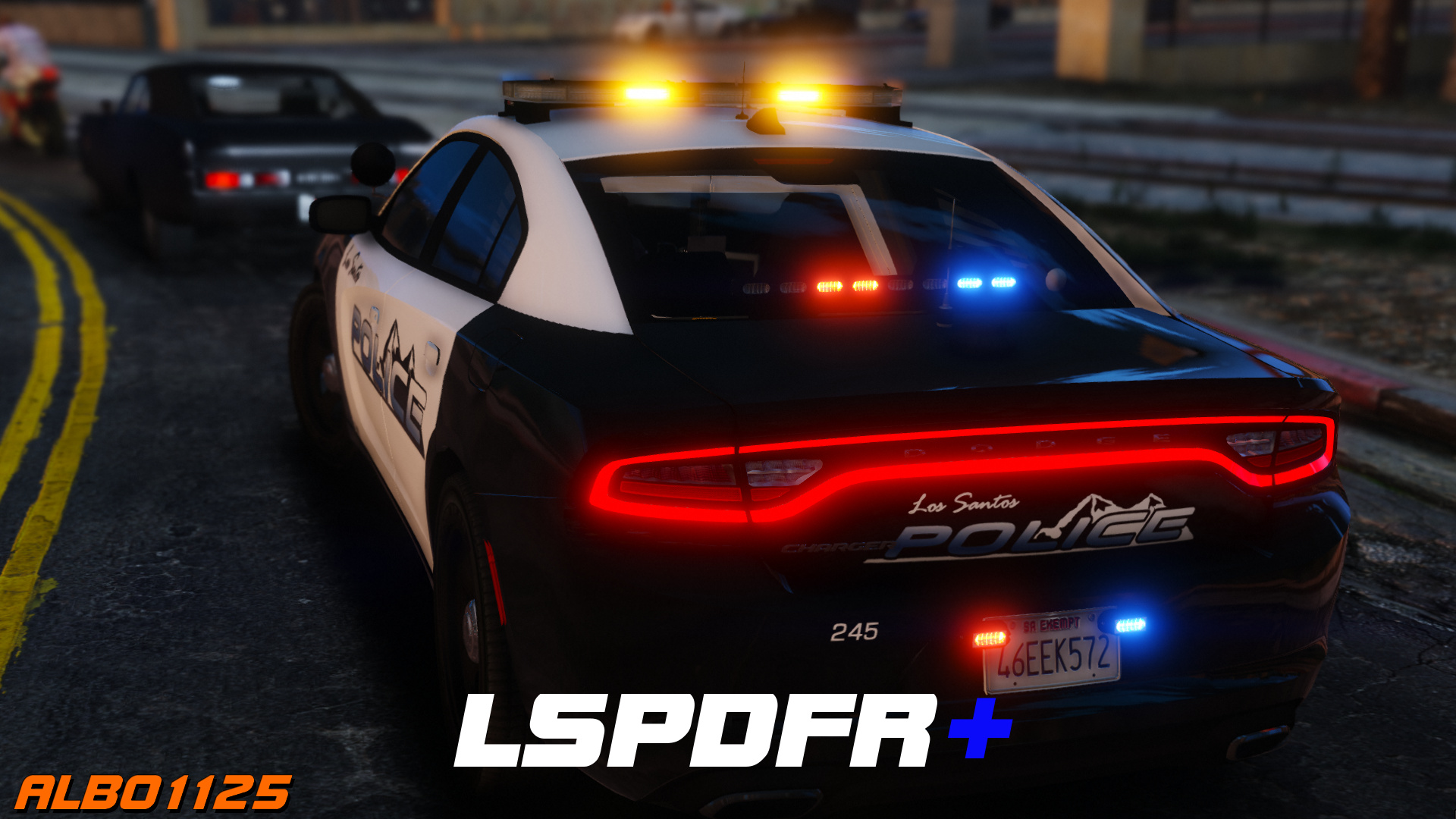
6 Screenshots

https://www.youtube.com/albo1125

DISCONTINUED & UNSUPPORTED - COMPATIBLE WITH OLDER LSPDFR VERSIONS ONLY - FEEL FREE TO HELP UPDATE THE CODE 

LSPDFR+ is now open source. https://github.com/Albo1125/LSPDFRPlus


Welcome to LSPDFR+! This script modification for LSPDFR greatly enhances your experience as a police officer by enhancing the base LSPDFR modification - LSPDFR+'s was designed to improve upon some of LSPDFR's features, hence its name. With improved pursuit AI, better Traffic Stops and even a fully fledged court system amongst the main features, there's bound to be something you'll love!

Requirements - some of these are included (credits go to their appropriate authors):

  • LSPDFR 0.4.2 (not included)
  • Albo1125.Common 6.6.4.0 or higher (included)
  • RAGENativeUI 1.6.3.0 or higher (included)
  • RAGEPluginHook 0.51 or higher (not included)
  • A legal copy of GTA V (version 1.0.1011.1 or higher).

Overview of LSPDFR+'s Features: Included in LSPDFR+'s documentation and the updated feature video above.

Support - what to do if you encounter a bug or have problems:

  1. Watch the installation video for my modifications here.
  2. Use this tool: http://www.lcpdfr.com/files/file/9755-lspdfr-troubleshooter-by-albo1125/ 
  3. Read the documentation PDF file if you're having trouble getting a specific feature to work.
  4. Suggestions can be made here.
  5. If all else fails: Please leave a comment (not a review). Include your RAGEPluginHook.log file, located in your Grand Theft Auto V folder. Also, please provide an accurate description of what happened. This allows me to help you as fast as possible.

Please do not reupload or redistribute this without my explicit permission. Thank you.

https://www.youtube.com/albo1125


Edited by Albo1125

What's New in Version 1.9.0.0

Released

1.9.0.0 (28-06-2019)
Update for LSPDFR 0.4.2
Update .net targetting to 4.6.1
Code cleanup I couldn't ignore
Fix issues with ordering peds out of vehicles on enhanced traffic stops thanks to new LSPDFR API functionality.


1.7.0.0 (21-12-2018)

DEVELOPERS: Security GUID method overloads in the API are now obsolete and non-functioning (existing plugins won't crash but statistics won't be counted any more). Please update your reference!
Some code cleanup.
Open sourced at https://github.com/Albo1125/LSPDFRPlus 
Updated licence.
Removed obfuscation.

LSPDFR 0.3.1

For some more information on the open-sourcing and my 'retirement'


https://www.youtube.com/albo1125


Use comments to ask for support. Do NOT use reviews to ask for support! You will get ignored and reported as this is against community guidelines.


Short Description

LSPDFR Plus for LSPDFR

User Feedback

Recommended Comments

OfficerKojovic

Members

Awesome mod, but as soon as I approach driver my fps drops as soon as I move away it's back to normal.  Any fixes? 

muffi256

Members

have a problem with lspdfr plus evrytime i try to do a traffic stop and ask questions it dosent give me the option that it should its stuck on do you know why i pulled you over have you been drinking and whats the reason for speeding when they havent even been speeding can you please help i seem to be the only personne to have this problem i tried making a new directory and still the same thing please help.

0sc4r

Members

@Albo1125  i an idea

how about not everytime you get ID from suspect it will be legit.

for example 

when an ID is given but its fake there will be a caption said underneath saying that doesn't seem legit, or the picture doesn't match or its fake.

or when you run the name it comes back as fake. 

And i hope that there will be a feature like when you arrest a suspect you can ask them question like why are you running from the police and other kind of stuff. And hoping that there is more questions for drover and passenger during a traffic stop 

BrendanMan33

Members

Not sure if this has to do with your mod but because it states better traffic stops I thought I would give it a shot. When I initiate a stop the vehicle will proceed forward speed up and usually hit a wall. Any thoughts?

Slushy

Members

19 minutes ago, BrendanMan33 said:

Not sure if this has to do with your mod but because it states better traffic stops I thought I would give it a shot. When I initiate a stop the vehicle will proceed forward speed up and usually hit a wall. Any thoughts?


It's a known bug with ELS.

BrendanMan33

Members


8 minutes ago, Slushy said:


It's a known bug with ELS.

Gotcha, was it addressed it 1.05?

Slushy

Members

8 minutes ago, BrendanMan33 said:


Gotcha, was it addressed it 1.05?


Unfortunately not. It's due to the ELS's system to move traffic out of the way, which still takes effect when in a traffic stop. I am not sure, but I think for a temporary fix, head into ELS.ini and disable traffic control.


ElsTrafCtrlOn = false

BrendanMan33

Members

copy I will try that.

LifeTheRonWay

Members

I've been playing around with this since finally updating everything and it seems like the court cases no longer pop up after a ped is arrested but instead is available to view on the pending list the next time I go on duty.

I thought there was something in the config file that gave the option for a pop up to show that a court case was made. Is there? did I miss it? lol


Quakex64

Members

@LifeTheRonWay in the ini you'll find this:

//Setting this to true makes the case hearing take place 1-4 days from the crime date and only during office hours.
//Setting this to false makes the case hearing take place 2-10 minutes after the crime.
//Default: RealisticCourtDates=true
RealisticCourtDates=true

if there is a court case to follow, it should show up after you arrest the person

also see this from above "and only during office hours" so if you arrest someone at 930PM, you wont get the case until the next morning (if I'm reading this right)

LifeTheRonWay

Members

Hey Quaker thanks for that I was so confused as to what in the world was going on. :P

Quakex64

Members

NP, glad I can help

Techengage

Members

(edited)

@Albo1125,


I've been having some serious problems with police immediately stopping and refusing to keep up with a chase when I have improved pursuit AI on. I know it has to do with them trying to match speeds and keep a distance with the suspect, but it's a little frustrating. I don't want to turn it off, because police will go back to using their cars as a bludgeoning tool again. Is there a way around this, though, so that they will follow closer, brake with less intensity, and be more aware of other pursuit vehicles around them? I also know I am asking a lot, but I feel it's always a good thing to ask. Thanks again for everything, brother!

Edited by Techengage

antiboy6

Members

7 hours ago, Techengage said:

@Albo1125,


I've been having some serious problems with police immediately stopping and refusing to keep up with a chase when I have improved pursuit AI on. I know it has to do with them trying to match speeds and keep a distance with the suspect, but it's a little frustrating. I don't want to turn it off, because police will go back to using their cars as a bludgeoning tool again. Is there a way around this, though, so that they will follow closer, brake with less intensity, and be more aware of other pursuit vehicles around them? I also know I am asking a lot, but I feel it's always a good thing to ask. Thanks again for everything, brother!

Try saferchases... it's just better.

Albo1125

Insiders Author

(edited)

11 hours ago, Techengage said:

@Albo1125,


I've been having some serious problems with police immediately stopping and refusing to keep up with a chase when I have improved pursuit AI on. I know it has to do with them trying to match speeds and keep a distance with the suspect, but it's a little frustrating. I don't want to turn it off, because police will go back to using their cars as a bludgeoning tool again. Is there a way around this, though, so that they will follow closer, brake with less intensity, and be more aware of other pursuit vehicles around them? I also know I am asking a lot, but I feel it's always a good thing to ask. Thanks again for everything, brother!

You should try the semi-aggressive option, which is kind of a hybrid. Ultimately, external plugins can only do so much due to LSPDFR limitations and forceful overrides, and it's up to LSPDFR to update their rather unrealistically aggressive pursuit AI.


4 hours ago, antiboy6 said:

Try saferchases... it's just better.

Thanks for your repeated opinion. Safer chases takes a ton of performance and in my experience is very iffy - in no way is it better AI wise as all Safer Chases does is push the police cars back. However, this is not a place to discuss other modifications - please refrain from posting about it here again.

Edited by Albo1125

antiboy6

Members

4 hours ago, Albo1125 said:

You should try the semi-aggressive option, which is kind of a hybrid. Ultimately, external plugins can only do so much due to LSPDFR limitations and forceful overrides, and it's up to LSPDFR to update their rather unrealistically aggressive pursuit AI.


Thanks for your repeated opinion. Safer chases takes a ton of performance and in my experience is very iffy - in no way is it better AI wise as all Safer Chases does is push the police cars back. However, this is not a place to discuss other modifications - please refrain from posting about it here again.

I know I know I'm not using it anymore I miss it but..., it uses a ton of resources as the developer states himself. Won't happen again.

cgaz

Members

I'm having an issue where on traffic stops i'm getting 2 menus appear in the top left, the standard LSPDFR menu and the LSPDFR+ menu, I've looked thorough .ini files that may be related looking for an override or something that may help but i'm coming up short.


Has anyone one any suggestions?


20170122133248_1.jpg

Quakex64

Members

5 hours ago, cgaz said:

I'm having an issue where on traffic stops i'm getting 2 menus appear in the top left, the standard LSPDFR menu and the LSPDFR+ menu, I've looked thorough .ini files that may be related looking for an override or something that may help but i'm coming up short.


Has anyone one any suggestions?


20170122133248_1.jpg

 you usually may get this if LSPDFR is loaded twice, or on duty twice in same session.

antiboy6

Members

22 minutes ago, Quakex64 said:

 you usually may get this if LSPDFR is loaded twice, or on duty twice in same session.

How can LSPDFR be loaded twice... so I can look out for this too. I see double menus flash when I press B for backup. Default LSPDFR backup menu is disabled and I'm using Backup+.

Quakex64

Members

load it once, it crashes, but not GTA V, load it again and then possible that there would be two instances of lspdfr running.. I dont exactly know but there is a possibility of loading it twice, its been done before, just dont know possible ways to do it..

Techengage

Members

On 1/21/2017 at 0:47 PM, Albo1125 said:

You should try the semi-aggressive option, which is kind of a hybrid. Ultimately, external plugins can only do so much due to LSPDFR limitations and forceful overrides, and it's up to LSPDFR to update their rather unrealistically aggressive pursuit AI.


Thanks for your repeated opinion. Safer chases takes a ton of performance and in my experience is very iffy - in no way is it better AI wise as all Safer Chases does is push the police cars back. However, this is not a place to discuss other modifications - please refrain from posting about it here again.


Thanks for the response, man. For now, could you possibly edit the .ini to allow us to leave a specific pursuit type enabled? If you enable Enhanced AI Pursuit to start automatically, it always stays on Safe and has to be mainly changed in-game (by pressing 1), once a pursuit has started. For now can you simply add a code line for us to automatically enable Enhanced AI and choose for it to always start on Safe/Slightly Aggressive/Aggressive? That would be a huge help. As always, if it's a lot of work, simply tell me off! Thanks again, brother. You really are a shining gem in this community. :thumbsup:

Albo1125

Insiders Author

1 hour ago, Techengage said:


Thanks for the response, man. For now, could you possibly edit the .ini to allow us to leave a specific pursuit type enabled? If you enable Enhanced AI Pursuit to start automatically, it always stays on Safe and has to be mainly changed in-game (by pressing 1), once a pursuit has started. For now can you simply add a code line for us to automatically enable Enhanced AI and choose for it to always start on Safe/Slightly Aggressive/Aggressive? That would be a huge help. As always, if it's a lot of work, simply tell me off! Thanks again, brother. You really are a shining gem in this community. :thumbsup:

There should be an option to turn off automatic AI tactics - you then need to set it to your desired setting once at the start of the game.


Automatic AI automatically chooses the best setting for the situation according to certain formulas - it does not 'start' anywhere as such, it picks whatever's best at the time.

Regs.

Techengage

Members

(edited)

19 hours ago, Albo1125 said:

There should be an option to turn off automatic AI tactics - you then need to set it to your desired setting once at the start of the game.


Automatic AI automatically chooses the best setting for the situation according to certain formulas - it does not 'start' anywhere as such, it picks whatever's best at the time.

Regs.


I understand; but once I turn off Enhanced AI Pursuit, backup units stay stuck on the "Safe" option, unless changed, per pursuit, within the in-game UI.


Honestly, I'd just like them to utilize the "Slightly Aggressive" tactic when I turn off Enhanced Pursuit AI, without having to change it per pursuit. My main issue is that they do not. They either follow Auto AI, or they stick constantly to "Safe" pursuit tactics. If I can turn off Enhanced AI Pursuit and they follow the code for "Slightly Aggressive", that'd be perfect.


For example, when I am following a suspect, and a backup unit gets ahead of me, they suddenly brake and I run into them. They only do this in the "Safe" option, where they seem to "mimic" the suspect, but at a specified distance.


Could you set automatic AI to follow the "Slightly Aggressive" procedure when Automatic Pursuit AI is disabled instead of always following "Safe" procedures?

Edited by Techengage

Nesquick737

Members

when im coming up to someone when he is in a traffic stop the chat is default and i cant even say hello or even let the man in the traffic stop to go please help.

sorry for my English


antiboy6

Members

Sometimes after writing a ticket cop freezes.

Create an account or sign in to comment

Latest Mods

Account

Navigation

Search

Search

Configure browser push notifications

Chrome (Android)
  1. Tap the lock icon next to the address bar.
  2. Tap Permissions → Notifications.
  3. Adjust your preference.
Chrome (Desktop)
  1. Click the padlock icon in the address bar.
  2. Select Site settings.
  3. Find Notifications and adjust your preference.














