
Skip to content
View in the app

A better way to browse. Learn more.

LCPDFR.com

A full-screen app on your home screen with push notifications, badges and more.

To install this app on iOS and iPadOS
  1. Tap the Share icon in Safari
  2. Scroll the menu and tap Add to Home Screen.
  3. Tap Add in the top-right corner.
To install this app on Android
  1. Tap the 3-dot menu (⋮) in the top-right corner of the browser.
  2. Tap Add to Home screen or Install app.
  3. Confirm by tapping Install.

Custom Backup 3.3

(23 reviews)

9 Screenshots

NOTICE: Custom Backup will not be updated for LSPDFR 0.4. The main features, including region customization and weapon selection, have been added to the built-in LSPDFR backup customization files. 


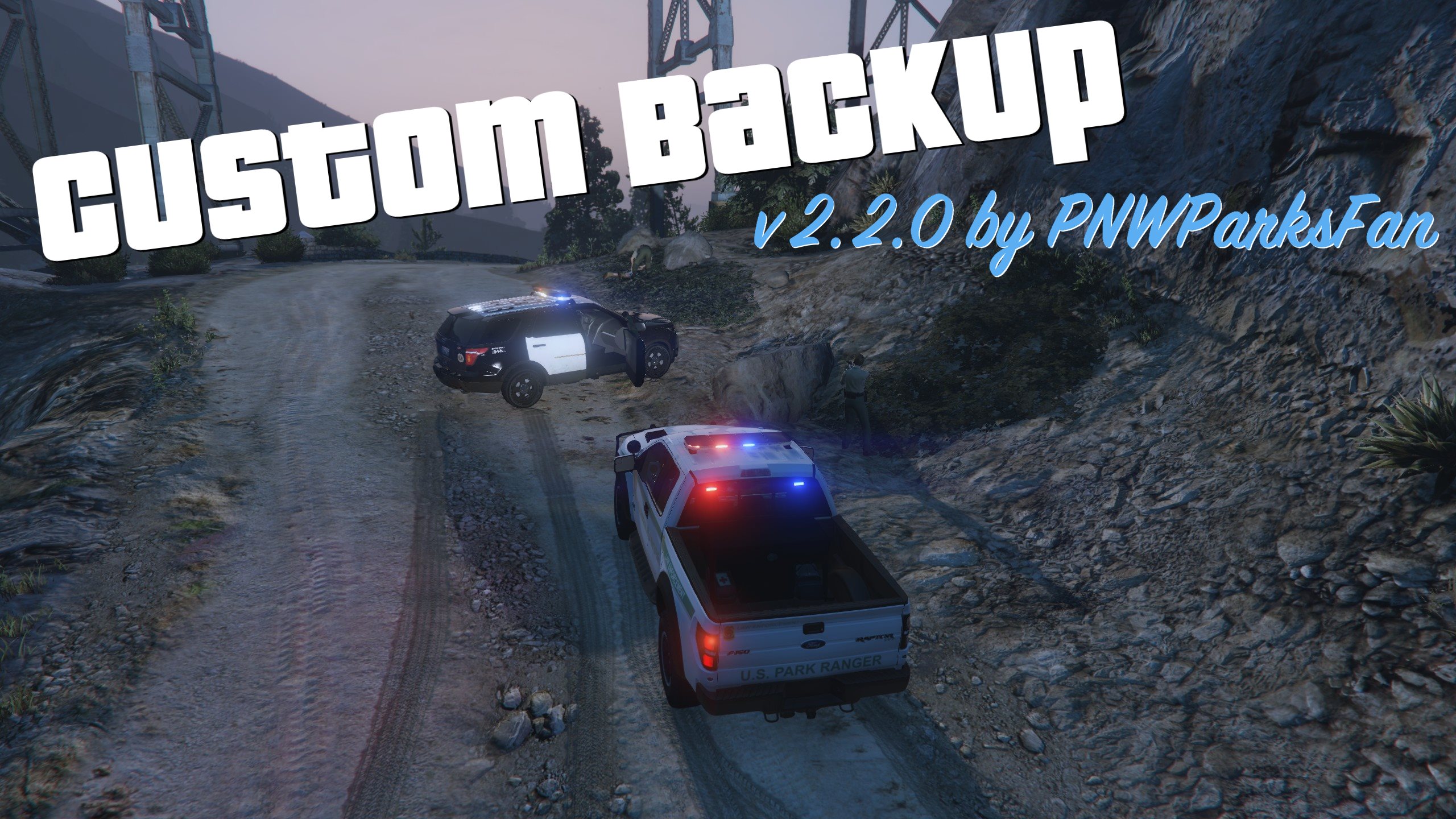
Custom backup gives you a new level of control in LSPDFR. The key feature of this mod is regionally customized backup, allowing you to set a different response for any area on the map. For any named area of the game (like "Rockford Hills", "Los Santos International Airport", "Sandy Shores", etc.) you can completely customize every level of response just like the built-in backup.xml. The syntax of the CustomBackup.xml file is very similar to the built-in backup.xml, but has numerous additions to increase your control over the game: 

  • Set a chance for anything! Peds, vehicles, and vehiclesets now all take a chance attribute which controls how likely they are to be chosen. (The built-in backup.xml only lets you set a chance on peds.)
  • Configure vehicle extras, liveries, and colors! You can now set any color you want for any response vehicle, opening up a whole new level of customization for unmarked units. Vehicle extra configuration also works reliably, whereas it seems to have some issues in the built-in backup.xml. 
  • Cop weapon selection! Set a list of weapons to give your backup units, set the probability for each weapon, and decide whether you want them to pick one at random or always get the most powerful one. 
  • Set spawn distance range for each vehicle entry! Every vehicle entry can have a minimum and maximum spawn distance set. This allows for additional realism by making certain units spawn closer or further away. NOOSE SWAT probably isn't just hanging out around the corner, so make them drive in from a mile away. On top of Mt. Chiliad your backup will probably be coming from a long distance, but in Downtown there's probably local patrol units very near by. Your imagination is the limit for leveraging these settings. 
  • Code 2 response with lights! Let's be honest, how often do cops really respond "code 2" with no lights? You can now configure your Code 2 units to respond with lights (but no siren), or to respond with their lights off but turn them on once they arrive and park on scene. YouTube video demo.
  • Integration with Better EMS: Download and install Better EMS, and you can call for an advanced EMS response through the Custom Backup menu. 
  • Integration with Police Smart Radio: Call for backup from your radio! Call Code 2 or Code 3 local backup, or Pursuit and Air Support units.


Installation instructions are included in the download. Basic installation is pretty easy; just make sure to choose a CustomBackup.xml file to use and put it in place. Advanced usage of the CustomBackup.xml file is explained in great detail in the documentation PDF. 

INSTRUCTIONS TO OVERRIDE DEFAULT LSPDFR BACKUP MENU:

To completely disable the built-in LSPDFR backup menu and use the custom menu instead, follow these instructions.

  • Edit CustomBackupLocations.ini. Set these settings:
    • CustomBackupMenuKey=B
    • CustomBackupModifier=None
    • OverrideLSPDFRBackup=false
  • Go to the GTA V settings menu 
  • Under Keybindings, go to GTA Online section
  • Change "Look At" from B to something you don't use, like the numpad period

Thank you to @vladimir850 for figuring this out!


PLEASE DO NOT ASK FOR SUPPORT IF YOU HAVE NOT READ THE DOCUMENTATION PDF! THERE ARE EXPLICIT INSTRUCTIONS IN THE PDF ON WHAT TO DO IF YOU ARE HAVING TROUBLE!

Requirements: 

  • RPH 0.45+ (compiled for 0.51)
  • LSPDFR 0.3.1
  • RageNativeUI 1.4.1 


Please post suggestions, support requests, etc in the forum thread: 

To share your CustomBackup.xml or get ideas on what customizations to make, visit the sharing thread: 

Special thanks to everybody who made this mod possible:

  • The LSPDFR team, especially Sam and LMS
  • All contributors to the LSPDFR-API examples on Github: 
    • Alexguirre, Albo1125, LMS, Stealth22, Stray, LtFlash, and LukeD
  • Everybody who helped answer questions about the API and development on the forums, especially @Albo1125 and @alexguirre
  • The original beta testing team for this mod:


SPECIAL THANK YOU to members of the Parks Benefactor Program who have supported my mod development! Their generous donations have helped to make continued updates to my modifications possible. Particular thanks to the Old Faithful donors who have supported me with noteworthy donations: Kilyin, anters, Sergeant Anderson, winglesschip, Dsonke1, and PolGuin255. You can join the Parks Benefactor Program by donating to support my mods, and to get early beta access to new modifications and updates to my existing modifications.

What's New in Version 3.3

Released

New in 3.3:

  • Updated for RPH 0.51 (recommended); compatible with RPH 0.45+
  • Integration with Police Smart Radio (call Code 2, Code 3, Pursuit, and Air Support backup from Smart Radio)
  • Compatible with Better EMS 3.0
  • Assorted bug fixes and API enhancements


Old changelogs:

Spoiler

New in 3.2:

  • Updated for RPH 0.45 and newer
  • Minor bugfixes
  • Compatibility with Better EMS 2.1 and ParksTools updates
  • New API methods added for developers

New in 3.1:

  • Updated for RPH 0.42
  • Added integration with LSPDFR+ statistics
  • Improved dependency checking

New in 3.0.0:

  • Updated for RPH 0.39. Compatible with RPH 0.38. 
  • Integrated with Better EMS - call advanced EMS response from the backup menu.
  • Added support for vehicle mods: Configure spoilers, bumpers, wheels, etc. 
  • Improved detection of XML file errors to reduce support issues.
  • Improved developer API, giving developers access to full response capabilities. 

Fixed in 2.2.1:

  • Fixed bug in ParksTools.dll causing some vehicles to spawn all black. 
  • Fixed bug where calling for suspect transport when no suspect is arrested did not display a notification to the user. 
  • Updated dependency check to expect RPH 0.38. Plugin still loads with older versions but is not guaranteed to work and is not tested. 

New in 2.2.0:

  • Added support for spawning boats as backup units, and added Coast Guard to additional backup entries in stock CustomBackup.xml.
  • Added support for GTA V RGBA color hashes in color definitions of XML file.
  • Added support for ped texture variants in XML file, and improved detection and compatibility of ped texture changes.
  • If officers are more than 30m from you when they arrive on scene, they will just wander the area instead of running to you. Prevents them from running all around the map if you call backup and then move. 
  • Split some common functionality for other mods in development into separate ParksTools.dll
  • Lots of internal code cleanup
  • Updated for RageNativeUI 1.3.1 and RPH 0.37+.

New in 2.0.1:

  • Fixed a minor bug where dependency version check fails if file doesn't exist at all

New in 2.0.0:

  • Added ability to define custom backup menu entries, letting you add any unit type you want.
  • Added "additional options" menu to prevent main backup menu from getting too crowded.
  • Added support for sending custom prisoner transport unit depending on location using the Arrest Manager API by Albo1125.
  • Added developer API.
  • Improved code for dismissing backup units.
  • Added dependency check for RageNativeUI, RagePluginHook, and LSPDFR.
  • Lots of bug fixes and code cleanup. 
  • Compiled against RPH 0.37


User Feedback

Recommended Comments

CMan3144

Members

(edited)

Hey I am currently creating custom skins for each area within San Andreas and I am using this mod for my vehicles. I've gotten everything to work except mod tires. Could I possibly get an example of the use of the mod tires if I wanted Muscle category wheel 2 for the car?


Literally can't figure it out all day and right after I post this I figure it out.

Edited by CMan3144

billiarboy

Members

On ‎3‎/‎31‎/‎2017 at 6:52 PM, PNWParksFan said:

I haven't experienced any reduction FPS while using Custom Backup. 


On ‎4‎/‎11‎/‎2017 at 10:41 AM, Osopoderoso said:

@PNWParksFan

I want to thank you for your work and tell you that I really like it.

The following happens to me:
- When requesting at a traffic stop, backup code 3 if it is in town there is no problem, they approach and point their weapons at the suspect who is inside the vehicle. But outside the city come the sheriff's offices, they do nothing, they just stand and sometimes move a little, but nothing else. Obviously it's a bug. Does it happen to anyone else?

Thank you and greetings.

My back up spawns but does not move from where they spawn! Sometimes they respond sometimes they don't. Been happening with the newest RPH

@PNWParksFan I installed RDE, but it appears to have rewritten the Custom Backup xml. I saved the one I previously had, but the RDE one seems to have a completely different structure. Can I add my old edits to the RDE version or do I have to rewrite them to follow the RDE format?

PNWParksFan

Insiders Author

7 minutes ago, Blue Lives Matter said:

@PNWParksFan I installed RDE, but it appears to have rewritten the Custom Backup xml. I saved the one I previously had, but the RDE one seems to have a completely different structure. Can I add my old edits to the RDE version or do I have to rewrite them to follow the RDE format?

RDE comes with a Custom Backup XML file that's preconfigured to use all the RDE vehicles and peds. You're welcome to add your own entries too. The format is the same.

billiarboy

Members

19 minutes ago, PNWParksFan said:

RDE comes with a Custom Backup XML file that's preconfigured to use all the RDE vehicles and peds. You're welcome to add your own entries too. The format is the same.

My back up spawns but does not move from where they spawn! Sometimes they respond sometimes they don't. Been happening with the newest RPH

The Loot

Members

8 hours ago, billiarboy said:

My back up spawns but does not move from where they spawn! Sometimes they respond sometimes they don't. Been happening with the newest RPH

Could be stuck (could be fixed by forcing spawns only on roads, if possible, and oriented in the direction of road) but I do notice SWAT will sit there with the engine off until I get close sometimes.

billiarboy

Members

15 hours ago, The Loot said:

Could be stuck (could be fixed by forcing spawns only on roads, if possible, and oriented in the direction of road) but I do notice SWAT will sit there with the engine off until I get close sometimes.

Did not happen till the latest update.

hoty528

Members

after i install this mod,the backup police car only spawn with one texture,how can i fix it?

nixxx621

Members

@PNWParksFan Is there another link to the weapons list? The link in the readme does not work. Excellent mod, btw!

billiarboy

Members

My back up spawns but does not move from where they spawn! Sometimes they respond sometimes they don't. Been happening with the newest RPH

syn111

Members

(edited)

I noticed that many times backup units spawn out of the roads and get stuck. Is there any chance you could add an option to only spawn them in roads in the INI? 


Also, when they arrive they stop weird locations (normally in the middle of the road). I know GTA API methods are limited on this, but especially for code 2 responses, would it be possible to have them try to park more towards the side of the road or behind the player's vehicle (as in the old police radio's traffic stop backup option IIRC)?

Edited by syn111

officer 21

Members

hi when i cal the noose air support it turns up like this


Untitled.thumb.png.d3082249ed77f93a3332ab56b6a51da7.png


its the only one that does it you can see the team in it and it shows up when the heilcopter on the ground any thoughts'


The Loot

Members

Never seen that before, but I do notice regular problems with helicopters exploding soon after spawn, or ending up crashed in bodies of water. That's probably an issue with choosing spawn locations.

nightjay0044

Members

does anyone know why my backup just stays stationary when i request them? They dont move at all like they're stuck. Everything was installed fine that i know of..cuz the game runs and all things say successful. But whenever i hit "B" for backup they just spawn in & dont move from their spawn location anyone know why this is? thank you..

devantespencer

Members

So i'f i can understand this better, i get the concept of having the custom backup. So its like a jurisdiction for our cops in game basically?  Im new to this and i'm trying to understand things better before i go out and screw up my entire game.


What i'm looking for is a mod or something where i can just have my custom city police car patrol a certain area without going out of that area. For example, I have a covington Police car, i want it to just patrol downtown, and south los santos. and then i have another city car lets say atlanta pd and i want them to just patrol vinewood hills and etc. Can this be done?

GabLeGamer

Members

Is there a way to only have the custom entries show up on the main menu? I added "mainmenu="false"" to all the entries except my custom ones, but when I open the backup request panel in-game, the local, state and localswat still show up above my custom entries.

this is what my .xml file looks like, maybe I did something wrong and I'm too blind/tired to see it?
 

Spoiler

<!-- 

    For the default menu entries like LocalPatrol, NooseAir, etc. you can set
    mainmenu="false" to put that entry on the "additional options" backup menu. 
    By default, all of the regular backup types will be on the main menu if you 
    don't specify the mainmenu attribute. 
    
    To add custom entries to the menu, scroll down towards the end of the file, 
    and look for <CustomMenuEntries>. 

-->

<CustomBackup>
  <NooseAir mainmenu="false">
    <BackupRegion nickname="Fort Zancudo">
      <BackupAreas>
        <Area>ARMYB</Area>
      </BackupAreas>
      <VehicleSet>
        <Vehicles>
          <Vehicle>lazer</Vehicle>
          <Vehicle>hydra</Vehicle>
        </Vehicles>
        <Peds>
          <Ped comp_tasks="1" comp_decals="0" helmet="true">s_m_y_pilot_01</Ped>
        </Peds>
        <NumPeds min="1" max="2" />
      </VehicleSet>
    </BackupRegion>
    <BackupRegion nickname="Noose HQ">
      <BackupAreas>
        <Area>Noose</Area>
      </BackupAreas>
      <VehicleSet>
        <Vehicles>
          <Vehicle>annihilator</Vehicle>
        </Vehicles>
        <Peds>
          <Ped comp_tasks="1" comp_decals="0" helmet="true">s_m_y_pilot_01</Ped>
        </Peds>
        <NumPeds min="2" max="4" />
      </VehicleSet>
    </BackupRegion>
  </NooseAir>
  <LocalAir mainmenu="false">
    <BackupRegion nickname="Fort Zancudo">
      <BackupAreas>
        <Area>ARMYB</Area>
      </BackupAreas>
      <VehicleSet>
        <Vehicles>
          <Vehicle>annihilator</Vehicle>
          <Vehicle>buzzard2</Vehicle>
          <Vehicle>savage</Vehicle>
        </Vehicles>
        <Peds>
          <Ped comp_tasks="1" comp_decals="0" helmet="true">s_m_y_pilot_01</Ped>
        </Peds>
        <NumPeds min="2" max="4" />
      </VehicleSet>
    </BackupRegion>
    <BackupRegion nickname="Parks">
      <BackupAreas>
        <Area>CANNY</Area>
        <Area>MTChil</Area>
        <Area>CMSW</Area>
        <Area>SANCHIA</Area>
        <Area>LAct</Area>
        <Area>Tatamo</Area>
        <Area>CCreak</Area>
        <Area>MTGordo</Area>
        <Area>MTJose</Area>
        <Area>PalFor</Area>
      </BackupAreas>
      <VehicleSet>
        <Vehicles>
          <Vehicle>annihilator</Vehicle>
        </Vehicles>
        <Peds>
          <Ped comp_tasks="1" comp_decals="0" helmet="true">s_m_y_pilot_01</Ped>
        </Peds>
        <NumPeds min="3" max="8" />
      </VehicleSet>
    </BackupRegion>
  </LocalAir>
  <LocalPatrol mainmenu="false">
    <BackupRegion nickname="Parks">
      <BackupAreas>
        <Area>CANNY</Area>
        <Area>MTChil</Area>
        <Area>CMSW</Area>
        <Area>SANCHIA</Area>
        <Area>LAct</Area>
        <Area>Tatamo</Area>
        <Area>CCreak</Area>
        <Area>MTGordo</Area>
        <Area>MTJose</Area>
        <Area>PalFor</Area>
      </BackupAreas>
      <VehicleSet chance="70">
        <Vehicles>
          <Vehicle chance="80">pranger</Vehicle>
          <Vehicle chance="20" color="-16772601">fbi2</Vehicle>
        </Vehicles>
        <Peds>
          <Ped chance="70" prop_head="0">s_m_y_ranger_01</Ped>
          <Ped chance="30" comp_hair="2">s_f_y_ranger_01</Ped>
        </Peds>
        <NumPeds min="1" max="2" />
      </VehicleSet>
      <VehicleSet chance="30">
        <Vehicles>
          <Vehicle chance="80">sheriff2</Vehicle>
          <Vehicle chance="20" color="-16772601">fbi2</Vehicle>
        </Vehicles>
        <Peds>
          <Ped chance="70">s_m_y_sheriff_01</Ped>
          <Ped chance="30">s_f_y_sheriff_01</Ped>
        </Peds>
        <NumPeds min="1" max="2" />
      </VehicleSet>
    </BackupRegion>
    <BackupRegion nickname="Fort Zancudo">
      <BackupAreas>
        <Area>ARMYB</Area>
      </BackupAreas>
      <VehicleSet>
        <Vehicles>
          <Vehicle chance="30">crusader</Vehicle>
          <Vehicle chance="30" color="-14735842">fbi2</Vehicle>
          <Vehicle chance="20">mesa3</Vehicle>
          <Vehicle chance="10">insurgent</Vehicle>
          <Vehicle chance="10">insurgent2</Vehicle>
        </Vehicles>
        <Peds>
          <Ped>csb_ramp_marine</Ped>
          <Ped>s_m_y_marine_03</Ped>
        </Peds>
        <NumPeds min="4" max="8" />
        <Weapons>
          <Weapon chance="100">WEAPON_CARBINERIFLE</Weapon>
        </Weapons>
      </VehicleSet>
    </BackupRegion>
    <BackupRegion nickname="Airport">
      <BackupAreas>
        <Area>AirP</Area>
      </BackupAreas>
      <VehicleSet chance="50">
        <Vehicles>
          <Vehicle chance="50" color="White">police4</Vehicle>
          <Vehicle chance="50" color="White">fbi2</Vehicle>
        </Vehicles>
        <Peds>
          <Ped>s_m_m_ciasec_01</Ped>
        </Peds>
        <NumPeds min="1" max="2" />
      </VehicleSet>
      <VehicleSet chance="50">
        <Vehicles>
          <!-- you can replace these with the custom airport police models you have installed -->
          <Vehicle chance="10">police2</Vehicle>
          <Vehicle chance="30">police3</Vehicle>
          <Vehicle chance="60">police</Vehicle>
        </Vehicles>
        <Peds>
          <Ped chance="70">s_m_y_cop_01</Ped>
          <Ped chance="30">s_f_y_cop_01</Ped>
        </Peds>
        <NumPeds min="1" max="2" />
      </VehicleSet>
    </BackupRegion>
    <BackupRegion nickname="Ports">
      <BackupAreas>
        <Area>Elysian</Area>
        <Area>ZP_ORT</Area>
        <Area>Terminal</Area>
      </BackupAreas>
      <VehicleSet chance="50">
        <Vehicles>
          <Vehicle chance="60" color="white">police4</Vehicle>
          <Vehicle chance="40" color="White">fbi2</Vehicle>
        </Vehicles>
        <Peds>
          <Ped>s_m_m_chemsec_01</Ped>
        </Peds>
        <NumPeds min="1" max="2" />
      </VehicleSet>
      <VehicleSet chance="50">
        <Vehicles>
          <!-- you can replace these with the custom port police models you have installed -->
          <Vehicle chance="10">police2</Vehicle>
          <Vehicle chance="30">police3</Vehicle>
          <Vehicle chance="60">police</Vehicle>
        </Vehicles>
        <Peds>
          <Ped chance="70">s_m_y_cop_01</Ped>
          <Ped chance="30">s_f_y_cop_01</Ped>
        </Peds>
        <NumPeds min="1" max="2" />
      </VehicleSet>
    </BackupRegion>
    <BackupRegion nickname="NOOSE HQ">
      <BackupAreas>
        <Area>Noose</Area>
      </BackupAreas>
      <VehicleSet>
        <Vehicles>
          <Vehicle chance="40" color="White">police4</Vehicle>
          <Vehicle chance="60" color="White">fbi2</Vehicle>
        </Vehicles>
        <Peds>
          <Ped>s_m_m_ciasec_01</Ped>
        </Peds>
        <NumPeds min="1" max="2" />
      </VehicleSet>
    </BackupRegion>
    <BackupRegion nickname="High Crime Areas">
      <BackupAreas>
        <Area>STRAW</Area>
        <Area>Davis</Area>
      </BackupAreas>
      <VehicleSet>
        <Vehicles>
          <Vehicle chance="40" extra_1="false" extra_2="false">police</Vehicle>
          <Vehicle chance="20">police3</Vehicle>
          <Vehicle chance="40" color="black" extra_1="false">police4</Vehicle>
        </Vehicles>
        <Peds>
          <Ped comp_accessories="3">s_m_y_cop_01</Ped>
        </Peds>
        <NumPeds min="1" max="2" />
      </VehicleSet>
    </BackupRegion>
    <BackupRegion nickname="Counties">
      <BackupAreas>
        <Area>BlaineCounty</Area>
        <Area>LosSantosCounty</Area>
      </BackupAreas>
      <VehicleSet>
        <Vehicles>
          <Vehicle chance="40">sheriff</Vehicle>
          <Vehicle chance="40">sheriff2</Vehicle>
          <Vehicle chance="10" color="#331F18">fbi2</Vehicle>
          <Vehicle chance="10" color="#331F18">police4</Vehicle>
        </Vehicles>
        <Peds>
          <Ped chance="70">s_m_y_sheriff_01</Ped>
          <Ped chance="30">s_f_y_sheriff_01</Ped>
        </Peds>
        <NumPeds min="1" max="2" />
      </VehicleSet>
    </BackupRegion>
  </LocalPatrol>
  <LocalSWAT mainmenu="false">
    
  </LocalSWAT>
  <StatePatrol mainmenu="false">
    
  </StatePatrol>
  <NooseSWAT mainmenu="false">
    <BackupRegion nickname="NOOSE HQ">
      <BackupAreas>
        <Area>Noose</Area>
      </BackupAreas>
      <VehicleSet>
        <Vehicles>
          <Vehicle chance="50">riot</Vehicle>
          <Vehicle chance="50" color="Black">fbi2</Vehicle>
        </Vehicles>
        <Peds>
          <Ped prop_head="0" tex_decals="1">s_m_y_swat_01</Ped>
        </Peds>
        <NumPeds min="1" max="2" />
      </VehicleSet>
    </BackupRegion>
    <BackupRegion nickname="Fort Zancudo">
      <BackupAreas>
        <Area>ARMYB</Area>
      </BackupAreas>
      <VehicleSet>
        <Vehicles>
          <Vehicle>rhino</Vehicle>
        </Vehicles>
        <Peds>
          <Ped>csb_ramp_marine</Ped>
          <Ped>s_m_m_marine_01</Ped>
          <Ped>s_m_y_marine_01</Ped>
          <Ped>s_m_y_marine_03</Ped>
        </Peds>
        <NumPeds min="1" max="1" />
      </VehicleSet>
    </BackupRegion>
    <BackupRegion nickname="Ports">
      <BackupAreas>
        <Area>AirP</Area>
        <Area>Elysian</Area>
        <Area>ZP_ORT</Area>
        <Area>Terminal</Area>
      </BackupAreas>
      <VehicleSet>
        <Vehicles>
          <Vehicle chance="40" color="Black" extra_1="false">police4</Vehicle>
          <Vehicle chance="60" color="Black">fbi2</Vehicle>
        </Vehicles>
        <Peds>
          <Ped prop_head="0" tex_decals="1">s_m_y_swat_01</Ped>
        </Peds>
        <NumPeds min="4" max="8" />
      </VehicleSet>
    </BackupRegion>
    <BackupRegion nickname="Everywhere">
      <BackupAreas>
        <Area>_ALL_</Area>
      </BackupAreas>
      <VehicleSet>
        <Vehicles>
          <Vehicle chance="20" color="Black" minr="800" maxr="1500">riot</Vehicle>
          <Vehicle chance="60" extra_1="true" color="Black" minr="300" maxr="500">fbi2</Vehicle>
          <Vehicle chance="20" extra_1="true" color="Black" minr="300" maxr="500">fbi</Vehicle>
        </Vehicles>
        <Peds>
          <Ped prop_head="0" tex_decals="1">s_m_y_swat_01</Ped>
        </Peds>
        <Weapons>
          <Weapon chance="100">WEAPON_CARBINERIFLE</Weapon>
          <Weapon chance="10">WEAPON_HEAVYSNIPER</Weapon>
          <Weapon chance="10">WEAPON_SMOKEGRENADE</Weapon>
          <Weapon chance="10">WEAPON_ASSAULTSHOTGUN</Weapon>
        </Weapons>
        <NumPeds min="6" max="8" />
      </VehicleSet>
    </BackupRegion>
  </NooseSWAT>
  <Ambulance mainmenu="false">
  </Ambulance>
  <CustomMenuEntries>
  <!-- 
    To add a custom menu entry, it must follow the format shown below and have
    all of the attributes specified: 
        name: the name which shows up on the menu for this option. must be unique. 
        default_type: what internal type of backup this is. must be one of
            LocalPatrol, StatePatrol, NooseSWAT, LocalSWAT, LocalAir, NooseAir
        code2: true/false, whether this entry should be enabled for code 2 backup
        code3: true/false, whether this entry should be enabled for code 3 backup
        pursuit: true/false, whether this entry should be enabled for pursuit backup
        mainmenu: if true, the custom entry will go on the main menu. if false, it will
            go on the "additional options" menu. 
            
    Inside the <MenuEntry> tags, you can put in however many <BackupRegion> entries you 
    want, following the same format as described for the rest of this file. 
    
  -->
    <MenuEntry name="SPVM" default_type="LocalPatrol" code2="true" code3="true" pursuit="true" mainmenu="true">
      <BackupRegion nickname="Everywhere">
        <BackupAreas>
          <Area>_ALL_</Area>
        </BackupAreas>
        <VehicleSet>
          <Vehicles>
            <Vehicle chance="20">police</Vehicle>
            <Vehicle chance="35">police2</Vehicle>
            <Vehicle chance="10">police4</Vehicle>
            <Vehicle chance="35">police3</Vehicle>
          </Vehicles>
          <Peds>
            <Ped chance="80">s_m_y_cop_01</Ped>
            <Ped chance="20">s_f_y_cop_01</Ped>
          </Peds>
          <NumPeds min="1" max="2" />
        </VehicleSet>
      </BackupRegion>
    </MenuEntry>
    <MenuEntry name="SQ" default_type="StatePatrol" code2="true" code3="true" pursuit="true" mainmenu="true">
      <BackupRegion nickname="Everywhere">
        <BackupAreas>
          <Area>_ALL_</Area>
        </BackupAreas>
        <VehicleSet>
          <Vehicles>
            <Vehicle chance="40">sheriff</Vehicle>
            <Vehicle chance="45">sheriff2</Vehicle>
            <Vehicle chance="15">sheriff3</Vehicle>
          </Vehicles>
          <Peds>
            <Ped chance="80">s_m_y_sheriff_01</Ped>
            <Ped chance="20">s_f_y_sheriff_01</Ped>
          </Peds>
          <NumPeds min="1" max="2" />
        </VehicleSet>
      </BackupRegion>
    </MenuEntry>
    <MenuEntry name="Moto" default_type="StatePatrol" code2="true" code3="true" pursuit="true" mainmenu="true">
      <BackupRegion nickname="Everywhere">
        <BackupAreas>
          <Area>_ALL_</Area>
        </BackupAreas>
        <VehicleSet>
          <Vehicles>
            <Vehicle>policeb</Vehicle>
          </Vehicles>
          <Peds>
            <Ped comp_shirt="1" comp_decals="1" comp_pants="0" prop_head="0" helmet="true">s_m_y_hwaycop_01</Ped>
          </Peds>
          <NumPeds min="1" max="1" />
        </VehicleSet>
      </BackupRegion>
    </MenuEntry>
    <MenuEntry name="Support Aerien" default_type="LocalAir" code2="false" code3="false" pursuit="true" mainmenu="true">
      <BackupRegion nickname="Everywhere">
        <BackupAreas>
          <Area>_ALL_</Area>
        </BackupAreas>
        <VehicleSet>
          <Vehicles>
            <Vehicle minr="1000" maxr="2000">polmav</Vehicle>
          </Vehicles>
          <Peds>
            <Ped comp_tasks="1" comp_decals="0" helmet="true">s_m_y_pilot_01</Ped>
          </Peds>
          <NumPeds min="1" max="1" />
        </VehicleSet>
      </BackupRegion>
    </MenuEntry>
    <MenuEntry name="Equipe Tactique" default_type="LocalSWAT" code2="false" code3="true" pursuit="true" mainmenu="true">
      <BackupRegion nickname="Everywhere">
        <BackupAreas>
          <Area>_ALL_</Area>
        </BackupAreas>
        <VehicleSet>
          <Vehicles>
            <Vehicle minr="500" maxr="1000">policet</Vehicle>
          </Vehicles>
          <Peds>
            <Ped prop_head="0" tex_decals="1">s_m_y_cop_01</Ped>
          </Peds>
          <Weapons>
            <Weapon chance="80">WEAPON_CARBINERIFLE</Weapon>
            <Weapon chance="20">WEAPON_ASSAULTSHOTGUN</Weapon>
          </Weapons>
          <NumPeds min="3" max="6" />
        </VehicleSet>
      </BackupRegion>
    </MenuEntry>
    <MenuEntry name="Carcajou" default_type="NooseSWAT" code2="false" code3="true" pursuit="true" mainmenu="false">
      <BackupRegion nickname="Everywhere">
        <BackupAreas>
          <Area>_ALL_</Area>
        </BackupAreas>
        <VehicleSet>
          <Vehicles>
            <Vehicle color="Black" minr="500" maxr="1000">riot</Vehicle>
          </Vehicles>
          <Peds>
            <Ped prop_head="0" tex_decals="1">s_m_y_swat_01</Ped>
          </Peds>
          <Weapons>
            <Weapon chance="100">WEAPON_CARBINERIFLE</Weapon>
            <Weapon chance="10">WEAPON_HEAVYSNIPER</Weapon>
            <Weapon chance="10">WEAPON_SMOKEGRENADE</Weapon>
            <Weapon chance="10">WEAPON_ASSAULTSHOTGUN</Weapon>
          </Weapons>
          <NumPeds min="6" max="10" />
        </VehicleSet>
      </BackupRegion>
    </MenuEntry>
    <MenuEntry name="Fighter Jet" default_type="NooseAir" code2="false" code3="false" pursuit="true" mainmenu="false">
      <BackupRegion nickname="Everywhere">
        <BackupAreas>
          <Area>_ALL_</Area>
        </BackupAreas>
        <VehicleSet>
          <Vehicles>
            <Vehicle minr="1000" maxr="2000">hydra</Vehicle>
            <Vehicle minr="1000" maxr="2000">lazer</Vehicle>
          </Vehicles>
          <Peds>
            <Ped comp_tasks="1" comp_decals="0" helmet="true">s_m_y_pilot_01</Ped>
          </Peds>
          <NumPeds min="1" max="1" />
          <Weapons>
            <Weapon chance="100">WEAPON_VEHICLE_ROCKET</Weapon>
          </Weapons>
        </VehicleSet>
      </BackupRegion>
    </MenuEntry>
    <MenuEntry name="Coast Guard" default_type="NooseSWAT" code2="false" code3="false" pursuit="true" mainmenu="false">
      <BackupRegion nickname="Everywhere">
        <BackupAreas>
          <Area>_ALL_</Area>
        </BackupAreas>
        <VehicleSet>
          <Vehicles>
            <Vehicle color="-8378368" sec_color="black" minr="50" maxr="100">dinghy</Vehicle>
          </Vehicles>
          <Peds>
            <Ped prop_head="0">s_m_y_uscg_01</Ped>
          </Peds>
          <Weapons>
            <Weapon chance="100">WEAPON_CARBINERIFLE</Weapon>
          </Weapons>
          <NumPeds min="4" max="6" />
        </VehicleSet>
        <VehicleSet>
          <Vehicles>
            <Vehicle color="Black" sec_color="black" minr="50" maxr="100">dinghy</Vehicle>
          </Vehicles>
          <Peds>
            <Ped prop_head="0" tex_decals="1">s_m_y_swat_01</Ped>
          </Peds>
          <Weapons>
            <Weapon chance="100">WEAPON_CARBINERIFLE</Weapon>
          </Weapons>
          <NumPeds min="4" max="6" />
        </VehicleSet>
        <VehicleSet>
          <Vehicles>
            <Vehicle minr="50" maxr="100">predator</Vehicle>
          </Vehicles>
          <Peds>
            <Ped chance="80">s_m_y_cop_01</Ped>
            <Ped chance="20">s_f_y_cop_01</Ped>
          </Peds>
          <Weapons>
            <Weapon chance="100">WEAPON_CARBINERIFLE</Weapon>
          </Weapons>
          <NumPeds min="4" max="6" />
        </VehicleSet>
      </BackupRegion>
    </MenuEntry>
  </CustomMenuEntries>
</CustomBackup>


I'm basically trying to translate the menu and I would like to be able to call the POLICE and SHERIFF cars seperately so I can call LSPD when in the country or call BCSO when in the city...

Destroyer11687

Members

On 5/3/2017 at 6:25 AM, devantespencer said:

So i'f i can understand this better, i get the concept of having the custom backup. So its like a jurisdiction for our cops in game basically?  Im new to this and i'm trying to understand things better before i go out and screw up my entire game.


What i'm looking for is a mod or something where i can just have my custom city police car patrol a certain area without going out of that area. For example, I have a covington Police car, i want it to just patrol downtown, and south los santos. and then i have another city car lets say atlanta pd and i want them to just patrol vinewood hills and etc. Can this be done?

@devantespencer There are two ways of doing what you want done. There is Law Enforcement Jurisdiction script that allows full control over where and even when vehicles spawn and don't spawn. You can also edit your popcycle.dat file, which does the same thing, but it's a little more finicky with how many units you might see patrolling around. Sometimes you may see one or two units in a drive through, other times you might see a whole lot more (which can kill the realism). It's great for wanting vehicles to only spawn in certain areas, but bad with controlling the when and how many. LEJS is much better at full control. I know it got updated in December so it should work. The only issue is if the modder doesn't keep up with updates it's a whole lot of work down the tube. 


Here's a link. Hope it helps: http://www.lcpdfr.com/files/file/10094-law-enforcement-jurisdiction-script/

RCrw notik

Members

Hello to all,Openly thank you for your good work, to lspdfr became an addiction I have a small question: is it possible to call 2 or 3 vehicles? I would like that the riot comes with an escort for exampleThen I have a small problem with the helicopter which stay still by losing of the height until the crash, I would like that he(it) stay in the same height and it is possible to regler the height thank you very much

TdePadua

Members

I set the variables DismissTime and DismissDistance in the .INI, however AI still seem to leave after only a few seconds. How can I fix this?

YatzNexus

Members

@TdePadua  Parks is aware that some people are experiencing this.  He'll be looking at it when he has some time to get around to Custom Backup again.


As a side note, I have found that for me it only affects certain types of backup.  For example, I have a DismissTime of 0 and when I call Local or Noose SWAT, they never leave as intended.  But if I call Local Backup, they leave pretty quickly.  So, something for a future update.

DeputyLOL

Members

Hey @PNWParksFan,

Been trying to fine tune my backup selections and had an idea.

Do you think we could set a spawn area for certain backup?

So when you call for backup, you could make it so that it would be dispatched from the nearest police station or something.... like in better ems!

It would also be cool if we could specify backup behavior such as 'drive slowly' (for mountain roads), stop and use your weapon (for tanks and apcs).

Lastly do you think we could have some functional air support outside of pursuits, they don't appear to work properly. They could turn up, float around, then fly off when the dismiss time is past or when there's no bad guys to shoot.


Keep up the good work.


PrinsHD2

Members

Anyone know why local swat and noose swat don't respond with selected weapons but local patrol and state patrol do. it is a valid XML and is laid out correctly. can anyone help? 


<LocalSWAT>
    <BackupRegion nickname="Everywhere">
       <BackupAreas>
         <Area>_ALL_</Area>
       </BackupAreas>
       <VehicleSet>
        <Vehicles>
          <Vehicle chance="50">fbi</Vehicle>
      <Vehicle chance="50">sheriff</Vehicle>
       </Vehicles>
       <Peds>
         <Ped comp_shirt="1" comp_decals="1" comp_pants="0" prop_head="0" helmet="true">s_m_y_prisguard_01</Ped>
       </Peds>
       <NumPeds min="2" max="2" />
       <Weapons>
         <Weapon chance="100">WEAPON_SPECIALCARBINE</Weapon>
       </Weapons>
      </VehicleSet>
    </BackupRegion>
  </LocalSWAT>


<NooseSWAT>
    <BackupRegion nickname="Parks">
      <BackupAreas>
        <Area>_ALL_</Area>
      </BackupAreas>
      <VehicleSet chance="100">
        <Vehicles>
          <Vehicle chance="100">POLICET</Vehicle>
        </Vehicles>
        <Peds>
          <Ped chance="80" prop_head="0">s_m_y_SWAT_01</Ped>
          <Ped chance="20" comp_hair="2">s_m_y_SWAT_01</Ped>
        </Peds>
    <NumPeds min="4" max="4" />
    <Weapons>
          <Weapon chance="100">WEAPON_KNIGHTSTCIK</Weapon>
        </Weapons>
      </VehicleSet>
    </BackupRegion>           
  </NooseSWAT>

Anyone know why local swat and noose swat don't respond with selected weapons but local patrol and state patrol do. it is a valid XML and is laid out correctly. can anyone help? 


<LocalSWAT>
    <BackupRegion nickname="Everywhere">
       <BackupAreas>
         <Area>_ALL_</Area>
       </BackupAreas>
       <VehicleSet>
        <Vehicles>
          <Vehicle chance="50">fbi</Vehicle>
      <Vehicle chance="50">sheriff</Vehicle>
       </Vehicles>
       <Peds>
         <Ped comp_shirt="1" comp_decals="1" comp_pants="0" prop_head="0" helmet="true">s_m_y_prisguard_01</Ped>
       </Peds>
       <NumPeds min="2" max="2" />
       <Weapons>
         <Weapon chance="100">WEAPON_SPECIALCARBINE</Weapon>
       </Weapons>
      </VehicleSet>
    </BackupRegion>
  </LocalSWAT>


<NooseSWAT>
    <BackupRegion nickname="Parks">
      <BackupAreas>
        <Area>_ALL_</Area>
      </BackupAreas>
      <VehicleSet chance="100">
        <Vehicles>
          <Vehicle chance="100">POLICET</Vehicle>
        </Vehicles>
        <Peds>
          <Ped chance="80" prop_head="0">s_m_y_SWAT_01</Ped>
          <Ped chance="20" comp_hair="2">s_m_y_SWAT_01</Ped>
        </Peds>
    <NumPeds min="4" max="4" />
    <Weapons>
          <Weapon chance="100">WEAPON_KNIGHTSTCIK</Weapon>
        </Weapons>
      </VehicleSet>
    </BackupRegion>           
  </NooseSWAT>

Anyone know why local swat and noose swat don't respond with selected weapons but local patrol and state patrol do. it is a valid XML and is laid out correctly. can anyone help? 


<NooseSWAT>
    <BackupRegion nickname="Parks">
      <BackupAreas>
        <Area>_ALL_</Area>
      </BackupAreas>
      <VehicleSet chance="100">
        <Vehicles>
          <Vehicle chance="100">POLICET</Vehicle>
        </Vehicles>
        <Peds>
          <Ped chance="80" prop_head="0">s_m_y_SWAT_01</Ped>
          <Ped chance="20" comp_hair="2">s_m_y_SWAT_01</Ped>
        </Peds>
    <NumPeds min="4" max="4" />
    <Weapons>
          <Weapon chance="100">WEAPON_KNIGHTSTCIK</Weapon>
        </Weapons>
      </VehicleSet>
    </BackupRegion>           
  </NooseSWAT>


 <LocalSWAT>
    <BackupRegion nickname="Everywhere">
       <BackupAreas>
         <Area>_ALL_</Area>
       </BackupAreas>
       <VehicleSet>
        <Vehicles>
          <Vehicle chance="50">fbi</Vehicle>
      <Vehicle chance="50">sheriff</Vehicle>
       </Vehicles>
       <Peds>
         <Ped comp_shirt="1" comp_decals="1" comp_pants="0" prop_head="0" helmet="true">s_m_y_prisguard_01</Ped>
       </Peds>
       <NumPeds min="2" max="2" />
       <Weapons>
         <Weapon chance="100">WEAPON_SPECIALCARBINE</Weapon>
       </Weapons>
      </VehicleSet>
    </BackupRegion>
  </LocalSWAT>


DeputyLOL

Members

On 7/8/2017 at 10:33 PM, PrinsHD2 said:

Anyone know why local swat and noose swat don't respond with selected weapons but local patrol and state patrol do. it is a valid XML and is laid out correctly. can anyone help? 


<LocalSWAT>
    <BackupRegion nickname="Everywhere">
       <BackupAreas>
         <Area>_ALL_</Area>
       </BackupAreas>
       <VehicleSet>
        <Vehicles>
          <Vehicle chance="50">fbi</Vehicle>
      <Vehicle chance="50">sheriff</Vehicle>
       </Vehicles>
       <Peds>
         <Ped comp_shirt="1" comp_decals="1" comp_pants="0" prop_head="0" helmet="true">s_m_y_prisguard_01</Ped>
       </Peds>
       <NumPeds min="2" max="2" />
       <Weapons>
         <Weapon chance="100">WEAPON_SPECIALCARBINE</Weapon>
       </Weapons>
      </VehicleSet>
    </BackupRegion>
  </LocalSWAT>


<NooseSWAT>
    <BackupRegion nickname="Parks">
      <BackupAreas>
        <Area>_ALL_</Area>
      </BackupAreas>
      <VehicleSet chance="100">
        <Vehicles>
          <Vehicle chance="100">POLICET</Vehicle>
        </Vehicles>
        <Peds>
          <Ped chance="80" prop_head="0">s_m_y_SWAT_01</Ped>
          <Ped chance="20" comp_hair="2">s_m_y_SWAT_01</Ped>
        </Peds>
    <NumPeds min="4" max="4" />
    <Weapons>
          <Weapon chance="100">WEAPON_KNIGHTSTCIK</Weapon>
        </Weapons>
      </VehicleSet>
    </BackupRegion>           
  </NooseSWAT>

Anyone know why local swat and noose swat don't respond with selected weapons but local patrol and state patrol do. it is a valid XML and is laid out correctly. can anyone help? 


<LocalSWAT>
    <BackupRegion nickname="Everywhere">
       <BackupAreas>
         <Area>_ALL_</Area>
       </BackupAreas>
       <VehicleSet>
        <Vehicles>
          <Vehicle chance="50">fbi</Vehicle>
      <Vehicle chance="50">sheriff</Vehicle>
       </Vehicles>
       <Peds>
         <Ped comp_shirt="1" comp_decals="1" comp_pants="0" prop_head="0" helmet="true">s_m_y_prisguard_01</Ped>
       </Peds>
       <NumPeds min="2" max="2" />
       <Weapons>
         <Weapon chance="100">WEAPON_SPECIALCARBINE</Weapon>
       </Weapons>
      </VehicleSet>
    </BackupRegion>
  </LocalSWAT>


<NooseSWAT>
    <BackupRegion nickname="Parks">
      <BackupAreas>
        <Area>_ALL_</Area>
      </BackupAreas>
      <VehicleSet chance="100">
        <Vehicles>
          <Vehicle chance="100">POLICET</Vehicle>
        </Vehicles>
        <Peds>
          <Ped chance="80" prop_head="0">s_m_y_SWAT_01</Ped>
          <Ped chance="20" comp_hair="2">s_m_y_SWAT_01</Ped>
        </Peds>
    <NumPeds min="4" max="4" />
    <Weapons>
          <Weapon chance="100">WEAPON_KNIGHTSTCIK</Weapon>
        </Weapons>
      </VehicleSet>
    </BackupRegion>           
  </NooseSWAT>

Anyone know why local swat and noose swat don't respond with selected weapons but local patrol and state patrol do. it is a valid XML and is laid out correctly. can anyone help? 


<NooseSWAT>
    <BackupRegion nickname="Parks">
      <BackupAreas>
        <Area>_ALL_</Area>
      </BackupAreas>
      <VehicleSet chance="100">
        <Vehicles>
          <Vehicle chance="100">POLICET</Vehicle>
        </Vehicles>
        <Peds>
          <Ped chance="80" prop_head="0">s_m_y_SWAT_01</Ped>
          <Ped chance="20" comp_hair="2">s_m_y_SWAT_01</Ped>
        </Peds>
    <NumPeds min="4" max="4" />
    <Weapons>
          <Weapon chance="100">WEAPON_KNIGHTSTCIK</Weapon>
        </Weapons>
      </VehicleSet>
    </BackupRegion>           
  </NooseSWAT>


 <LocalSWAT>
    <BackupRegion nickname="Everywhere">
       <BackupAreas>
         <Area>_ALL_</Area>
       </BackupAreas>
       <VehicleSet>
        <Vehicles>
          <Vehicle chance="50">fbi</Vehicle>
      <Vehicle chance="50">sheriff</Vehicle>
       </Vehicles>
       <Peds>
         <Ped comp_shirt="1" comp_decals="1" comp_pants="0" prop_head="0" helmet="true">s_m_y_prisguard_01</Ped>
       </Peds>
       <NumPeds min="2" max="2" />
       <Weapons>
         <Weapon chance="100">WEAPON_SPECIALCARBINE</Weapon>
       </Weapons>
      </VehicleSet>
    </BackupRegion>
  </LocalSWAT>


You sure that "KNIGHTSTCIK" is spelt right?
Also, you might want to change the weapon setting from 'random' to 'best' in the custombackup.ini

PrinsHD2

Members

On 7/10/2017 at 6:27 PM, DeputyLOL said:

You sure that "KNIGHTSTCIK" is spelt right?
Also, you might want to change the weapon setting from 'random' to 'best' in the custombackup.ini

Oh yeah thanks!

Reddington

Members

@PNWParksFan  I'm slightly confused by "choose a backup.xml."  Currently, I have everything installed.  I have plugins / LSPDFR / CustomBackup, and the CustomBackup.XML within.  Now, is there anything else I need to do with it?  Such as as replace my normal backup.xml, or no?

Create an account or sign in to comment

Latest Mods

Account

Navigation

Search

Search

Configure browser push notifications

Chrome (Android)
  1. Tap the lock icon next to the address bar.
  2. Tap Permissions → Notifications.
  3. Adjust your preference.
Chrome (Desktop)
  1. Click the padlock icon in the address bar.
  2. Select Site settings.
  3. Find Notifications and adjust your preference.










