





I made a Thin Blue Line themed Taheo based off of xJDMxLIMIT's tahoe. The Tahoe itself is an excellent choice for police 3 this vehicle texture is just an added bonus to have. I have included in the download 3 different choices to choose from which are grey, black, and white. The grey didn't come out exactly as I hoped but just leaves me room for improvement later on. White seems to pop and black gives you almost that ghosted look if you choose. Please read the read me when downloading so that the livery is uploaded the correct way. Just incase I have listed below the instructions:
Most important--delete the color you choose to select because it wont work with the color loaded on there. The name should look like tahoe71_sign before you upload it!
Please let me know if you have any questions I will gladly assist.
Thanks for downloading! I will have more uploaded as soon as I complete them!
Vehicle being used is:

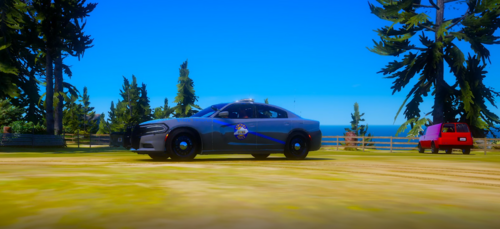
.thumb.png.afea87ee51864d1828b2faee0c0ac7d6.png)













Recommended Comments
Create an account or sign in to comment