


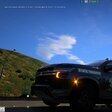


Lets be realistic okay. i know you have searched for the whole LCPDFR website to find a 2020fpiu of a dallas county sheriff but guess what? there is not one so i made one for the boys.
this livery does not work on this specific 2020 vehicle below. how? because I made this livery and tested on this car so if you have this vehicle in your game and you put my livery in this it will crash your game. however, I tried it on any other vehicle of this model, and it works. This livery fits perfectly on any 2020-2024 FORD POLICE INTERCEPTOR UTILITY that does not have its exhaust pipes sticking out. because real life police FPIU don't have their exhaust pipes sticking out.
Short Description
Do not claim it as yours I worked to make this texture
SOLO WORK






![Los Santos County Sheriff Livery Pack [Berkeley County-based]](http://s3-screenshots.int-cdn.lcpdfrusercontent.com/resize/500/-/monthly_2026_04/20260415155948_1.thumb.jpg.4cd04373ce1cf72df8e99a993cf4a145.jpg)



![Clayton County Sheriff's Office [4K]](http://s3-screenshots.int-cdn.lcpdfrusercontent.com/resize/500/-/monthly_2026_04/Screenshot_2511.thumb.png.e79613aafaa7abfbd34da660fe32acd3.png)

.thumb.jpg.96a3b82b9866eade5618dbec8b4f2fae.jpg)

![[NON-ELS] Unmarked 2018 Ford Taurus - FiveM Ready](http://s3-screenshots.int-cdn.lcpdfrusercontent.com/monthly_2026_04/Screenshot_5040.thumb.png.b1168547b80673783144294d18805701.png)


Recommended Comments
Create an account or sign in to comment