
Skip to content
View in the app

A better way to browse. Learn more.

LCPDFR.com

A full-screen app on your home screen with push notifications, badges and more.

To install this app on iOS and iPadOS
  1. Tap the Share icon in Safari
  2. Scroll the menu and tap Add to Home Screen.
  3. Tap Add in the top-right corner.
To install this app on Android
  1. Tap the 3-dot menu (⋮) in the top-right corner of the browser.
  2. Tap Add to Home screen or Install app.
  3. Confirm by tapping Install.

[ELS] SAHP Pack 1.1.0

(7 reviews)

7 Screenshots

4dd178d4fa70f1a214d60b8e986d57a4.png

if you want to talk or get me to make you a custom model join this I just put together because why not:

https://discord.gg/aeQPR5z


If you use this in a video please credit it properly 


READ THIS:

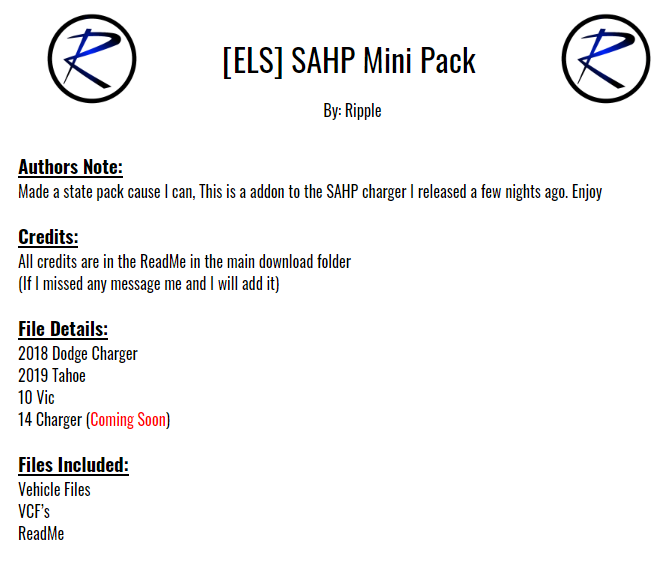
This is a add on to the 18 SAHP charger I released a few nights ago. I will be updating this frequently


Disclaimer:
DO NOT distribute this content without my permission! This includes liveries, models or the screenshots. 


DO NOT use the vehicles in a clan or group without my express permission. THIS APPLIES TO FIVEM TOO.. Just ask me.
Please do not upload this file or a part of it to any other website without permission from me
I accept no responsibility for any damage caused to your PC, game, or anything else. 


DO NOT rip, dismantle or change the vehicle in any way (except for texture files). Vehicles are LOCKED for a reason. 

What's New in Version 1.1.0

Released

-Added a Addon DLC option (Thanks to Sniper67)

User Feedback

Recommended Comments

thisridiculous

Members

dope! but I think some mirror lights and rear surface mount lights would b the perfect touch on these bad boys.

W0lf3

Members

(edited)

Hey! I believe you left something out of the installation path in the readme file. Instead of "...patchday3ng/x64/levels/vehicles..." I think you meant to put "...patchday3ng/dlc.rpf/x64/levels/gta5/..." That small error made me really confused, so hopefully you're able to fix it in the next update for all your ReadMe files!

Edited by W0lf3

Flame

Members

Is there a way i can get a add-on version of this?

ewilson620

Members

very nice love the pack. On the Charger the paint shows up purple the paint job is glitching how can I fix this. Please help

LenivetZ

Members

Nice pack, good job and thanks for the addon version!

By the way, is it possible to make another wheels for Tahoe?

This are really little for car like Tahoe

Ripple

Members Author

9 minutes ago, LenivetZ said:

Nice pack, good job and thanks for the addon version!

By the way, is it possible to make another wheels for Tahoe?

This are really little for car like Tahoe

Thats just how the car looks in real life as a police version so

DevilDogKeller

Members

Hi everyone! very nice mod however for someone that is new to lspdfr the instructions are not very clear.i installed them to the pathday4 and I only get the tahoe and the ELS lights are not working correctly. could someone please be more detail with the installation of the vic and the els. THANK YOU SO MUCH IN ADVANCE! HAPPY NEW YEAR ALL!

20191231234427_1.jpg

20191231234439_1.jpg

bjackson1991

Members

stilllll hoping this pack will get a update with some spot lights... even if they don't work, (I use spot light mod) just nice visually to have something there.

GhostLead00

Members

The pack is awesome only problem is the take down on the tahoe light up the rear instead of the front of the vehicle. Any way to fix that?


Cayden69

Members

On 12/31/2019 at 9:45 PM, DevilDogKeller said:

Hi everyone! very nice mod however for someone that is new to lspdfr the instructions are not very clear.i installed them to the pathday4 and I only get the tahoe and the ELS lights are not working correctly. could someone please be more detail with the installation of the vic and the els. THANK YOU SO MUCH IN ADVANCE! HAPPY NEW YEAR ALL!

20191231234427_1.jpg

20191231234439_1.jpg

You need to install the vehicles into the latest patch day. Mods/update/x64/dlcpacks/patchday22/dlc.rpf/x64/levels/gta5/vehicles.rpf  drag and drop vehicles into here. The xml file (for example SHERIFF2.xml) will need to be placed in ELS/pack_default.  The els folder can be found in your gtav main directory

unknownok

Members

Please update! love the skin texture and lighting setup. The lighting is amazing in game. There's not enough state trooper or state police vehicles out there!

Dy1ann

Members

I haven’t used this pack or seen anyone use it but from the screenshots it looks amazing, however I wouldn’t use. Personally, I think it needs more cars... Any plans for more cars?

Zeusz13

Members

Hey!

Lovin' the pack, but the Tahoe's back doors open in a weird way, rotating in the middle instead of at the hinges.

Alred87

Members

hey homie just letting you know the 18 charger shows up a broken 14 charger and the top light dont work on the vic the pack looks amazing and cant wait to run it when its fixe


Alred87

Members

5 hours ago, Alred87 said:

hey homie just letting you know the 18 charger shows up a broken 14 charger and the top light dont work on the vic the pack looks amazing and cant wait to run it when its fixe


nvm i was missing a file it is the 18 charger. I still cant get the light to work on vic but man the pack is beautiful. this ight be a noob moment but how do i get the yellow light off in code 3. besides from turning it off manually i just dont want it on automatically


rp92m

Members

14 charger here yet?

TXgamer9211

Members

@Ripple I am newer to LSPDFR in general, but can you help me with how to fix the Tahoe's attack lights from reverse to forward? Love this pack! The other 2 cars seem to work correctly. Appreciate all you do for this community. 

the door is glitched on the Tahoe 

Create an account or sign in to comment

Latest Mods

Account

Navigation

Search

Search

Configure browser push notifications

Chrome (Android)
  1. Tap the lock icon next to the address bar.
  2. Tap Permissions → Notifications.
  3. Adjust your preference.
Chrome (Desktop)
  1. Click the padlock icon in the address bar.
  2. Select Site settings.
  3. Find Notifications and adjust your preference.













