Skip to content
View in the app

A better way to browse. Learn more.

LCPDFR.com

A full-screen app on your home screen with push notifications, badges and more.

To install this app on iOS and iPadOS
  1. Tap the Share icon in Safari
  2. Scroll the menu and tap Add to Home Screen.
  3. Tap Add in the top-right corner.
To install this app on Android
  1. Tap the 3-dot menu (⋮) in the top-right corner of the browser.
  2. Tap Add to Home screen or Install app.
  3. Confirm by tapping Install.

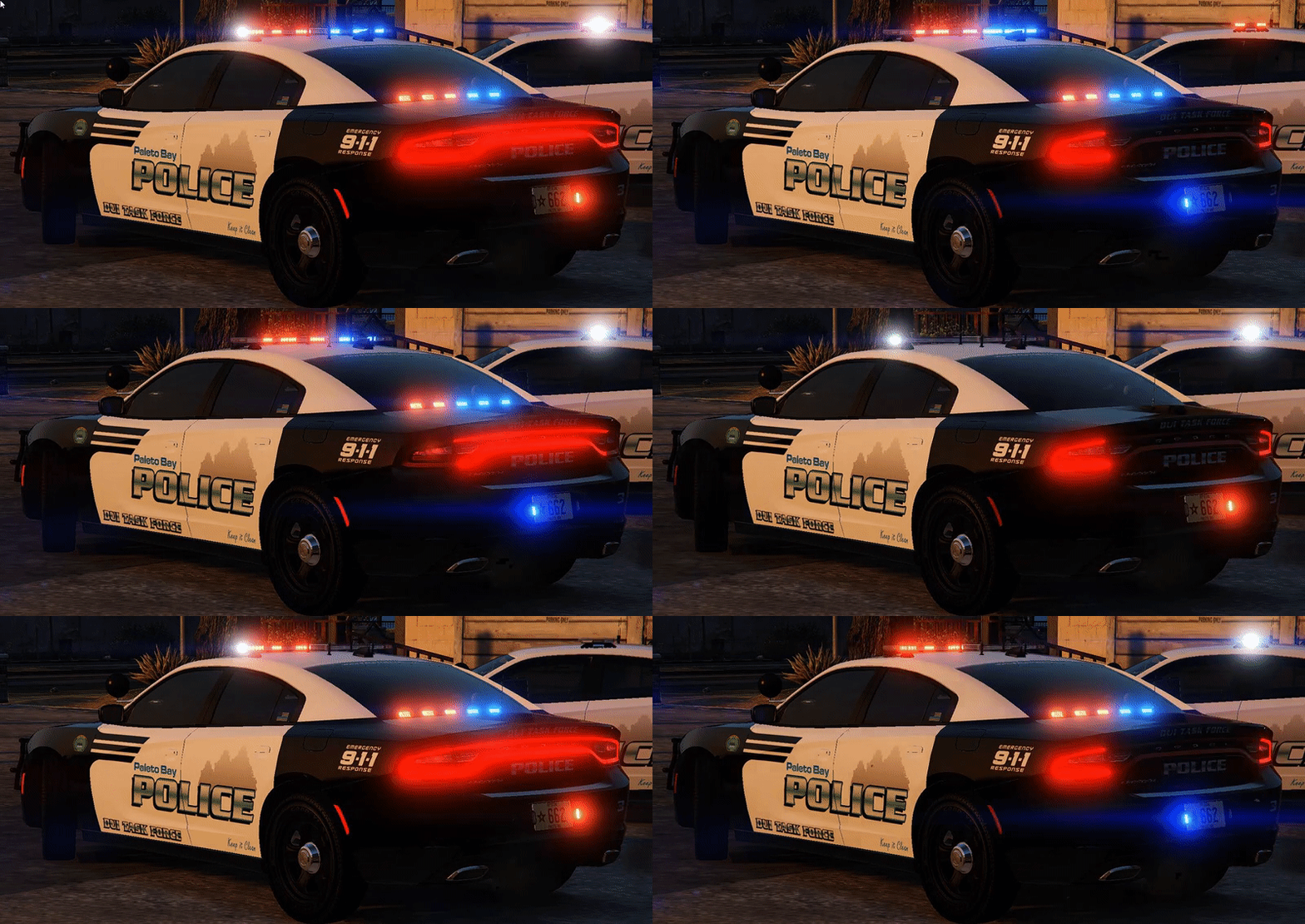
[ELS]2015 Paleto Bay DUI Dodge Charger

(12 reviews)

3 Screenshots

It's New Years eve...People are going to be drinking and having a good time in Paleto tonight...Make sure they don't take that good time to the streets! If you are going to be one of the ones drinking...Please make sure you have a safe way to get home. Drinking and driving is one of the most selfish acts you can do!
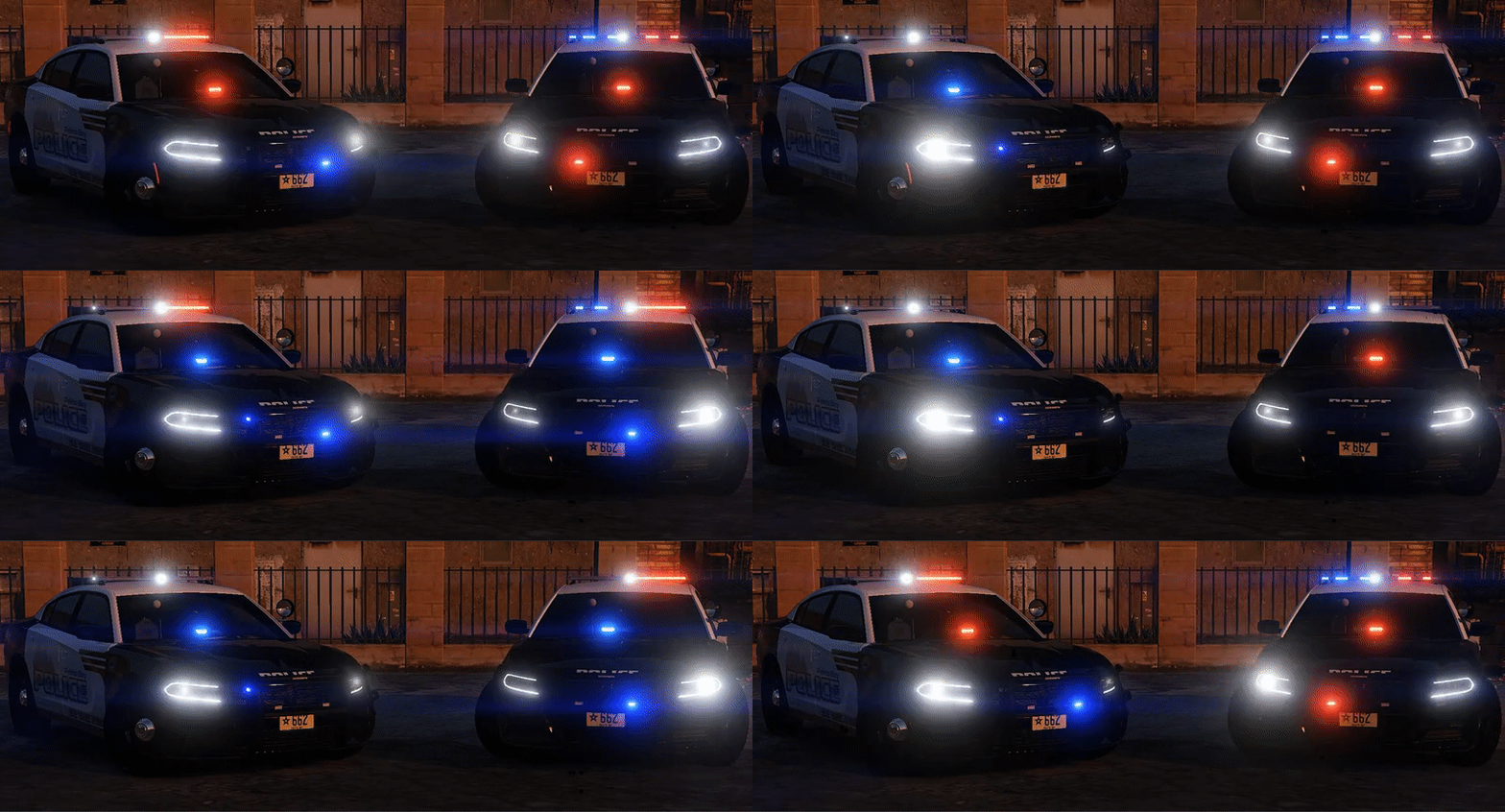
7055bbe7d278fc6b0b5e990c393dc50b.gif

99fafe979901791c84a597e93de5854b.gif

Credits:
-2015 Dodge Charger R/T by Turn 10 Studios
-Modifed into 2015 PPV and converted to GTA V by OfficerUnderwood
-Seats by SimRaceway, Radio by OfficerUnderwood
-Wheels by GerryStudio, converted by unknown?
-Whelen Legacy by TheHurk
-FS Latitude by Moneybagz
-Whelen Tir 6 by CooperCM
-Dashcam by Moneytrickz
-Antennas by Carper
-Rambar by Carper
-Spotlight by BlackJesus
-Radar by HDgamerz
-Console by Sheriff Van Dyke
-Laptop by Ridgerunner
-Whelen Avenger by Truamapak
-Liveries by mroxplay,Gump and Getinmybelly0627
-Put together by Gump


Stay safe,vigil and thirsty my friends..

User Feedback

Recommended Comments

thegreathah

Friends of LSPDFR

Yaas

Adam L

Members

Thank you for this model with ELS! Love some of your models keep it up.

JWACK22

Members

1 hour ago, rorywood said:

This is awesome! But there is no VCF for ELS included in the download.

I was thinking about copying the VCF from bugs and renaming it and this file to police2 to see if it would work

Nils Carlson

Members

Where dafuk is the VCF xml? i was just about to make a California Highway Patrol skin for this but now... now i can't );;;

TrpCharles

Members

You know everyone else has these chargers but we don't if it were not for those 05 chargers or 09 I don't remember the year we would have these but oh well. STILL DOWNLOADING AND MAKING A SKIN FOR TROOPERS.....ALWAYS MY FAVORITE GUMP

RyWilson

Members

these look fantastic and they are very appreciated. what a good way to end 2016. great job Gump :thumbsup:

HDgamerzPC

Members

Looks fantastic! Glad to see it released!

dcrcbc722

Members

(edited)

Can't tell does it have seat partition 

Edited by dcrcbc722

Slendis

Members

3 hours ago, rorywood said:


This is awesome! But there is no VCF for ELS included in the download.


1 hour ago, Nils Carlson said:


Where dafuk is the VCF xml?


1 hour ago, Mattbravo said:

VCF?

God damnit, if it does not include one use the default one that came with ELS.

MattBravo

Members

15 minutes ago, Slendis said:


God damnit, if it does not include one use the default one that came with ELS.

Well maybe he should have stated that or maybe he just forgot to include the VCF in the file? Knowing Gump i feel like he wouldnt make this great of a vehicle without making a custom VCF for it. 

Gump

Members Author

(edited)

I apologize guys! I was having to leave for New Years...and wanted to make sure you guys got the file for New Years patrol . Admittely it was rushed. It uses Officers Underwood 2015 Dodge Charger DEV template...You guys can just use the original VCF. It was the one I used lmao. 


Template can be found here:


Edited by Gump

t0y

Members

Whenever I put the livery in as chgr_sign_1 and open the .ytf it just skips it and shows chgr_sign_2 and when I delete the other signs except 1 it just doesnt show  anything

Gump

Members Author

7 minutes ago, t0y said:

Whenever I put the livery in as chgr_sign_1 and open the .ytf it just skips it and shows chgr_sign_2 and when I delete the other signs except 1 it just doesnt show  anything

That's weird.....does it work fine in game?

t0y

Members

4 minutes ago, Gump said:

That's weird.....does it work fine in game?


Not sure, I always use the .ytf when im making new liveries every time I edit something so I dont want to start the game every time, but I assume it does so idk.

Gump

Members Author

6 minutes ago, t0y said:


Not sure, I always use the .ytf when im making new liveries every time I edit something so I dont want to start the game every time, but I assume it does so idk.

That's weird. I'm not sure because I always used Zmod to test textures. 

rorywood

Members

6 hours ago, JWACK22 said:

I was thinking about copying the VCF from bugs and renaming it and this file to police2 to see if it would work

That is what I did. I just used Buggs' CVPI VCF and it works just fine!

MattBravo

Members

Are there secondary lights on this charger?

TrpCharles

Members

9 hours ago, t0y said:

Whenever I put the livery in as chgr_sign_1 and open the .ytf it just skips it and shows chgr_sign_2 and when I delete the other signs except 1 it just doesnt show  anything

copy your skin 5 times example chgr_sign_1 chgr_sign_2 and so on all the way to 5 replace all current signs with your texture and boom it should work.

(edited)

@Gump amazing model man keep it up your amazing if you ever need a tester ill be your guy

Edited by officertakedown50

Kilyin

Members

Anyone have a an ELS .xml file that has lighting on the first stage? Haven't figured that out yet, otherwise works great.

deathhunter

Members

On 1/1/2017 at 1:06 AM, rorywood said:

That is what I did. I just used Buggs' CVPI VCF and it works just fine!

how did you do that did you just copy buggs police and rename it police2????? 

Kilyin

Members

1 hour ago, deathhunter said:

how did you do that did you just copy buggs police and rename it police2????? 


yeah, it's like magic, copying and renaming files.

9Lincoln20

Members

what file location does the police files go into?


Latest patchday??

Create an account or sign in to comment

Latest Mods

Account

Navigation

Search

Search

Configure browser push notifications

Chrome (Android)
  1. Tap the lock icon next to the address bar.
  2. Tap Permissions → Notifications.
  3. Adjust your preference.
Chrome (Desktop)
  1. Click the padlock icon in the address bar.
  2. Select Site settings.
  3. Find Notifications and adjust your preference.









