Skip to content
View in the app

A better way to browse. Learn more.

LCPDFR.com

A full-screen app on your home screen with push notifications, badges and more.

To install this app on iOS and iPadOS
  1. Tap the Share icon in Safari
  2. Scroll the menu and tap Add to Home Screen.
  3. Tap Add in the top-right corner.
To install this app on Android
  1. Tap the 3-dot menu (⋮) in the top-right corner of the browser.
  2. Tap Add to Home screen or Install app.
  3. Confirm by tapping Install.

LSPDFR Clip Transition For Content Creators 1.0.1

(3 reviews)

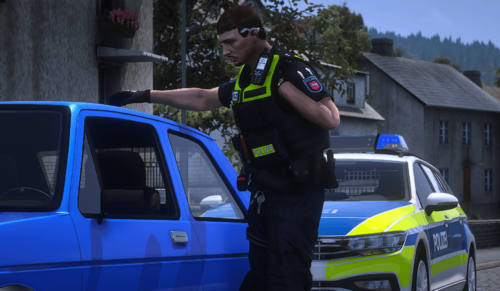
1 Screenshot

Hey guys, I created a transition clip for anyone who makes videos of their LSPDFR career. It's a 5 second clip that you can shrink to fit your videos. If this isn't allowed, because I used the LSPDFR logo let me know, and I'll take it down. Otherwise hopefully the content creators in the community enjoy! I'll put a link so you can see what it looks like.

LSPDFR Transition You can fast forward to the 3:20 mark


Please don't upload it anywhere else, or take credit for it.


Thank you!

What's New in Version 1.0.1

Released

Added 10 second and 30 second clips to the downloads

User Feedback

Recommended Comments

Deactivated Member

Deactivated

I already have a preset clip but if nothing else I can use these for stream loops. Much thanks!

blk07shelbygt

Members Author

(edited)

2 hours ago, SamuelOlson1701 said:

I already have a preset clip but if nothing else I can use these for stream loops. Much thanks!

You’re welcome! Thanks for downloading. 

2 hours ago, OfficerBenzo said:

I will give it a try.  Thanks

~Benzo 

Awesome! Thanks for all that you do too. Your videos have been very helpful over the years. 

Edited by blk07shelbygt

lssocrew

Members

you are a awesome person ! thank you

blk07shelbygt

Members Author

14 hours ago, lssocrew said:

you are a awesome person ! thank you

Lol thank you for downloading! I hope you enjoy!

blk07shelbygt

Members Author

(edited)

8 minutes ago, Tylerdavis35 said:

Isnt this Jeff Favignanos?

No, It's similar. He used to have his available to download but not any longer, so I made my own. I won't deny that I got the idea from him though lol. In my video that I linked you can clearly see that I made it merging the 2 files that I had together.


Edited by blk07shelbygt

Create an account or sign in to comment

Account

Navigation

Search

Search

Configure browser push notifications

Chrome (Android)
  1. Tap the lock icon next to the address bar.
  2. Tap Permissions → Notifications.
  3. Adjust your preference.
Chrome (Desktop)
  1. Click the padlock icon in the address bar.
  2. Select Site settings.
  3. Find Notifications and adjust your preference.