Skip to content
View in the app

A better way to browse. Learn more.

LCPDFR.com

A full-screen app on your home screen with push notifications, badges and more.

To install this app on iOS and iPadOS
  1. Tap the Share icon in Safari
  2. Scroll the menu and tap Add to Home Screen.
  3. Tap Add in the top-right corner.
To install this app on Android
  1. Tap the 3-dot menu (⋮) in the top-right corner of the browser.
  2. Tap Add to Home screen or Install app.
  3. Confirm by tapping Install.

Whelen 295SDA1 2.0.0

(0 reviews)

1 Screenshot

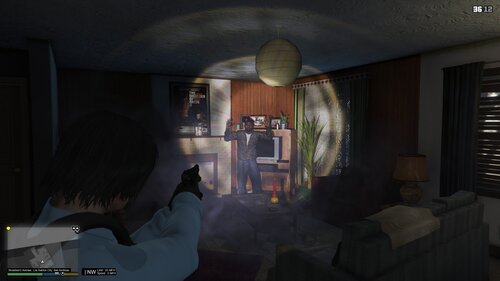
this siren isn't that popular but i wanted to create it just cause why not but heres what it sounds like in game compared to real life

https://www.youtube.com/watch?v=uhuYc5iDr8M


Where I got the tones from

I got the airhorn from a different vid most most of the tones are from this tiktok.


the horn has a slight pop noise in it but there's nothing that i can do about that unless someone knows and can help me or help fix it then idk


But as Always Enjoy!

What's New in Version 2.0.0

Released

made a new version Michigan state police uses it but it is extremely loud and i have not tested it in game yet the tones should be looped fine i hope but enjoy


within a few days to a week i might make them both FiveM ready so be on the lookout for that.


Short Description

A siren used by the Lakeview PD in TX

User Feedback

Recommended Comments

OneStarLaw

Members Author

I'll see what i can do 

1 hour ago, mrstickyjeIly said:

can u make fivem ready plz


King64

Members

Love this siren gonna run it for a change , wish that airhorn loop was a little clearer but beggars cant be choosers , good job man.

ryanb9038

Members

Your yelp is too fast and sounds like it was just copied and pasted from the regular Whelen tones. The yelp is slower on this model siren as you can hear in your own video. Also, the wail does not loop properly, trim the siren until the looping sounds natural. 

CPL.BEVAN

Members

Im following the instructions on read me but its saying your missing a file?

Create an account or sign in to comment

Latest Mods

Account

Navigation

Search

Search

Configure browser push notifications

Chrome (Android)
  1. Tap the lock icon next to the address bar.
  2. Tap Permissions → Notifications.
  3. Adjust your preference.
Chrome (Desktop)
  1. Click the padlock icon in the address bar.
  2. Select Site settings.
  3. Find Notifications and adjust your preference.