




Many thanks as always to McAwesome6934 for testing and providing a fantastic video!
And many thanks to Illusionary who gave me the permission to upload this pack with his awesome skins!
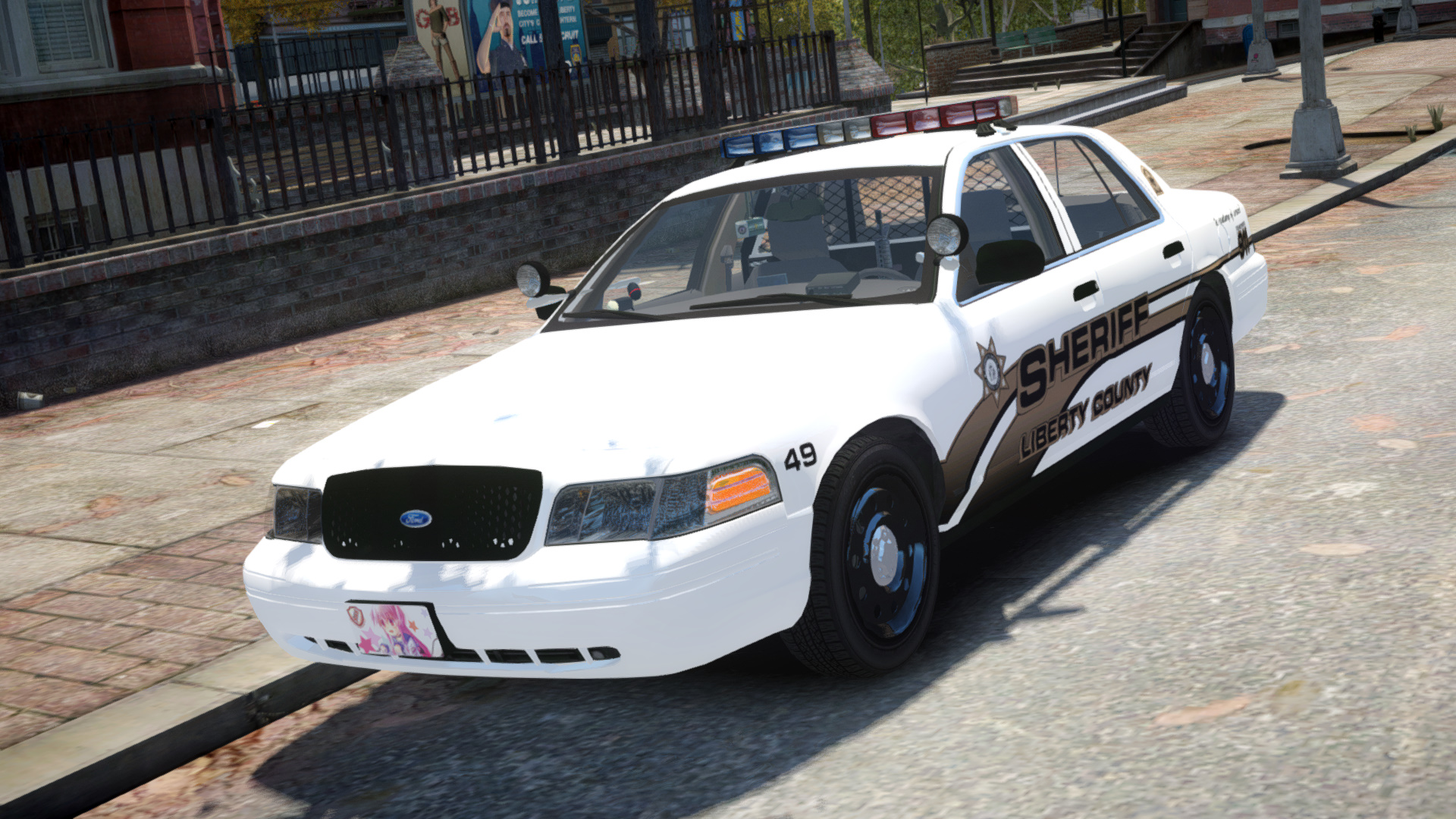
I'm very happy to finally release my "Oldshool" Sheriff pack. This pack features two cars with working rotators. The pushbar spawns randomly. (Take a look at the pictures)
- This pack tries to be as real as possible.
- This pack is optimized for light enhancing mods.
- If you find any bugs, have a question or just want to talk to me feel free to PM me!
- Do not upload this pack elsewhere without my permission!
- Do not edit conent of this pack without my permission!
Video:
Have fun!
- Model is Ford Crown Victoria from Driver SF, converted to GTA IV by F5544, modified by KevinDV, Cj24 and Sentinel55
- Rims by Bxbugs123, Textures by GreenAid.
- Honeycomb Grill made by KevinDV.
- DSF Interior made by Ubisoft edited and converted to GTAIV by Sentinel55
- Various interior parts made by Schaefft converted to GTAIV by Sentinel55
- SB-200 made by Kygo
- Pushbar lights made by freakinmusket
- Police Console by PFCBAREFOOT edited by Sentinel55
- Some Console parts converted by Evanscornelius
- Antennas by Sergyij
- Setina BodyGuard 6,7 Partition made by Kygo.
- Whelen Par46 Spotlight modelled and converted by Kygo.
- Watch Guard made by BxBugs123
- Radar made by BxBugs123
- M4 made by grim
- Whelen Edge Modeled & converted for GTA IV by Bxbugs123 main textures made by Bxbugs123 & Lt.Caine
- Code 3 MX-7000 lightbar by Lt.Caine extensively modified by Sgt.Kanyo and Sentinel55
- Federal Signal Vector was created from scratch by F5544 Textures by Lt.Caine. Converted to ELS v8 and modified into a Federal Signal Vision by Sentinel55
- Federal Signal VPX Directional Bar scratch modeled and converted to GTAIV by Pengi edited by Sentinel55
- Skins made by Illusionary
- Pics by Sentinel55
- Testing/video McAwesome6934
- Testing Schecter004
- Rims by Bxbugs123, Textures by GreenAid.
- Honeycomb Grill made by KevinDV.
- DSF Interior made by Ubisoft edited and converted to GTAIV by Sentinel55
- Various interior parts made by Schaefft converted to GTAIV by Sentinel55
- SB-200 made by Kygo
- Pushbar lights made by freakinmusket
- Police Console by PFCBAREFOOT edited by Sentinel55
- Some Console parts converted by Evanscornelius
- Antennas by Sergyij
- Setina BodyGuard 6,7 Partition made by Kygo.
- Whelen Par46 Spotlight modelled and converted by Kygo.
- Watch Guard made by BxBugs123
- Radar made by BxBugs123
- M4 made by grim
- Whelen Edge Modeled & converted for GTA IV by Bxbugs123 main textures made by Bxbugs123 & Lt.Caine
- Code 3 MX-7000 lightbar by Lt.Caine extensively modified by Sgt.Kanyo and Sentinel55
- Federal Signal Vector was created from scratch by F5544 Textures by Lt.Caine. Converted to ELS v8 and modified into a Federal Signal Vision by Sentinel55
- Federal Signal VPX Directional Bar scratch modeled and converted to GTAIV by Pengi edited by Sentinel55
- Skins made by Illusionary
- Pics by Sentinel55
- Testing/video McAwesome6934
- Testing Schecter004





![Los Santos County Sheriff Livery Pack [Berkeley County-based]](http://s3-screenshots.int-cdn.lcpdfrusercontent.com/resize/500/-/monthly_2026_04/20260415155948_1.thumb.jpg.4cd04373ce1cf72df8e99a993cf4a145.jpg)



![Clayton County Sheriff's Office [4K]](http://s3-screenshots.int-cdn.lcpdfrusercontent.com/resize/500/-/monthly_2026_04/Screenshot_2511.thumb.png.e79613aafaa7abfbd34da660fe32acd3.png)

.thumb.jpg.96a3b82b9866eade5618dbec8b4f2fae.jpg)

![[NON-ELS] Unmarked 2018 Ford Taurus - FiveM Ready](http://s3-screenshots.int-cdn.lcpdfrusercontent.com/monthly_2026_04/Screenshot_5040.thumb.png.b1168547b80673783144294d18805701.png)


Recommended Comments
Create an account or sign in to comment