


Freakinfuzzball
Members
-
Joined
-
Last visited
Everything posted by Freakinfuzzball
-
 Update your first submission instead of clogging the downloads section up with slight changes to the same vehicle.
 -
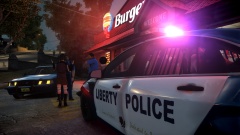 You hatin' on my unis brah?
 -
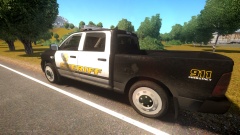 I've had mid terms this week and was on shift Sunday, Tuesday and Thursday. Sorry for the delay everyone, they should be done soon.
 -
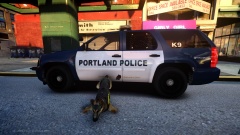 I was going to ask you if you had K-9 equipment for a Tahoe. Looking great man!
 -
Kind of looks like you recolored Gangren's FDNY texture with some black & grey and added some roses... At least include fictional in the title because this is not even close to anything used up there, like Ringo said.
-
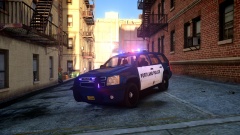 Because they're badass.
 -
That model has a Justice....
-
Looks awesome, I personally think the rear light strip that is under the bumper is a little ridiculous.
- 9 comments
- 3 reviews
-
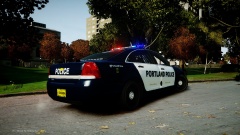
Photos of my Portland, Oregon themed version of GTA IV and LCPDFR.
-
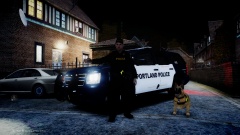
From the album: Portland Police Bureau
-
![New Ambulance for Liberty County Fire Department (EROLE-WIP]](//s3-gallery.int-cdn.lcpdfrusercontent.com/gallery/album_1963/sml_gallery_37637_1963_310962.png) Jesus. Christ.
Jesus. Christ. -
The mirror lights on the F-350 look very unrealistic, other than that, not bad.
- 12 comments
- 1 review
-
-

- 1
-
-
I agree that there are an insane amount of Liberty cars out there, however, the Liberty is hands down one of the most popular bars used by public safety.
- 7 comments
- 3 reviews
-
-
- 1
-
-
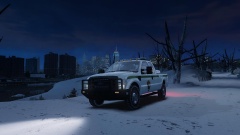 Looks great, I'd say the dual grill bars are a little overkill for a ranger vehicle but that's just my opinion.
 -
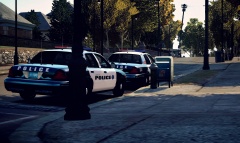 Blocking a mailbox AND A HYDRANT! Keepin' it real professional guys... real professional....
 -
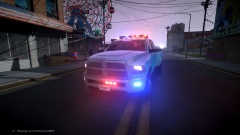 Runners are the worst.
 -
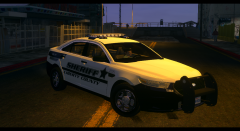 Only thing I would add is some lightheads on the rambar, other than that it's badass!
 -
Was about to say the same thing haha.....
-
-
![[WIP] Liberty Sheriff Pack V2.0k](//s3-gallery.int-cdn.lcpdfrusercontent.com/gallery/album_722/sml_gallery_3386_722_211032.jpg) Cars look awesome, I just have one thing that I would personally change: Having a K-9 model in the rear always annoys me, when I want to run a K-9 I use the K-9 script which places its own dog in the car, therefore you have two dogs clipping through each other and it looks terrible. Again, just another pet peeve I have when it comes to cars that are modeled to be K-9 vehicles, nothing against your awesome work Stinkace. Keep it coming, especially the FD units!
Cars look awesome, I just have one thing that I would personally change: Having a K-9 model in the rear always annoys me, when I want to run a K-9 I use the K-9 script which places its own dog in the car, therefore you have two dogs clipping through each other and it looks terrible. Again, just another pet peeve I have when it comes to cars that are modeled to be K-9 vehicles, nothing against your awesome work Stinkace. Keep it coming, especially the FD units! -
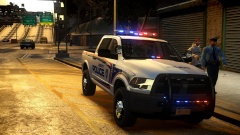 Thank god he switched out the Arjent. Great skin by the way!
 -
In this case I think the charges are justified. The man reached back into the car AFTER the trooper told him to grab his ID, I don't see why the officer wasn't prepared or expecting the man to go for either a pocket or his vehicle. From what I saw in the video it didn't look like the man was rushing or scrambling to find something like a weapon, he calmly turned and reached for his license after being asked to do so.
-
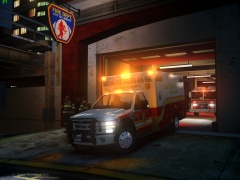 I second Stinkace on the ride height, I rode in a 2010 F-450 chassis Ambulance for a few days and it's a lot higher.
 -
![[WIP] LFD Pack V2.0](//s3-gallery.int-cdn.lcpdfrusercontent.com/gallery/album_722/sml_gallery_3386_722_405374.jpg) You are the man 'Ace! Personally, seeing as I'm going into the fire service, I'm extremely excited to see your skills going this direction and I hope you continue to do so! Now all we need is a script to manually control that Q....
You are the man 'Ace! Personally, seeing as I'm going into the fire service, I'm extremely excited to see your skills going this direction and I hope you continue to do so! Now all we need is a script to manually control that Q.... -
![[WIP] Port of Portland Police Old Style Skin](//s3-gallery.int-cdn.lcpdfrusercontent.com/gallery/album_3509/sml_gallery_99408_3509_248226.jpg) Thank you! The colors were matched to the reference pictures, I think it's just the time of day in my ENB. Regardless, it will be fixed when I release it.
Thank you! The colors were matched to the reference pictures, I think it's just the time of day in my ENB. Regardless, it will be fixed when I release it.



![New Ambulance for Liberty County Fire Department (EROLE-WIP]](http://s3-gallery.int-cdn.lcpdfrusercontent.com/gallery/album_1963/sml_gallery_37637_1963_310962.png)
![[WIP] Liberty Sheriff Pack V2.0k](http://s3-gallery.int-cdn.lcpdfrusercontent.com/gallery/album_722/sml_gallery_3386_722_211032.jpg)
![[WIP] LFD Pack V2.0](http://s3-gallery.int-cdn.lcpdfrusercontent.com/gallery/album_722/sml_gallery_3386_722_405374.jpg)
![[WIP] Port of Portland Police Old Style Skin](http://s3-gallery.int-cdn.lcpdfrusercontent.com/gallery/album_3509/sml_gallery_99408_3509_248226.jpg)