


MascottePaper
Members
-
Joined
-
Last visited
Everything posted by MascottePaper
-
I wont give up on this, too much effort in it to just say "i quit " keep going, and hey maybe somebody comes along with a answer
-
I know what you mean, and thats what I have been doing ever since ( Lets see 13H ago posted its now 17:30 calculated my sleeping period :P - None ) In that period, tried to assign it to texture, uvmap it, different places, Interior2 etc, Chrome mesh, Plastic1 etc
-
Objects are have already been in these places : Chassis_L0 Chassis_L1 Chassis_L2 Bodyshell Even had them as Misc_d/e items.
-
Tried multiple textures, since the moment I posted this topic, i've been trying it out, dying to get it fixed lol ( No sleep either lmao ). Restarted it 7 times to see if it was something else, but nope. Basicly had every texture :/ And in openIV it just shows either : Black ( If I mapped it black ), Steelgrey, if I mapped it steelgray, Interior Beige if I mapped it. For those that are trying to help really appreciate the support ! Also I put an album together for pictures of the Tahoe, for more view / details etc http://imgur.com/a/FsM5Y
-
I know I have to assign it, but assigning it is the same as UVmapping in my eyes. Already did that and that didn't fix the issue :/
-
Flipping doesn't fix the issue :/ Materials are setup correctly as far as my knowledge goes, I also tried to assign it to a texture that is already known in the Materials setup ( Like a black in there, and then UVmapped it ) And the Hirachy is basicly still the same. Most of the parts are attached to either chassis or to bodyshell. And no problem with those questions, you'r offering help, that is what matter :)
-
After experimenting with 3DS stuff a little bit, I came up with something for my community. A mobile "Dispatch / Command center" which is a Tahoe. Ingame though, the rear desk doesn't show up, it is just invisible. Anybody has an idea why it shows up in Zmodeler / openIV but not in game? Pictures provided down below : Ingame : Out of game : If somebody could help, that would be really appreciated!
-
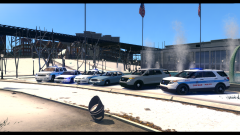 Some of them are custom, some of them are found at GPM / Even here at the website. All skins are custom made and only a few vehicles are custom ( Clan made ) atm due to fact of not enough time to model the rest / not enough resources ( Like wrong lightbar etc not unlocked model )
 -
If you want to disable them, they should be removed from all of the spots in the Cargrp, same with Pstockade. You could put them under police only, but that indicates that police will be using them.
-
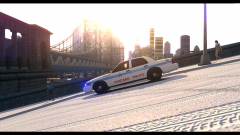 I know right, like last second shot and uploaded :P Gotta love mobile phones :'D
 -
You know you can modify that yourself right? Just open up the ENB series and search for that exact lane and turn it in to false.. Changes nothing in my eyes.
-
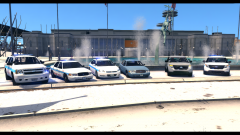 Yeah I wish that the custom pack arrived, but still not here :/ Just gotta live with it :'D
 -
From the album: Chicago emergency Services Roleplay
-
From the album: Chicago emergency Services Roleplay
-
From the album: Chicago emergency Services Roleplay
A few cruisers / suv's in Meadows park -
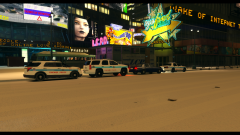
From the album: Chicago emergency Services Roleplay
The station on Burlesque ave. Any idea how it is called in the Images? Would be nice to edit that as well. -
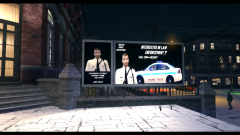
From the album: Chicago emergency Services Roleplay
Decided to work some more on the station layout, came to this. Any advise ? -
Could be, I never tried it out before, that they were completly gone. Should take a look in to it, if you want me to? I`ll check that stuff out if needed, got enough backups :P Edit : I just checked it, Ambulance / Pmedic/ Nurse etc, are not located in the Pedgrp/Cargrp/ any data files to be spawned on the first place. I believe those are integrated in the system :/ Maybe somebody with knowledge regarding this subject can confirm this?
-
Hey, You`ll have to edit the cargrp.dat file. Use wordpad or something in that area, and remove yankee from every listing :) Should work!
-
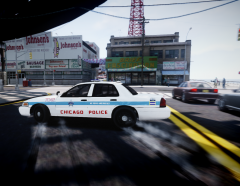 HD roadtexture, by who IDK
 -
Appreciate your feedback Vocosol, understand it without a decent computer you can't test. And to let it be tested every time you change something by others is a whole list. If you are actually searching for testers and what so ever, PM me and i`ll send you the system details that i`m working with etc. So far 1.1 is quite stable with me. I even use it more then I actually use the Braveheart script. My community switched over to your callouts, especially with the hands up function that makes it more stable. And more fun as well. I don't see a lot of domestics etc, but that;s okay because I understand that it is all in development and you decided to make the fun parts first ;). Regards, Mascotte.
-
-
![[WIP] 2013 Ford F450 - FDNY ambulance](//s3-gallery.int-cdn.lcpdfrusercontent.com/gallery/album_547/sml_gallery_2101_547_123012.png) Just looks too good to be true planning on doing only a FDNY one or also more things with it? Got a few ideas but since it isn't working out like yours it is still unsure if those will be there :P
Just looks too good to be true planning on doing only a FDNY one or also more things with it? Got a few ideas but since it isn't working out like yours it is still unsure if those will be there :P -
Not a Map yet, but a good list. Wouldn't be that hard to put them on with the right information. http://gtaforums.com/topic/518470-enterable-locations-and-buildings/ http://gtaforums.com/topic/430727-mp-open-interiors/
-
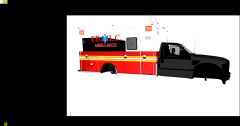
From the album: MascottePapers W.I.P


![[WIP] 2013 Ford F450 - FDNY ambulance](http://s3-gallery.int-cdn.lcpdfrusercontent.com/gallery/album_547/sml_gallery_2101_547_123012.png)
