


Piarulli246
Members
-
Joined
-
Last visited
Everything posted by Piarulli246
-
-
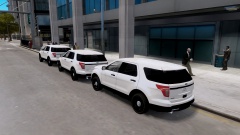 Evans model?
 -
-
-
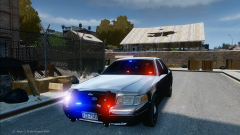
Hello community! So I have been working on a pack that you might have saw in the gallery and thought I would make a post for everyone to follow and see my progress as I work on the vehicles. This pack will contain a few vehicles with some different variants. Vehicles: 2006 Ford Crown Victoria (DSF). 2008 Chevrolet Tahoe. 2012 Chevrolet Caprice. 2012 Dodge Charger. 2010 Chevrolet Impala. 2010 Dodge Charger. *I might be doing a 2011 Taurus and a possibility a 2013 Ford Explorer* Lighting/Equipment: Whelen Liberty with Traffic Advisor. 3x Whelen Dual Talon. Whelen Stick. Whelen Lin3. 2x SoundOff Intersector. Strobes kit. Console. Setina Cage. Window Barriers. *There will be pictures of the vehicles so you can see where the lights are placed* Different Variants: Marked w/ Rambar Slicktop w/Rambar Slicktop/Unmarked w/o Rambar Pictures:
-
Good
-
Keep looking man :)
-
You should be able to use the one you first got. Look in your email and it should have a code to put in.
-
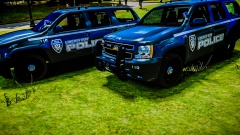 My truck!! <333
 -
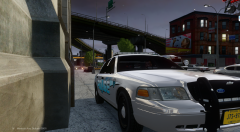 And thanks:)
 -
Thanks
-
From the album: Foward's WIP
Decided to redo these vehicles. I took a few things out and added some other things. One thing I added was the SoundOff Intersectors. -
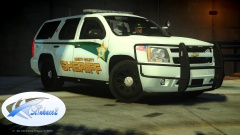 Lmao there are a ton of credits for the caprice:)
 -
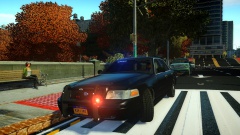 That could easily be fixed:)
 -
Never seen this design before by Setina but I like the concept a little. Usually the bars are much thinner also.
- 5 comments
- 2 reviews
-
And like Lccops/a ton of people? haha
-
Who's Caprice model?
-
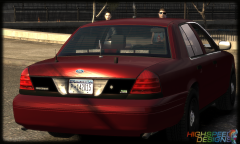 Its a joke relax.
 -
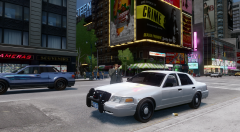
From the album: Images by Foward
-
Looks good but its way to high poly. You could probably save polys by making the cage looking parts a texture. Making those X's in the cage really made it too high poly. I deleted what I could from those X's and it came down from 21,000 to like 2,000 which is good.
- 9 comments
- 1 review
-
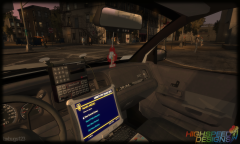 So sexy! Looks so clear.
 -
 Thanks
 -
From the album: Foward's WIP
Requested vehicle. Not finished yet. Will be released later on. -
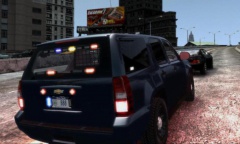 The truck in real life is fucking sexy. I bet yours is going to look great also!
 -
That isn't bad also but I would still go with the i7. Some games run mostly off of your CPU like Arma 3, Minecraft and etc.


