


Straypuft
Members
-
Joined
-
Last visited
Everything posted by Straypuft
-
I cannot find any location in that topic for your vehicles.meta, I see you edited your post in that topic, perhaps you accidentally edited it out? This is the one I thought I should be using: mods/update/update.rpf/common/data/levels/gta5
-
Thanks for that link, I was looking for something like that. But now when I edit the vehicles.meta in the above location, game crashes during startup.
-
Trying to change handlingid for one car in vehicles meta, I wanted police2 and police3 to have the same handling since they are both FPIU's, Police3 ran fine but police2 loves rolling over.
-
Before the update, everything worked fine, But then something changed as I replace update.rpf and edited in carvariations, carcols and stuff like that., Now I cant seem to change handlingid in the vehicles meta which I assume is still located at: mods/update/update.rpf/common/data/levels/gta5
-
OK, the thing keeping me down on this was that I somehow downloaded asisupport 0.2.0 instead of the new one. I think all is working now.
-
What did you do to get it to work?
-
Looks like a customized version of Salzburg Serial Bold
-
I had high hopes for FSW, its downfall was that DTG wanted complete control over paid addons, First, Steam wanted 30%, then DTG wanted 30%, No third party dev wanted anything to do with that so DTG ended development. Anyways, Im all over Train Sim World and have just purchased another dlc.
-
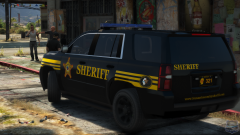 yesyesyesyes! One with a proper Los Santos map thingy on the plate instead of Ohio!
 -
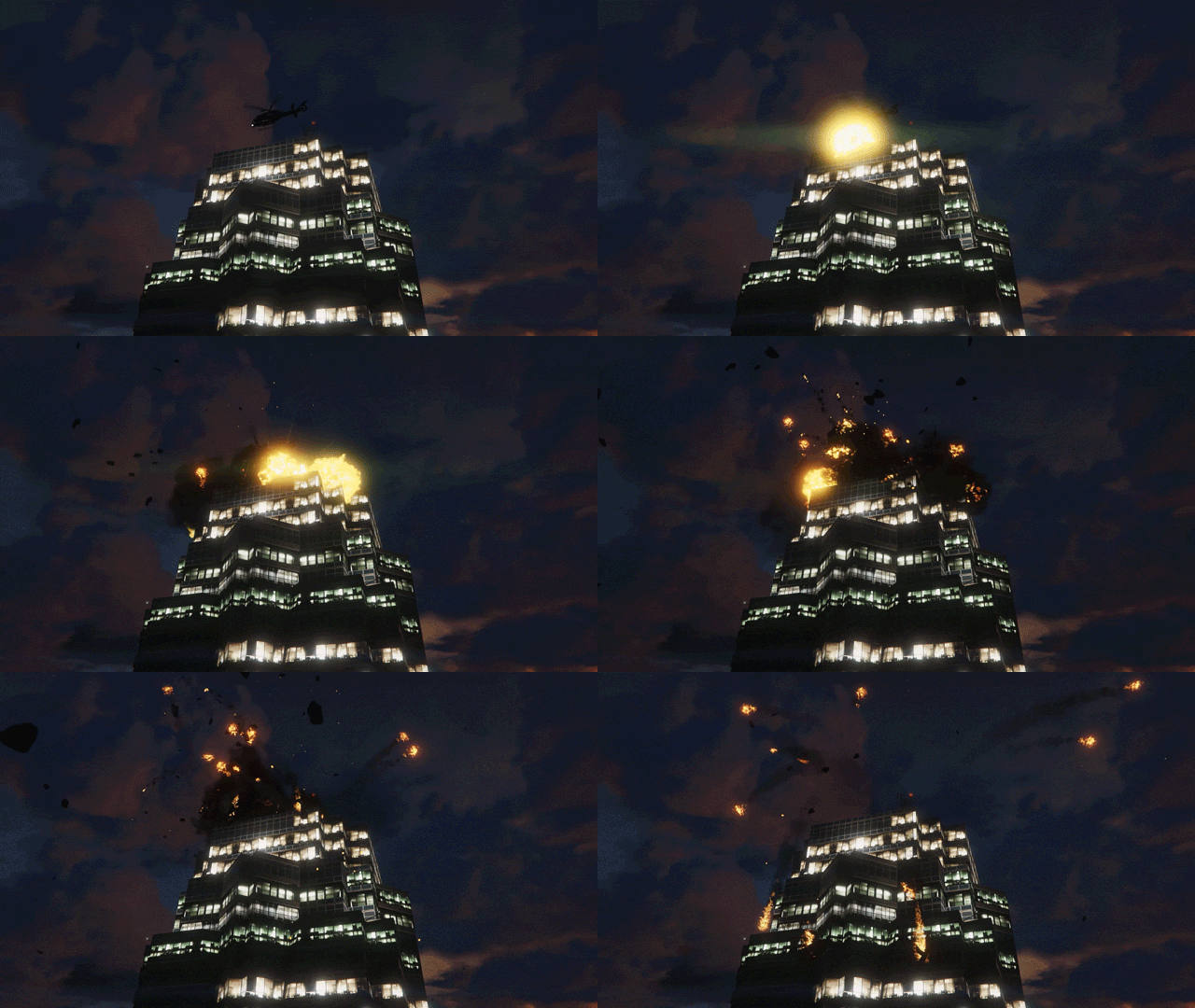 I only ever saw the movie on TV and have known that line to always be "Yippee Ki Yay Mr Falcon!"
 -
Dovetail isnt the only ones doing this, Trainz: TANE(made by Auran) does it too, But I dont know if their DLC carries over to the next game in the series. X-Plane does it too but it isnt as blatant. Finally, Digital Combat Simulators DCS World relies on DLC, AKA Modules. Simulation is serious business. Then there are the simmers who buy physical models of their favorite planes and trains, But us LSPDFR fans arent left out, for we have model police cars and airsoft and the hardcore of us having real weapons.(I just have model police cars)
-
I could have sworn PMDG planes have reached over the $100 mark, and as for the $200 sim, that would be Prepar3d, based on 10 year old sim tech.
-
Train Simulator 20xx fan here, There is never any pressure to buy all of those DLC's, This isnt a full world game, None of these dlc routes and maps will interconnect with each other, You buy what appeals to you, There are examples of modders connecting 2 or more routes into one map. For my Train Sim tastes, I dont touch any of the steam or freight or historical stuff, I possibly only bought maybe 10 dlc addons. Most of these dlc routes will have everything you need in them to play them as a base game, Some of the dlc trains can be used on multiple routes. Many of you naysayers seem to think having all the DLC for this game will make the game complete or pay to win, Completeness is entirely up to the end user who may have just bought and played the base game or are happy having only ever bought one dlc. You have to be really weak minded(and opulent) to think buying all the DLC will make you happy. Have you guys seen the Flight Simulator Market? There are many people happy and willing to pay up to $150 for a single plane or even $200 for a 10 year old tech based Flight Sim. Lets not forget hardware that a single item could cost $2000. This isnt just limited to simulators, Look at The Sims, lots of people are willing to spend $40-$60 on each update that adds an hour of game experience on each dlc, Even the ones that only sell clothing packs.
-
Went into the model texture files and removed the dirt or mud textures, also went into vehicles.meta for editing the min and max dirt to 0, yet the car still spawns like this: The F4 wash command cleans it up, This car is placed into the policeold2 slot with police3 vehicle meta. Any tips?
-
Just a heads up to anyone who might have recently clean installed Windows 10 and like to edit GTA V .meta and .dat files and so on. Update KB4458469 is the culprit. Background: Was having trouble setting a default program for any file type, Was trying to set Notepad as default for files like vehicles.meta and carviariations.dat. Tried to set so I wouldnt be reminded to choose a program every time I wanted to edit it. Could not choose any word editing software, Word, Wordpad, Notepad, Notepad++. All that would happen was that the icon would remain the default blank icon image. Did a whole day of trying to figure out what was going on, Did a few clean OS installs after messing with regedit. Found out I could set the default program before I installed any programs or windows updates, Did the windows update thing til it said I was up to date, Tried uninstalling the few updates I could remove one by one, uninstalled KB445869, rebooted and was able to set default program again. This should be replicatable if you have all the recent windows updates, Just create a new text document anywhere, give it a random file extension, I tried "New Text Document.dllp, It gave me the default blank icon image, Then you will select open with and choose notepad, The icon should remain the same blank image. You can then close notepad and try again. This shouldnt affect your GTA folders if you have already chosen a default program for your .meta and .dat files but will affect you in the future for different types of files that need to be edited with a text editor.
-
Lorain Ohio, Suspect steals police car, leads on high speed chase. Video of most of the chase: Chase ends with possible spike strip damage but not before the suspect nearly hits the spike strip officer, Possibly why the strip is still on the road. Following video in link shows him eating possibly illegal items as the chase ends. https://fox8.com/2018/08/20/watch-new-dash-cam-video-from-inside-stolen-lorain-police-cruiser/
-
This helped me, Then I had to re do various metas in the new update.rph, Luckily they were drag and drops except for one problem which was giving me a problem with rotating lights but I was able to get that fixed after various googling.
-
I too only have up to patchday17
-
Build Name I have no use for silly names 🙂 Operating System Microsoft Windows 10 Home x64 Case Phanteks Enthoo Pro Motherboard ASRock Extreme 3 X87 Processor I7 4770k Memory 8GB Corsair Vengeance Pro 1866 Graphics Card(s) MSI GTX 970 4G Storage Drive(s) Samsung Evo 850 250GB Samsung Evo 850 500GB Western Digital Black TB Western Digital Blue 1TB Power Supply Corsair RM650 Cooling System Cooler Master Evo 212+ Monitor(s) LG 29UM67-P 29in Ultrawide 21:9 Keyboard Logitech G510 Mouse Logitech G502 Proteus Peripherals/Other Logitech C206 Webcam Corsair MM800 RGB Mousepad Build Name Labtop 1 Operating System Microsoft Windows 10 Home x64 Processor I7 7700 Memory 8GB Graphics Card(s) 1050 TI 4GB Storage Drive(s) Samsung Evo 850 250GB Samsung Evo 850 500GB Mouse Logitech G502
-
If you are viewing the videos seconds after it finished uploading, then it will look bad, give it 15-30 minutes to finish processing and it should look how it recorded.
-
 Dat Cleveland based truck ❤️
 -
Please forgive the potato quality recording showing 3 examples in a row of the random horns: Is this something that can be fixed or did I screw something up royally? I used sound files from the Modern Siren Pack found on this site and installed them the way albos tutorial said to
-
Thanks for the tip! It worked!
-
Ive tried replacing the 4 files in the proper rpf file located with these instructions: Install Model x64v/models/cdimages/componentpeds_s_f_y.rpf But when in game, the default sheriff uniform shows up instead. Also tried just replacing the textures in the rpf's texture dictionary which did however work for the male skin in a different rpf but not for the female. This is what I am trying to install:
-
I had a similar problem this evening, Try validating the game files, then start the game normally(without rage), exit the game right away then load like you would with rage., Also, for some reason, mine doesnt like to load in full screen mode so i alt entered into windowed mode and it worked fine for me.
