


Sentinel55
Members
-
Joined
-
Last visited
Everything posted by Sentinel55
-
No problem!You haven't done anything wrong! All people without EFLC have this problem and have to use V4.It's not possible to get lost of the grain effect without EFLC! But you can use V4, this version works fine. Here's the link: http://gtapolicemods.com/downloads.php?do=file&id=1649Not that I'm aware of but you could use an 'un'marked Bentley Continental GT. It's also a supercar.No.
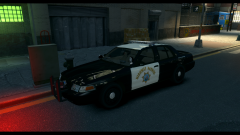
From the album: CHP
My new desktop background! :) I will not do that but its very easy to change the light color yourself after the car(s) has been released! Thanks btw! :)
Thanks man!! :)
I will not do that but its very easy to change the light color yourself after the car(s) has been released! Thanks btw! :)
Thanks man!! :)
From the album: Work In Progress IV
Canceled!!!![[WIP] 3D Interior for Bugs' (Schaefft's) CVPI](//s3-gallery.int-cdn.lcpdfrusercontent.com/gallery/album_2000/sml_gallery_95623_2000_1563913.png) Looks cool!! :)
Looks cool!! :)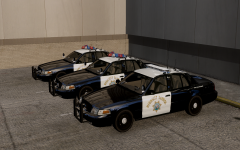 Haha, no you can't!! :)
From the album: CHP
Ready to chase the bad guys! :)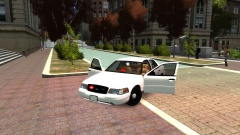 Don't worry I know that! I want to release a pack with two Crown Vics. One will look like this and the other will look exactly like a NYPD Crown Vic! I thought maybe some people don't like Crown Vics with steelrims and chrome grill.
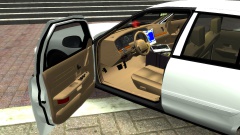 I know! Thank you!
It doesn't look exactly like a Kojak light but it's ELS-H enabled.
I know! Thank you!
It doesn't look exactly like a Kojak light but it's ELS-H enabled.
From the album: Work In Progress IV
Canceled!!!
From the album: Work In Progress IV
Canceled!!!


![[WIP] 3D Interior for Bugs' (Schaefft's) CVPI](http://s3-gallery.int-cdn.lcpdfrusercontent.com/gallery/album_2000/sml_gallery_95623_2000_1563913.png)
Account
Navigation
Search
Configure browser push notifications
Chrome (Android)
- Tap the lock icon next to the address bar.
- Tap Permissions → Notifications.
- Adjust your preference.
Chrome (Desktop)
- Click the padlock icon in the address bar.
- Select Site settings.
- Find Notifications and adjust your preference.
Safari (iOS 16.4+)
- Ensure the site is installed via Add to Home Screen.
- Open Settings App → Notifications.
- Find your app name and adjust your preference.
Safari (macOS)
- Go to Safari → Preferences.
- Click the Websites tab.
- Select Notifications in the sidebar.
- Find this website and adjust your preference.
Edge (Android)
- Tap the lock icon next to the address bar.
- Tap Permissions.
- Find Notifications and adjust your preference.
Edge (Desktop)
- Click the padlock icon in the address bar.
- Click Permissions for this site.
- Find Notifications and adjust your preference.
Firefox (Android)
- Go to Settings → Site permissions.
- Tap Notifications.
- Find this site in the list and adjust your preference.
Firefox (Desktop)
- Open Firefox Settings.
- Search for Notifications.
- Find this site in the list and adjust your preference.