


Creators: Due to background reprocessing of files, approvals and file security checks may be delayed. Thanks for your patience.

DominatorC
Members
-
Joined
-
Last visited
Everything posted by DominatorC
-
-
 Your issue looks like its in the window tint. Replace diffusetint line with a code from a car that spawns with no tint.
- 779 comments
- 187 reviews
-
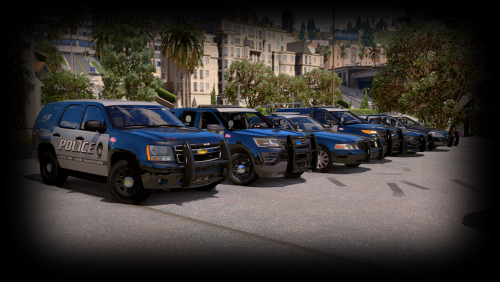 Do you have a link on a tutorial on getting a car to have blue lights? I had a sheriff charger I loved but couldn't keep it for its red/blue.
- 14 comments
- 4 reviews
-
Use this website and locate all traces of your models and replace it within these. Like x64e, Patchday2ng etc http://gtaforums.com/topic/788114-v-pc-vehicles-files-list/
-
First of all, I love the pack. second of all I have an issue on the Impala in which flips when turning too quick. For example my backup comes in but in a roll over. What handling ID do you recommend?
- 779 comments
- 187 reviews
-
 Love the idea but I currently haven't got it to spawn since I have multiple callouts. My idea is have a way to manually spawn the callouts through F4. Youtubers would love this too, being able to "predict" what their filming.
- 84 comments
- 22 reviews
-
I'm on the latest update and the eup oiv install is causing my game to not load. What can I do? Where can I get my crash report? Disregard my issue ended up being scripthook V and having that enable dlc in singleplayer tick
-
 Thank you so much for the reply. Will be installing the siren once game redownloads
- 18 comments
- 2 reviews
-
-

- 1
-
-
-
Sorry for the bump, but I had this running once and it was GREAT however now when I load my game it crashes immediately. Whats the cause
- 28 comments
- 9 reviews
-
 I got it tuned down as you can see the subfinals
 -
Check your IV folder direction again for OpenIV. And you are replacing the files I assume?
-
WIP of projects
-
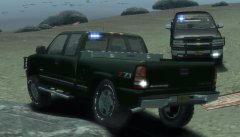
From the album: WIP
Almost done -
From the album: WIP
This is where I had a weird shiny tire -
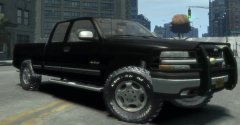
From the album: WIP
This is where I had a weird shiny tire -
From the album: WIP
Adding last things -
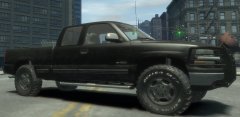
From the album: WIP
This is where I had a weird shiny tire -
Like how can I get less of this: http://prntscr.com/98uxaf and more of this: https://www.youtube.com/watch?v=usHx8FAXZMk
-
Is the whole copied dummy thing a big deal? I copied, renamed and then just put the lights under it. Here's my setup http://prntscr.com/98um80 Good news is I got the truck in game with lights working. I need to rearrange my lighting because the flash pattern is all off but that's no biggie. Question now is I've seen on "1997Chevyboy"s wall his 00' Silverado has flashing fog lights but a lot better. Why is my flash so dim and in the wrong area? http://prntscr.com/98usel
-
Cone? Also I guess I can't just copy the other dummies and rename them. I'm getting a fatal error immediate crash once truck is spawned. http://prntscr.com/98tvft
-
Do you have a link for how the hierarchy should be setup? I just finished all this up by copying the other light's dummies and now I have a fatal error everytime it spawns. I guess I can't do that lol
-
I am mapping out a vehicle lighting system and I need to parent my Extra 3 & 4 but don't know how? Pic explains all

-
I learned some more into it, and it turns out I can't just label extra 1-9 whatever I want. Must be 1-9 and then if extras, attach However if you might know, I want to add wig-wag to my silverado for the reverse lights and the fog lights. Bad news is I can't get the fog lights to flash light, only the texture. (Reverse lights work perfect)
-
Take a screenshot on on your setup?

