



DominatorC
-
Joined
-
Last visited
Everything posted by DominatorC
-
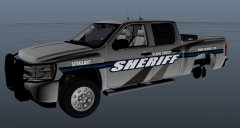
From the album: DominatorC stuff
-
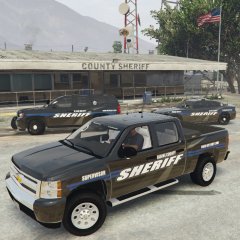
From the album: DominatorC stuff
-
 Last thing is the Tahoe which will be done tomorrow most likely.
 -
Watcha think?
-
Already in process. Doing some experimenting with the Charger
-
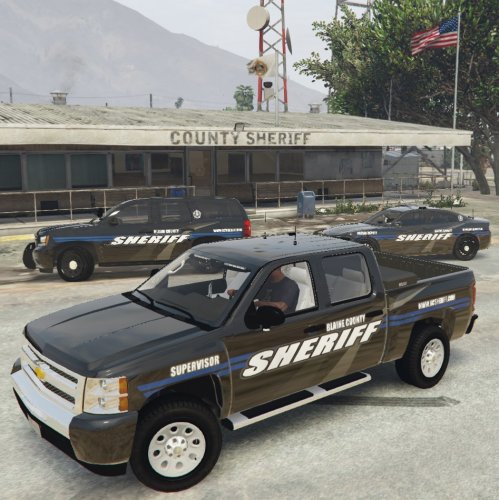
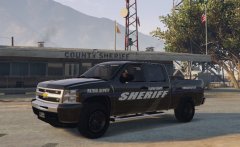
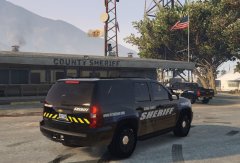
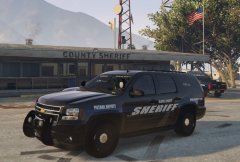
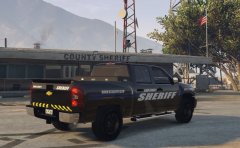
This is based off a modern Dane County, Wisconsin skin with personal touches to fit with the game's theme. Included are 3 vehicle skins which can be downloaded below. 2014 Tahoe: Badged: Supervisor, Patrol Deputy, Sergeant, None Supervisor, Patrol Deputy, Sergeant, None 2015 Charger: Badged: Patrol Deputy, None Patrol Deputy, None 2010 Silverado: Supervisor, Patrol Deputy, Sergeant, None Models used 2016 Marked Charger (JJDawkins Sheriff pack): http://www.gta-mod-center.com/forum/index.php?/files/file/767-lssd-mini-mega-pack/ 2013 Slicktop Taoe (JJDawkins Sheriff pack) Slick Patrol Silverado (BlackJesus) :
-
Change your PostFX to high or above and texture quality to high or above
-
 Italicized, yes I believe so. I do see where it could of made more sense doing it to all the text though. at least the 'BLAINE COUNTY"
 -
From the album: DominatorC stuff
All pics in game. Will do some final touches and probably release a small texture pack. -
From the album: DominatorC stuff
All pics in game. Will do some final touches and probably release a small texture pack. -
From the album: DominatorC stuff
All pics in game. Will do some final touches and probably release a small texture pack. -
From the album: DominatorC stuff
All pics in game. Will do some final touches and probably release a small texture pack. -
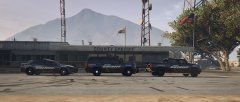
From the album: DominatorC stuff
All pics in game. Will do some final touches and probably release a small texture pack. -
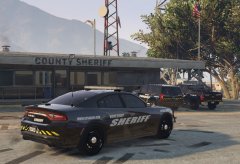
From the album: DominatorC stuff
All pics in game. Will do some final touches and probably release a small texture pack. -
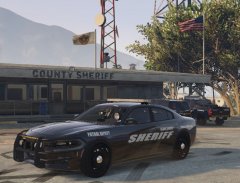
From the album: DominatorC stuff
All pics in game. Will do some final touches and probably release a small texture pack. -
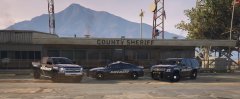
From the album: DominatorC stuff
All pics in game. Will do some final touches and probably release a small texture pack. -
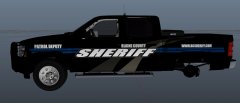
From the album: DominatorC stuff
Threw Skin on Silverado. What is required to release this if I wanted to, and should I add anything? I plan on making the Silverado and Tahoe variants such as Sergeant and Supervisor -
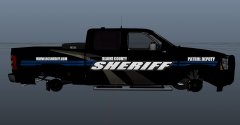
From the album: DominatorC stuff
Threw Skin on Silverado. What is required to release this if I wanted to, and should I add anything? I plan on making the Silverado and Tahoe variants such as Sergeant and Supervisor -
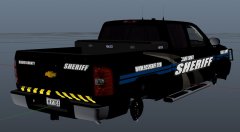
From the album: DominatorC stuff
Threw Skin on Silverado. What is required to release this if I wanted to, and should I add anything? I plan on making the Silverado and Tahoe variants such as Sergeant and Supervisor -
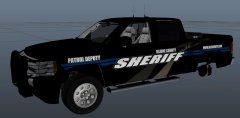
From the album: DominatorC stuff
Threw Skin on Silverado. What is required to release this if I wanted to, and should I add anything? I plan on making the Silverado and Tahoe variants such as Sergeant and Supervisor -
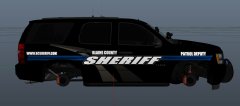
From the album: DominatorC stuff
Threw the skin on a Tahoe -
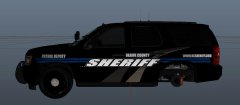
From the album: DominatorC stuff
Threw the skin on a Tahoe -
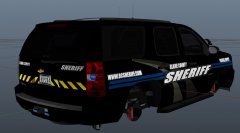
From the album: DominatorC stuff
Threw the skin on a Tahoe -
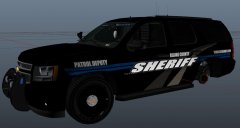
From the album: DominatorC stuff
Threw the skin on a Tahoe -
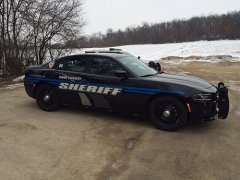 Did a second render to skinny up the "SHERIFF" and added patrol deputy to fender. Deciding whether I want to do a badge or not, not a fan on the pillar position on the stock photo.



