




Pavy
Members
-
Joined
Everything posted by Pavy
-
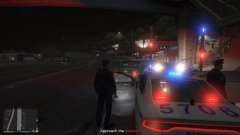
From the album: NYPD Pictures (Noob Version)
-
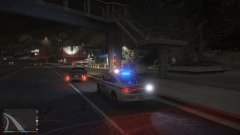
From the album: NYPD Pictures (Noob Version)
-
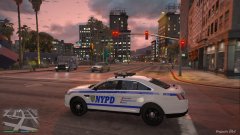
From the album: NYPD Pictures (Noob Version)
-
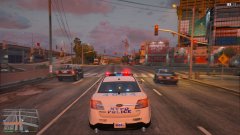
From the album: NYPD Pictures (Noob Version)
-
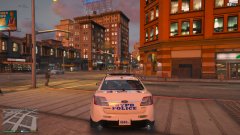
From the album: NYPD Pictures (Noob Version)
-

From the album: NYPD Pictures (Noob Version)
-
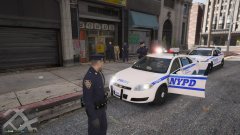
From the album: NYPD Pictures (Noob Version)
-
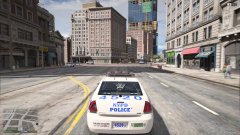
From the album: NYPD Pictures (Noob Version)
-
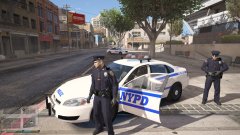
From the album: NYPD Pictures (Noob Version)
-

From the album: NYPD Pictures (Noob Version)
-
Alright, I'll just pm him my discord and have to help him that way. My link wasn't even infinite.
-
I was just posting it so I can help in realtime. I dont even have a public discord I just made it so I can help him.
-
join my discord to see if I can help you
-
Infinite loading deals with the gameconfig.xml Thats whats making your game infinite load 100%. Do this, take out your mods folder from gta, move it somewhere else. Verify your GTA game cache and test the game out.
-
It's very simple. Go to your \mods\x64\audio\sfx\RESIDENT.rpf\ and right click your vehicles -export to .oac and select a new folder. Than in that folder just replace the .wav files and when you are done. Go back to that location in the mods folder and click import and select that vehicles.oac file that you just exported.
-
Try what Rourke said, I think if its infinite loading than your gameconfig.xml needed to be a modded version.
-
-
-
Build Name Alienware Aurora R5 Operating System Windows 10 Home 64-bit Case Alienware Aurora R5 Motherboard Alienware 01NYPT Processor Intel Core i7 6700K @ 4.00GHz Skylake Technology Memory 32GB DDR4 at 2133MHz Graphics Card Nvidia GeForce GTX 1080 Founders Edition with 8GB GDDR5X Storage Drive(s) 250Gb SSDBoot 2TB HDD Seagate 5TB External HDD WD My Passport 2TB External HDD Power Supply /Cooling System Alienware™ 850 Watt Multi-GPU Approved Power Supply with High Peformance Liquid Cooling Sound Card Realtek Audio Network Card Qualcomm DW1820 2x2 802.11ac Wi-Fi Wireless LAN and Bluetooth 4.1 Monitor(s) Acer R240HY bidx 23.8-Inch IPS HDMI DVI VGA (1920 x 1080) Widescreen Monitor Asus VS247H-P 23.6-Inch Full-HD LED-Lit LCD Monitor ASUS VG248QE 24" Full HD 1920x1080 144Hz 1ms HDMI Gaming Monitor Keyboard Razer Blackwidow Chroma V2 Mouse Razer Naga Epic Chroma Peripherals/Other Razer Firefly, HyperX Cloud II Gaming Headset, PS4 Controller, Logitech Extreme 3D Pro
-
-
 This no longer crashes for me, Idk what was the fixed but its working normally now. I also have the flashlight still in loadout. Thanks anyways!
- 75 comments
- 33 reviews
-
Not sure what your talking about? I just tested this even though I don't play it. I made an account and was able to download it. Try to login with facebook or twitter. It allows you to do that.
-
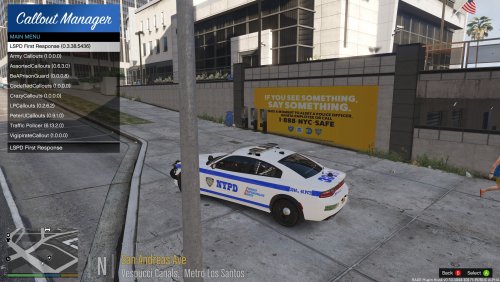 Awesome work! Super realistic precincts. The only real nyc police station mod out there.
- 13 comments
- 8 reviews
-
-

- 1
-
-
http://www.dev-c.com/gtav/scripthookv/
-
You can't even access gta online with ragehook. It prevents you completely from going online. You can't get banned for playing lspdfr. Back in gta 4 you could play lcpdfr online with friends but super buggy.

