


Sheriff Van Dyck
Members
-
Joined
-
Last visited
Everything posted by Sheriff Van Dyck
-
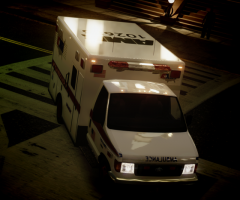 lol, looks like!!!
 -
From the album: Going on Patrol
-
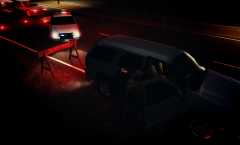
From the album: Going on Patrol
-
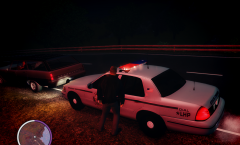
From the album: Going on Patrol
Skin made by me, inspired on the Nevada DPS -
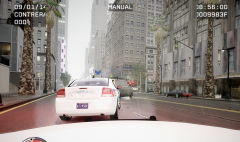
From the album: Going on Patrol
I was thinking of this guys robbing a bank and then trying to get away, it was pretty cool for me so i'm sharing this moment -
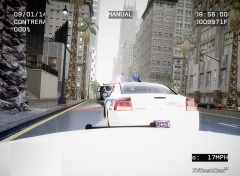
From the album: Going on Patrol
I was thinking of this guys robbing a bank and then trying to get away, it was pretty cool for me so i'm sharing this moment -
 Did anybody said "Twerking"?
 -
Thanks for this, i've been waiting for the one from EVI but it seems he will never release it. Just needs a little work and it's done. Great job!
- 16 comments
- 3 reviews
-
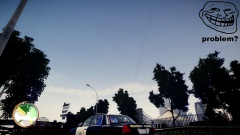 I'm gonna stop asking for a cvpi with an antenna. Even the aliens could hear the transmissions with that... Looks great tho!
 -
 Great job, i find it more stable and it does crash less, but i guess the crashes are related to another things, not LCPD:FR. I'm just missing my coffee cup :-(
- 162 comments
- 338 reviews
-
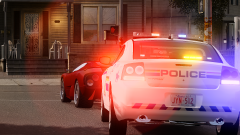 Bro! I don't know if it's my account or what, but i can't find this charger on gtauniverse :-( I want it really bad. Can w make some deal so i can have it? :-)
 -
hahaha Corruption? Where? XD
-
-
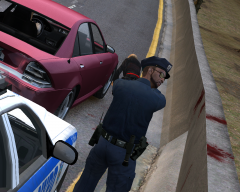 hahahah this is great
 -
Hi all, just wanted to share that i found another bug, when i press the button to "take hold of the suspect", it does the animation like trying to grab something, but can't grab the suspect. I have to reloadscripts on the console to make it work again, but at the second arrest i do it does the same. Hope you can get that fixed, and when i arrest someone and i call for transport, the transport never shows up and i don't know how to call for another one. game says "hold RB or E button" but it doesn't do anything. Any suggestions? Thank you! :-)
-
-
Oh! Thank you! :-)
-
So, the game freezes when investigating a suspect, crashing to desktop. Log says "Ped already has a non-default content manager. It's recommended to properly reset the content manager, before changing" How do i reset that, and what is it? Thank you! :-)
-
Yeah, i reload scripts and it works fine for a minutes, but at random arrests it justs stops again!
-
You're welcome. Now i'm just going to sit here and wait. haha Thank you LMS :-)
-
Okay, will remove them and see what happens. EDIT: Same issue, game crashes randomly, most of the times when starting a pursuit or in the middle of it, trying to grab a suspect (Grab script crashes) and on world events. I have removed all the other mods/asi scripts, just using the LCPDFR 1.0Yes sir, trafficControlSystem and TrafficFlow (for certain TBoGT cars)hi again, im able to play 1.0 for 5 minutes or less, because at some point (arrest,frisk,chase...) the game crashes. Hope you could tell me what's going on or if it's my PC... 1.0 it's pretty cool but i can't play it normally! The log is here:Hi guys, i've just installed 1.0 and works fine, but when im in the tutorial (and playing normally) when i try to Grab a suspect that i've arrested, it doesn't do anything and the console shows an error: "Error while processing script: Grab: Object reference not set to an instance of an object" What can i do? I'm on TBoGT 1.1.2.0 Installed manually (Automatic was asking me to install 64bits program but im on 32bits) And also, the plugins folder on the LCPDFR folder is empty, is that ok?

