


Sheriff Van Dyck
Members
-
Joined
-
Last visited
Everything posted by Sheriff Van Dyck
-
OMG! I can finally get out from my cave!!! See you in ten years!
-
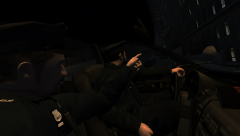 Great, thank you!
 -
I love this kind of pics. Well done! What's the animation you used for the driver btw? Looks PRO!
-
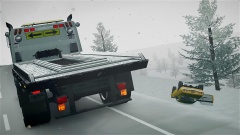 Oh you again! Whats that map?
 -
-
![Liberty City Code 3 Javelin Pack[WIP]](//s3-gallery.int-cdn.lcpdfrusercontent.com/gallery/album_1038/sml_gallery_13885_1038_2416534.png) I like that Charger! Can you put some antennas on it? :3
I like that Charger! Can you put some antennas on it? :3 -
-
Yea, the Crown Vics, in Mexico.
-
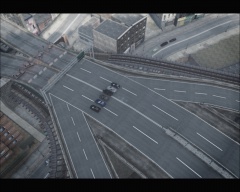 OMG. Whats that road texture? And that ENB looks amazing, like GTA V.
 -
Ok, but i don't have a mic
-
Yes, right click - Run as Admin - Every time i start the game up. None of the compatibility modes work. I have all drivers updated, re-installed the graphics drivers, all WU are installed, i'm using Scripthook 0.5.1.0, i don't know what can be the main cause because i was able to play it on High Settings and i have never experienced an issue like this, it also happens with every other game. I'm thinking that it could be my GPU
-
Okay so i was trying to get my issue solved, I've got no luck at all everything seems too messed up with my game and my pc. So i found something, if you know what does it means, please let me know! Oh and btw, the game loads up perfectly but as soon as i step out of the apartment everything looks like painted with "paint" and in a second it all just go away, pedestrians stop walking, cars stop driving, the only thing moving its me. As you can see it is NOT the known texture bug. Ok so this is what i've found out:
-
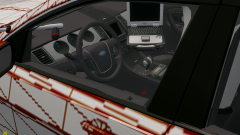 Oh my God, that is called DEFINITION. Wow. Can somebody pick up my eyes?
 -
Hi! Yes sir, it is, thanks for the compliment, i'm from Mexico. :-)
-
You're right, as soon as i can i'm gonna get it fixed or checked, if the problem persists i'm gonna let you know, thank you for replying
-
Do you guys think that the problem comes from the PSU? Because at this point, i don't know if the problem is in the CPU or the GPU too
-
These are the profile settings, they are in Spanish, below i'll translate it: Notice that the green text is what i have activated, and the red ones are the other options for each option. 1. Acceleration of multiple screens and mixed GPU - Single display performance mode / (Multiple Screens mode) 2. Triple buffering - Activated / (deactivated) 3. CUDA - GPU - All 4. Texture Filtering - Quality - Performance / (High Quality - Quality - Performance - High Performance) 5. Texture Filtering - Negative LOD Difference - Allow /(fixation) 6. Texture Filtering - Anisotropic sample optimization - Activated /(deactivated) 7. Texture Filtering - Trilinear Optimization - Activated / (deactivated) 8. anisotropic filtering - Controlled by Application / (Deactivated - 2x - 4x - 8x - 16x) 9. Power Control Mode - Adaptable / (Prefer maximum performance) 10. Maximum number of frames represented previously - Use 3D config / (1 - 2 - 3 - 4) 11. Optimization bound - Automatic / (Activated - Deactivated) 12. Vertical Sync - Activated / (Deactivated - Adaptable - Adaptable (half actualization frequency) )-. 13. Antialiasing - Gamma Correction - Activated /(Deactivated) 14. Antialiasiing - Mode - Controlled by Application / (Deactivated - improve application configuration - override any application settings) 15. Antialiasing - Transparency - Deactivated / (Activated - Multisample - 2x,4x,8x (super sampling) 16. Antialiasing - FXAA - Activated / (deactivated)
-
No, it happens with everygame. Before this issue every game went perfectly
-
Exactly. Two months ago, i was able to play GT on max settings, NFS HP on ultra, CoD too. I haven't changed any hardware nor software, drivers are up to date, i also tried with the previous graphics drivers and it was the same, so i can say it's not about drivers
-
Not yet the 660 i'm gonna have to wait as i will surely be building a new one :-/ Currently i have a ZOTAC GeForce GTS 450, 1GB GDDR5 128bits. It's old but it could handle GTA very well. Do you want me to post some before - after pictures of the game?
-
The system hangs up randomly, i can see that the HDD led stops showing that is working, so i have to wait for a minute or slightly shake it. All of the cable connections are now reconnected but the issue persists. Yes, i can confirm that the noise is from the PSU, and i think it is strong enough, it's a 600 w Pixxo Jaguar, do you think it's a bad one or a good one? I have re installed GTA two or three times but it is like if i was playing it on a 64MB gpu haha But i have noticed something, i think you know that when you are playing you can hear your GPU working and the fans cooling, well, since i have this issue i can't hear it anymore, it's like my GPU remains on "idle" with every game, i don't know if i explain myself... I have run the FurMark but it tells me that there isn't any issue with my graphics card, when i did this test with FurMark i could hear the GPU working at 100%
-
Hello @gnat, thank you. Wires are ok, in their place now but the noise still there every time i turn on the PC, in particular after turning off the AC button on the PSU. Temperatures are fine according with the logs on FURMARK, the benchmark or the things that this app does are just fine. I'm going to get my PSU checked and let u know. And also the system hangs up sometimes (without the blue screen) and i have to reset it manually. If my PSU is ok, then could it be some issue with the processor or the GPU? Oh, and when i accidentally hit the pc, it turns off instantly.
-
Hello! Just a quick question, i'm planning on upgrade my PC, i'm now on a ZOTAC GTS 450 1GB GDDR5 128b and an AMD Phenom II X3 720 BE and it used to handle GTA very well at high settings, but a couple of months ago the game had some serious problems (you know, texture loss) and i thought it was a bad driver or something, but everything seemed to disappear, the city was like "made in paint", the shadows were not well displayed, and i had the same problems with NFS HP and Resident Evil 5 too, and other games. So now, i don't know if that is a problem with my GPU or my processor or even my PSU since it has been making some weird noises like BGRRRRRRRRRRRRRR every time i turn it on. Do you guys think that it would be a good option to get a EVGA GTX 660 2GB with an Amd Fx 6300 3.5ghz 6 cores 14mb Skt Am3+? I'm also changing my RAM, for now i'm running 4GB (2x 2GB) one Corsair 1333MHZ and the other one is ADATA but on 1066MHZ. I guess that's another problem. Thank you guys!
-
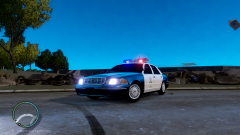 What about adding some antennas and a rambar for a special version?
 -
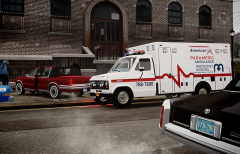 Your pictures have that "something" that makes me wanna stare at them all day.

![Liberty City Code 3 Javelin Pack[WIP]](http://s3-gallery.int-cdn.lcpdfrusercontent.com/gallery/album_1038/sml_gallery_13885_1038_2416534.png)
