Illusionyary
Members
-
Joined
-
Last visited
Everything posted by Illusionyary
-
-
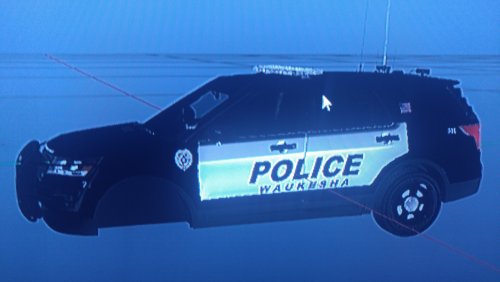 @KC9UNK Rather than taking a photograph of your computer monitor, press the Print Screen button on your keyboard and then open Paint and press Ctrl+V to paste the image into paint. Once you've done that just save it as a JPG and then upload it as your image. It'll look 10x better than your current photographs.
 -
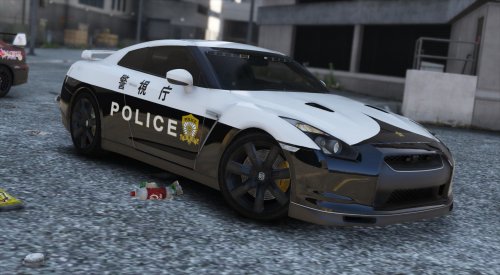 Oh yeah, me too. Unfortunately none of the models exist for V. There was an R34 Skyline TMP for IV, but it hasn't been done in V yet. The R34s are retired anyway, you're only really going to see a Toyota Crown nowadays.
- 6 comments
- 4 reviews
-
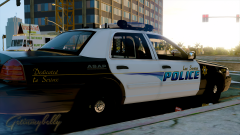 LA Airports? :p
 -
What, with CVPI's and stuff? With Japanese markings? :o What does yours look like? My one is bigger than the one I posted above, I just scaled it down so it's not huge on the page.
- 6 comments
- 4 reviews
-
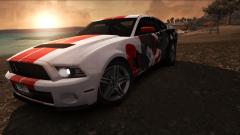
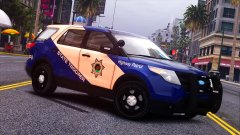 Interesting scheme. Not big on the "Highway Patrol" text though, looks out of place.
 -
From the album: GTA V Illusions
-
Texture for ALLENjr12's unmarked Nissan GTR model representing what a Tokyo Metropolitan Police livery might look like. Works on both versions of the car. I made the badge basically from scratch as I couldn't find any premade ones on the internet. It's not perfect by a long shot, but it doesn't look too out of place on the car. 警視庁 = Metropolitan Police Department 原 = Original - I wasn't quite sure what the roof characters were meant to be, I initially thought they were some sort of prefecture or just "unit/car" but I never found out, so I just went with "Original" since that's what it is, an original design (as the TMP doesn't use the Godzilla). They do use this gorgeous thing though: I've included the PSD file I used to create this texture so you can mess about with it if you like. Thanks for downloading and please leave any feedback below, thanks.
- 6 comments
- 4 reviews
-
-

- 2
-
-
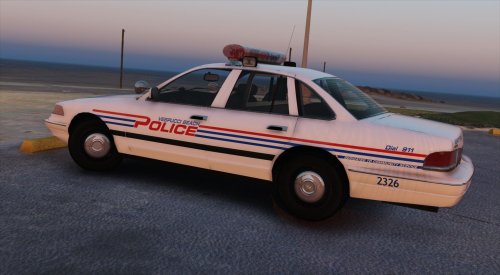 Oh okay, I wasn't sure if you were or not. Yeah, it just screams 90s. I love it.
- 12 comments
- 2 reviews
-
I actually thought Fury was one of the more realistic war films out there. I mean yes the SS unit they encountered were completely stupid, but not all of the SS units in real life were as "elite" as they're made out to be. And the film is set in 1944/1945, when the German army was scraping the bottom of the barrel for manpower. Which explains the SS unit and why the Tiger crew pulled out of their cover position to engage the Shermans.
-
This topic has been moved to the appropriate forum. Please post in the correct location in the future.
-
Why release an update 6 years after the last one? It makes no sense.
-
I really liked; Fury We Were Soldiers Saving Private Ryan Black Hawk Down Band of Brothers (Mini-series but I'm counting it) The Pacific (see above) Top Gun (does Top Gun count as a "war" film?)
-
Nothing to do with LSPDFR, moved to GTA V Modding Discussion. This topic has been moved to the appropriate forum. Please post in the correct location in the future.
-
That looks like a Whelen Edge 9000 to me.Ah great to know, thanks. According to the reviews on Newegg the 850 PRO is a bit better than the EVO, so I'm likely going to get that one. There isn't much difference in the price.According to their stock availability both the SSD and the RAM I'm after are in stock in my nearest store. That's pretty good. Thanks again for letting me know about them, I really didn't have a clue when it came to Australian companies that sold PC parts.Ah thanks Couth, I've never heard of them but there's a MSY store about 20 minutes from me and by the looks of things they've got the Samsung SSDs I was looking at for about the same price as Newegg. They've also got a few RAM options too. Maybe I won't have to buy online after-all. :P Perhaps I'll get the 250GB version and save some money and buy a new headset/microphone with what's left over since the 512GB version is $299, and I don't think I'm going to use 512GBs on recording.Did you buy it online (and have it shipped) or did you buy it from a shop? If so, do you know any chains in Australia that sell them (SSDs in general)? I'd rather not have to pay shipping on-top but if it means getting a greater product then I will do.With my birthday and Christmas coming up, I'd like to get some more RAM and an internal SSD for my PC. I've already decided what RAM I want, however I'm not sure what kind of SSDs are good, or what I should get. I've done a quick bit of research on Newegg and the Samsung 850 Evo seems to be the standout, but I'm really not sure. Price isn't too much of an issue provided it's no more than about $300 (with shipping), but I'd like to get something with at-least 200GB to 500GB of storage and a fast write speed. Anyone have any suggestions other than the 850? PC specs are as follows:Well it depends. Some slots get overridden by the same files in a later patchday folder, which means if you follow an outdated installation you'll end up not replacing the car. Putting it in one of your latest patchday folders (I still use patchday11) is the safest and makes for an easy uninstall as you don't have to worry about replacing the files with vanilla ones again. This topic has been moved to the appropriate forum. Please post in the correct location in the future.