
Schecter004
Members
-
Joined
-
Last visited
Everything posted by Schecter004
-
 Thanks for the explanation. Well, you know Warsaw or Warszawa is the capital of Poland.
- 13 comments
- 5 reviews
-
-
-
-
-
 Hello. How can i change the Coroner model? I'm searching for an hour now, but can't find any .ini file to edit.
- 1,196 comments
- 127 reviews
-
 Just wow! A very good example of high quality work combined with great performance.
- 16 comments
- 7 reviews
-
-

- 1
-
-
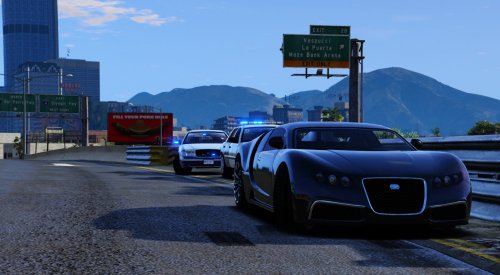 Again. I just played with the slick and i have to say, this definitely one of the best vehicle packs out there. I love it!
- 33 comments
- 7 reviews
-
-
- 1
-
-
Well, I don't see a different pattern. But whatever, I can synchronize them by myself via ELS. Last question: Is there a chance for an upright position of the spotlights, including Extra_11?
- 33 comments
- 7 reviews
-
Mmhhh. But in the video all the rear lights are synchronized. But on your car the right rear deck lights have a different pattern than the PRML lights.
- 33 comments
- 7 reviews
-
I'm glad you've fixed it. But what's with the other thing? For what reason did you set up the right rear deck lights as SEC lights?
- 33 comments
- 7 reviews
-
Sure. Here we go: The light stays on it's place, instead of moving with the door.
- 33 comments
- 7 reviews
-
First of all. Great job on this, like i said in my review. But i noticed two things. 1. Why are the right rear Avengers set up as SEC lights? 2. When i open the driver or passenger door, the Avenger lights doesn't move with the housing.
- 33 comments
- 7 reviews
-
-
-
.thumb.png.debb2e8fd42b234303e9e2473fb894e8.png) Thanks for reply. Does the Alt+ work? Well, maybe it's because i use an European keyboard, but i tried and it doesn't work. Will try it again with an another key combo.
Thanks for reply. Does the Alt+ work? Well, maybe it's because i use an European keyboard, but i tried and it doesn't work. Will try it again with an another key combo.- 100 comments
- 39 reviews
-
Hello, hello! After the last update the cars came out awesome. But why no Takedowns? Please add the Takedown feature. I need something to illuminate the environment while on a traffic stop. Personally i don't like the alternate red/ blue in the lightbar. But that's just my personal opinion.
- 100 comments
- 39 reviews
-
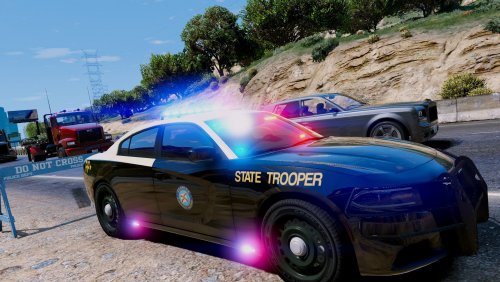 Is it meant to be a joke with all these lights? Looks like an Emergency lights manufacture Demo vehicle instead of a serious car.
- 48 comments
- 5 reviews
-
-
- 2
-
-
-
Hey Taylor. How is it going? Are you still alive?
-
Well, in my opinion, everything is fine. Except the lightbar. If you look from the side, the lights are barely visible.
-
Yeah Sachsen. These are cool people. In comparison to Northrine- Westfalia, Sachsen, or Saxony is still Germany.
-
Well, in comparison to other countries, the USA for example, German LEO's are pretty Well trained. The average training in the US is ridicolous 6 month. But there has always been a huge lack of lights on German popo cars. Those huge lightbars with actual only to lights on it and in the centre the message board. You can see the text only if you're close enough. And it's something special to have grill lights on it. But they must be mounten at least 65 cm over the ground and MUST flash simultanisley(?). Dash lights are prohibited and only alternate or together is allowed on the lightbar. And only blue, no red. Some State Polices started to have amber at the 4 corners on the lightbar. But that's pretty it. Very poor because of stupid regulations from the slow and conservative Amtsschimmel.
-
Saginaw County Sheriff's new fleet:
-
Yeah, i know.

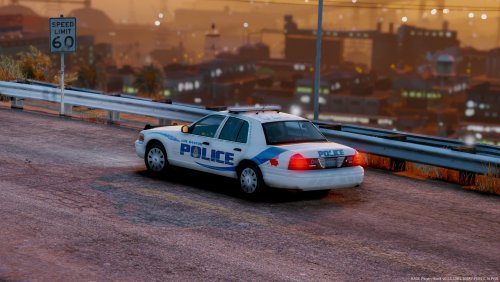
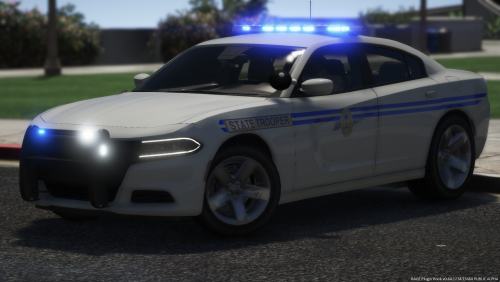
.thumb.png.debb2e8fd42b234303e9e2473fb894e8.png)