


Molten
Members
-
Joined
-
Last visited
Everything posted by Molten
-
-
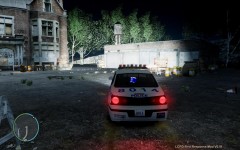 Only just seen this pic. Nice atmospheric shot.
 -
-
My understanding of the 3 star problem is when you get 3 stars the game send out Noose is it ? I can't recal. Anyway the problem lies in spawning the model the game sends when 3 stars is achieved. So if your game crashes when you call for noose back up it will prob crash when you get 3 stars as well. This can be for a number of reasons. The noose model itself, or the noose model being ELS enabled. Or something else entirely I havent thought off :) Turning off AI ELS can solve some peoples problems. I myself reverted to using the standard noose cruiser. I use a non els nstockade and that seems to be fine. Everyone will be different but me it was the ELS noose cruiser model causing issues.
-
Ai_ELS_SP = 1 Change the number "1" to a zero "0" to turn AI ELS off. This line is found in ELS.ini Also it's worth making the distinction that it's not the ELS program that causes crashes but as Sniper pointed out, the way it works, causing parts of the model to reload several times a second that puts a strain on PC's. And many PC's including high end can sometimes run into issues with this method.
-
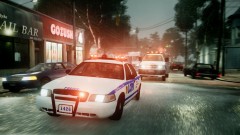 My guess is he takes lots and lots of screenshots, and out of a bunch he gets the odd gem. The more pics you take the more likely you will capture a fab moment. Been thinking about using the fraps function of auto taking a pic every few seconds.
 -
ENB replaces all sorts of files that might have an effect on the apperance of lights. Timecycles and timecyclemodifier files as well as the visualsettings you allready mentioned. If I can think of any other files that might be altered by ENB that effect lights I will let you know but thats all I can think of at the moment.
-
Have you got ELS lights flashing on these cars. Because ELS works by loading the model several times a second and has a side effect of not taking/ or rather instantly repairing damage almost as fast as it happens. So fast you never see any damage appear. So if your using ELS on these cars thats your answer. At shootouts I use my car for cover and I like to see damage / gunshot on the car. Only way I can achieve this sadly is turn of the lights just before I exit the car.
-
-
-
-
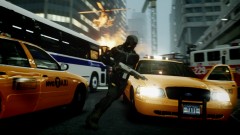 Epic is a word that seems to fit here.
 -
-
-
OK in the ENB .ini do you have 2 lines in Engine that look like this..... [ENGINE] ForceDisplaySize=false ForceAntialiasing=false If so they need tp be "false" as shown here. That will turn of the part of ENB that resizes your display. The downside is it will lessen the overall quality but it's the only fix I know. I gave up on ENB a while ago and just use timecycles now but maybe someone else might know of a better work around. Also I can't remember for sure but think they both need to be false to stop ENB resizeing but you can experiment by just having display size false. not sure if that works though withouth Antialiasing being false too. If your .INI doesn't have this maybe you need to look around for a new ENB. I am out of touch with whats on offer and prefered the ICE versions anyway.
-
Only time that's happened to me is when a third party program is resizeing my display, or on ocassion if I change resolution in game after starting the game. But buttons not lineing up with the hit / click markers is exactly what I experienced under those conditions. Like I said though only happens if I change res' after starting game in graphics options or a third party program such as ENB's resizeing which happens when using the AA function. I would guess you are starting the game at a certain Res' and then changing it maybe ? If that is the case I'm not sure of a workaround or solution other than starting the game at the res you want to play in.
-
 lol total fail, never even noticed the search result had brought up a cvpi. :/ And yeah it don't seem to be in his download section at all.
 -
Interesting... I tried to hit the like button (in youtube) as I could see no artistic, content or quality reaons why it would get such negative votes, but for some reason I was getting an error message when I tried and told to try again later. I did see your comment about your thoughts on why it had recieved neagative votes and I hold no opinion one way or the other and don't wish to get involved in politics between groups. Just thought it didn't deserve such negativity. Good luck with Elgin city.
-
could it be this one ? http://gtapolicemods.com/downloads.php?do=file&id=595 If it's not I give up :) I'm not really up to speed on lights etc. you never would have guessed eh.
-
In graphics settings in game. Lower your texture settings. Lower reflections. Turn off all shadows. Reduce view distance and set vehicle density down to around 10. In other words lower your graphic settings. This might ease the load on your pc. Can even try running at a lower resoloution see if that has an effect. As you can see from other replies, even with a good PC this game has issues.
-
Might be this one or one of the others in same section. http://gtapolicemods.com/downloads.php?do=file&id=354
-
Think his main enquiry was is it ELS, or the file size of a car that is the main offender in causing issues. TBH I am not sure. Though I was always under the impression it's file size, and ELS is just an aggrivating factor making whatever the file size load several times a second making things worse. So my guess is both play a part but would be good to know if anyone has any concrete theorys, or has tested out Low file size ELS vs huge file size non ELS (if such extreme examples can be found) to see what is the main offender. Hard to tell without testing or being told by someone who knows, as most ELS car are by their nature large in size to begin with.
-
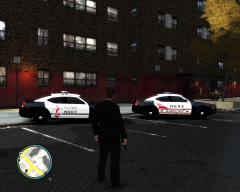 Thanks. My 2nd and 3rd attemp at skins. tbh all I am doing is getting creative with the cloneing tool with images from the net and using straight lines and text. I have to use existing skins and erase all the text and features as I cant even colour in doors ,roof ,hood etc neatly :) If I try it all comes out like a 5 year old picture. I will learn in time. So apart from my own use for coutesy I would be asking the skins origional author for their blessing first before I put them up anywhere.
 -
I can play over an hour easy, but thats because over time I have learnt what my system and the game are capable of dealing with. I have els enabled cars in FBI, police 2, Firetruck, Ambulance. I then have non els cars in nearly all the other police / noose slots. If I put ELS cars in Noose or police1 I get crashes often. No system is the same. That's why you mod one car slot at a time and see how it runs.
-
It's TS3 client you want. http://www.teamspeak...?page=downloads


