


Molten
Members
-
Joined
-
Last visited
Everything posted by Molten
-
Splendid. Someone keep him talking while I nail his feet to the floor. On a serious note happy that he took the time to reconsider. :yes:
-
I seem to spend a lot of time moving peds to the sidewalk that are causing massive traffic jams by just standing in the road. As to how I dispatch units, whatever is needed at the time. I never use the fire plane as you would be sued by every resident in the city. But I do like a big fire. I often wait and let them get a little bigger before I dispatch :)
-
Citation holder goes well with LCPDDFR. A simple mod but it's the small things that make a difference. Also can't recal the name but the mod that puts LCPD logo's etc on the doors of the interior of the police station and police logo on the computers.
-
MODERATOR NOTICE Moved thread out of LCPDFR support as allthough relateing to LCPDFR it is more of a general gameplay question You might want to look at a mod called Simple Native Trainer as well as this gives you lots of options to spawn cars / peds / models etc amounst other things such as changing weather and time. But what Ekalb wrote is easiest option, though note it will only work when LCPDFR is running. SNT works anytime. Edit: please note that when using SNT you must disable shortcut commands in options to avoid conflicts.
-
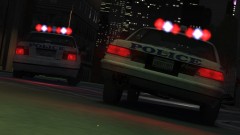 Personally I like to see the stock cars, especially in vids. They have a certain charm to them.
 -
 Well he will be sadly missed, but I have had my eye on his office for some time. It's right next to the water cooler and donut machine. He would have wanted me to have it :p
 -
Yeah I'm sorry I made it harder than it needed to be. Just use the "asign keystroke" that will let you add a combo such as ALT T Also just remembered that some things I couldn't get to work such as ALT K to clear an area But things like K and J for lights work well and taser as said works well And.. In the pic you are in Mode 1 so make sure when playing you are in mode 1 and the M1 button is lit One more thing. If you save profile and call it GTAIV then using keyboard buttons beneath the LCD select that profile and lock it in place when playing the game until it says GTAIV profile activated. Main reason I just overwrote the default. This has to be the worst explained set of posts I have ever made :p
-
I have G15 keyboard, and the left hand programable key I use for ( from bottom to top G6 - G3 ) G6: secondary els lights , G5: primary els lights, G4: draw taser, and G3 hazard lights (mainly to turn them off because when accepting a call with "Y" it sometimes turns them on. To programe things like draw taser you need to use macro and put in ALT, a delay and then T for things that only need one key just assign key function. May not be that clear but I had to mess about with it a lot. Also make sure you programe M1 and then use M1 buton at the top because it possible to have 3 sets of programes. M1 - M3 Edit, I did all of this using the key profiler software. Also when finished I saved it as default but you can save as GTAIV and then have that load whenever the game runs but I found it easier just to put it in default as I dont use macros for any other game. Second Edit: :) To try and be clearer. open the profiler and where it says unasigned click on that key. then select asign macro and then create new macro. Then start recording and make the key strokes you want recorded. ie Alt T. Then stop recording and edit if needed. such as delete uneeded delays or key strokes. Or add anything that is needed. Second method I just remembered and might be easier is asign keystroke and then just add the key combination you need. Click on "unasigned" and then add keystroke, then it will let you add ALT T. Save and your done. Hard to explain this as I had trouble myself. but second method is easiest.
-
Just to echo what others have said, I am sure this will be a real help to people, myself included. +1
-
Hope it's been converted to land as well :)
-
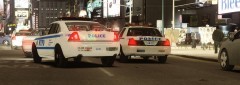 CJ24 has one on this site. Think it's the one in the pic too. Also there is another version with license plate cameras on the back mafe by Yakadaffi if memory serves me. Just checked and EVI has a version on this site too (without camera's)
 -
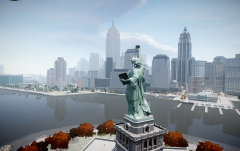 Agreed, nice reflections in the river.
 -
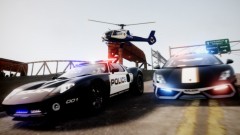 Poor effort... bad graphics, crap cars, uninteresting scene and overall just plain... Just kidding, begining to run out of great adjectives to describe your pics :) Exellent result as always.
 -
Yeah not sure why I like this pic, but for some reason it just works :) Could be it's nicely framed and has good depth of field. Wish more people would approach screen shots as if they were using a camera like this :) Nice pic
-
Aston Martin db9 or E type Jag
-
Excellent thx. :)
-
Thx for trying to help but in Vegas they use "template" to cover what type of format, code etc to open and use. Bad use of words imo as template means something else to most people.See screenshot. The FPS and res size I can work out it's the "PAL, NTSC, HDV, etc etc I'm not sure about. http://imageshack.us...0712562299.png/
-
@ Likvidator: MODERATOR NOTICE Please use your "Edit" button and edit your posts rather than double / tripple posting after each other. thx
-
This happens when you upload to YouTube. It will release the lower quality as soon as it can and then, (sometimes many hours after) it will release HD versions when ready. Obviously it will only release HD versions if the uploaded footage is of good enough quality to do so.
-
Hi, I have just been given an old copy of Sony Vegas Pro 8. I am used to Windows movie maker so this will be really nice to use. I will prob' have lots of questions about it as I have never used it before or any of the other versions but one thing is giving me trouble. "New Project" When opening a new project it gives you lots of options ranging from video to audio settings. In the video settings I would like some advice as to what to change from the default, if anything at all. Obviously width and height I will change to whatever res I recorded footage in. But the main thing I really need advice on is the first option "template" I have no idea what to go with on this one. Can anyone who uses vegas tell me what setting you use in this section and what effect it has, Any help appreciated thx.
-
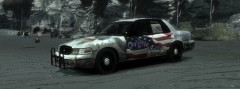 Respect and tribute are never out of place. I don't use skins like this in game but I always like to see them. Good effort.
 -
Keep hearing good things about that show. Shame I can't get it :(
-
Excellent Movie, that would have been my third choice :)
-
As the title says, I want to know your top 2 favourite police movies. Also I would like to know your top 2 TV cop shows of all time. No more than 2 choices in each category. I will start of with my top 2 police movies are Seven, and In the heat of the night. In the heat of the night: (not to be confused with the TV show of the same name) Staring Sidney Poitier and Rod Stieger. Set in the Early 1960's in a fictional Mississippi town a black man is accused of the murder of a rich white man on the slimest of evidence. Sidney Poitier gets involved and is this towns police departments worst nightmare... A black man with a badge ! Can the town and police department survive such a thing ? I really recomend this film if you haven't seen it, it's a cult classic. It won a bunch of awards at the time. Seven: Staring Morgan Freeman and Brad Pitt as detectives,filmed in a way that shows the city as threatening, seedy and depressing. (it's always raining) Kevin Spacey puts in an amazing performance of a disturbed, but self diciplined serial killer who has a single minded mission to point out and punish the Sins of society and the evil ways we live. He is in effect preeching. http://www.youtube.com/watch?v=v4NcuPb4wmA My two best all time cop TV shows have to be Kojak and the Sweeny. Very differnet shows but I guess I just grew up with these shows. Also it was a time when TV didn't shy away from violence :) So what are your top 2 cop films and tv shows ?
-
Well there's your issue. Looking at that vid you are running police pursuit mod which has nothing to do whatsoever with G17 media or LCPD:FR. Reinstall your game and then instal LCPDFR, but this time without installing police pursuit mod. If however PPM is the mod you want to run then you need to get support on that forum.


