


Hoffers
Members
-
Joined
-
Last visited
Everything posted by Hoffers
-
No, I'd say its the ludacris embedded in this thread. Now go drink your whiskey on the other side of the Safety Vault
-
That, was pretty cool. One for science! (I think)
-
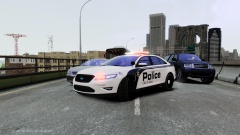 Oh your enb is sexy. <3 Oh and so is the car ;p
 -
-
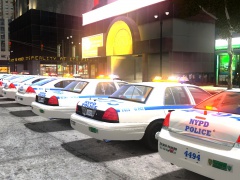 Oh okay :)
 -
Hey guys! Was a little bored, so I put my C# to the test with a ridiculously simple script. This script makes the player have their character regenerate full health and armour every 20 seconds, so therefore making them invincible. It also checks for the key M to be pressed to spawn a faggio. When the faggio is spawned, the player will receive a text box saying the vehicle has spawned. This should work.
-
So? You still used LAPD right?
-
Finally realise LAPD was drunk and you sent them home? Good job.
-
I prefer the snow, and my pee bottle. Mmm, warm pee bottle *weird sound effects*
-
Aw. But it's cold; oh so cold.
-
Seems to be something wrong with your code.
-
Time to visit this place called "outside".
-
 What even is a Tahoe?
 -
Oh ): *shamelessly walks back to the vault*
-
There's an unlocked valor?! A little birdy told me that EVI may be releasing quite a few things unlocked..
-
Grammar lesson! "Everyone has gone insane."
-
Hey! I am a good driver! *veers off the road into a median strip*
-
Oooh, my topic! Wow. Reading back that topic, shows how much I have grown up. About the topic at hand; I actually did attempt this, but I for the life of me have no idea how to open the traffic paths... (I could do all the rest) So! If anyone knows how, please let me know! Via this thread or PM.
-
Sssh, don't tell them! This one is bookmarked :P
-
Everyone do the stupid!
-
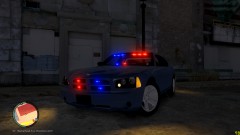 Holy hell! 79 FPS with a ENB, Car mods and ELS :O Do you have a NASA computer? You are playing that shitty port; GTAIV right?
 -
You better release the hammer cause I aint saying happy birthday! :p
-
 Are you open to trades?
 -
No, not wishful thinking, facts. On this site, to rate a members profile you have to visit the profile and be a registered member. Before you visited my profile 40 minutes ago I was on three stars thanks to Mustu. Then I check my profile and it says 2 stars, I look to see who recently visited my page and you were the only one in the time frame. Explain that. Regarding the not showing cyber-stalking definition; I did, did you not click open the spoiler? I quoted the definition from the State University: "University of Houston" I also included sources for you to read up on.
-
Please define the part of my previous comment that says that he only used Facebook to find that information, please. Do you know what the definition of stalking is? In case you don't, I will pull up a definition for you: (source: http://definitions.uslegal.com/s/stalking/) Oh look here is cyber stalking: (source: http://www.uh.edu/wrc/StalkingandCyber-Stalking.html) Now, please show me where looking at open source information on the internet falls under any of the said categories. I understand you may not know much about the law. Neither do I(US Laws), but there is no evidence of "stalking/cyber-stalking" shown in any of the posts. Please, do not bring the phone geolocator(software used by facebook etc) into this, as that is a different matter all in all. Wanna keep going? Edit: By the way mate, going to my profile and down rating me cause of your rational temper shows how juvenile you are. Good effort.

